







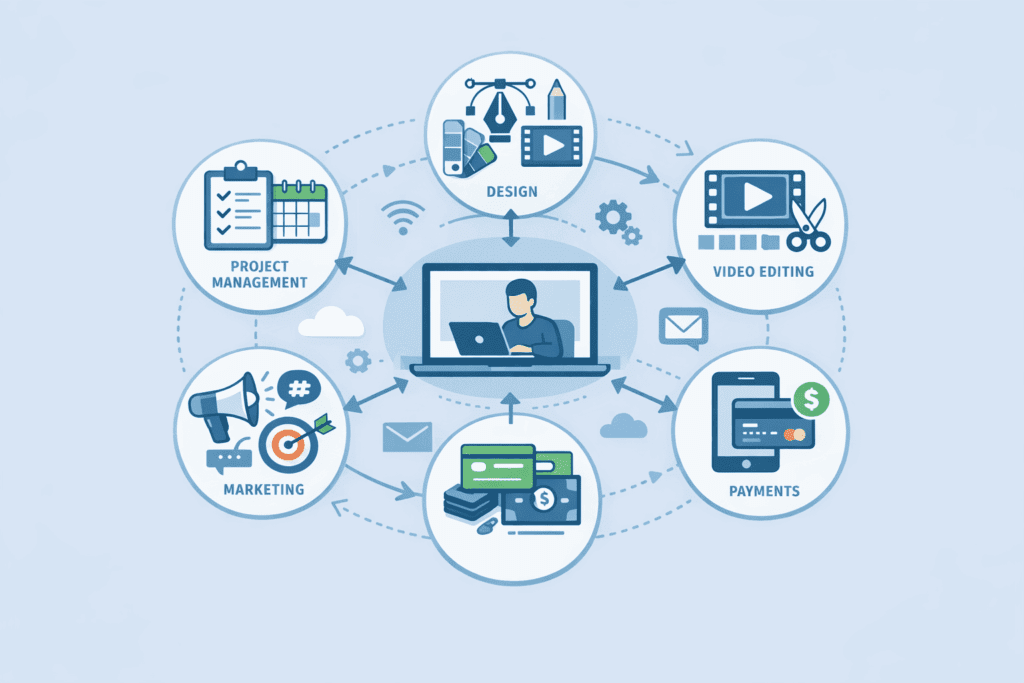
Choosing the right software isn’t just about following trends; it’s about reclaiming your time. As a freelancer or creator, you aren’t just the talent— you are the CEO, the marketing department, and the accountant. Without a solid system, the freedom of freelancing quickly turns into a mountain of unanswered emails and missed deadlines.
In 2026, the gap between struggling freelancers and those who scale effortlessly is defined by their toolkit. We’ve moved past the era of manual data entry and hope-based project management. Today, successful professionals use a mix of automation, streamlined design interfaces, and reliable financial trackers to handle the heavy lifting.
This guide lists 25 essential tools that are actually used by high-earning professionals. These aren’t just flashy apps; they are the workhorses that will help you stay organized, look professional, and grow your business.
Quick Comparison Table: Best Freelancer Tools
Before diving into the full breakdown, here’s a quick overview of the most popular tools covered in this guide.
| Tool | Category | Best For |
| Notion | Productivity | Managing projects & knowledge |
| Trello | Project Management | Visual task tracking |
| ClickUp | Productivity | Advanced workflow management |
| Calendly | Scheduling | Client meetings |
| Toggl Track | Time Tracking | Hourly freelancers |
| Grammarly | Writing | Editing & proofreading |
| Jasper | Content Creation | Marketing copy |
| Canva | Design | Social media graphics |
| Figma | Design | UI/UX design |
| Descript | Video/Audio | Podcast & video editing |
| CapCut | Video | Short-form content |
| Loom | Communication | Screen recording |
| Semrush | SEO | Keyword research |
| Ahrefs | SEO | Backlink analysis |
| ConvertKit | Marketing | Email newsletters |
| Zapier | Automation | Workflow automation |
| Stripe | Payments | Client payments |
| Gumroad | Digital Sales | Selling digital products |
| Webflow | Website | Professional portfolio |
| Shopify | Ecommerce | Online store |
Project Management & Productivity
1. Notion
Notion is essentially the digital brain for most modern creators. It combines notes, databases, and project trackers into one customizable workspace.
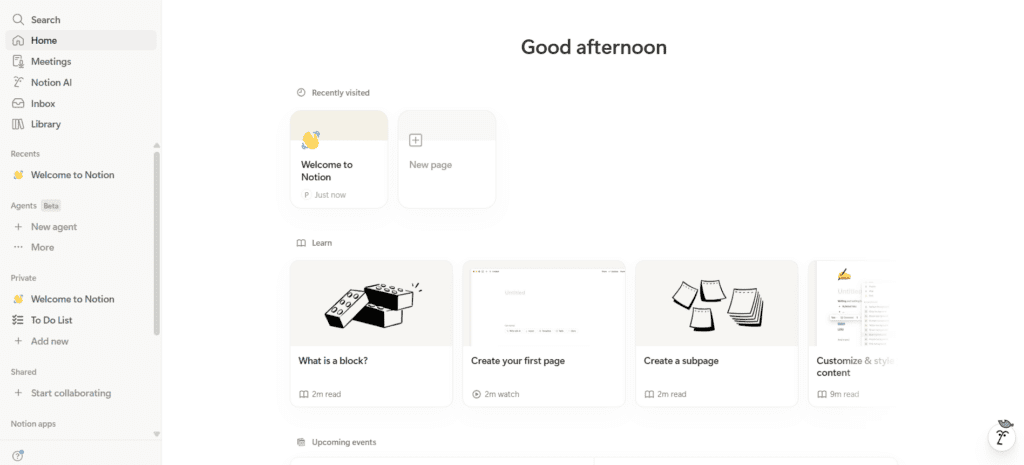
Why professionals use it: It replaces five different apps. You can host your client portal, content calendar, and personal wiki all in one spot.
Key Features
- Linked databases
- AI writing assistant
- Synced blocks across pages
Real-world Use: A freelance consultant uses Notion to give clients a “Live Project Dashboard” where they can see progress and documents in real-time without emailing.
Pricing: Free for individuals; Plus plan from $10/month.
Best for: Solopreneurs who love a highly organized, all-in-one system.
2. Trello
If you think in sticky notes, Trello is your best friend. It uses a Kanban board system that makes it easy to visualize where every project stands.
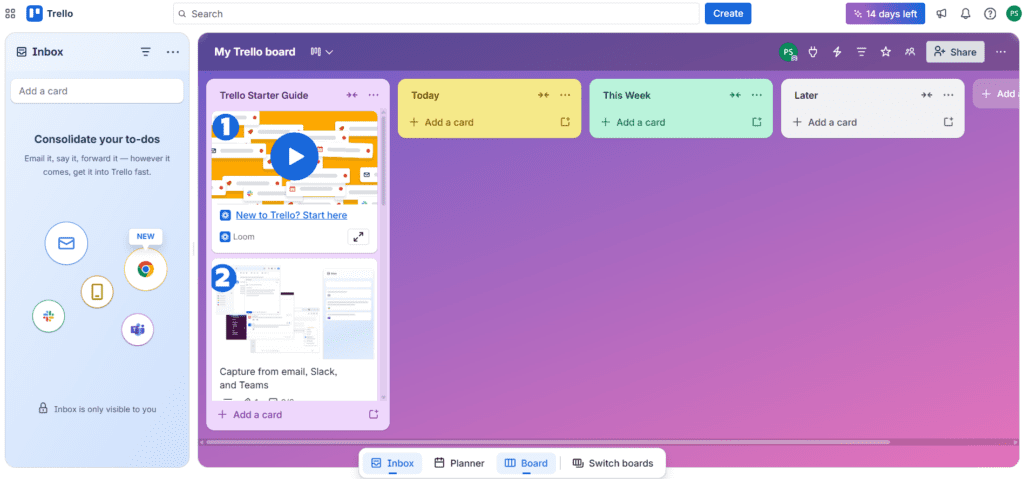
Why professionals use it: It is incredibly lightweight. You can see your entire to-do, doing, and done list at a glance.
Key Features
- Drag-and-drop cards
- Automation rules
- Easy collaboration
Real-world Use: A graphic designer moves projects through stages:
Brief → First Draft → Revision → Delivery.
Pricing: Free basic version; Standard starts at $5/month.
Best for: Visual thinkers who prefer simplicity over complex databases.
3. ClickUp
ClickUp is for those who find Notion too open-ended and Trello too simple. It is a powerhouse project management tool designed for deep work.
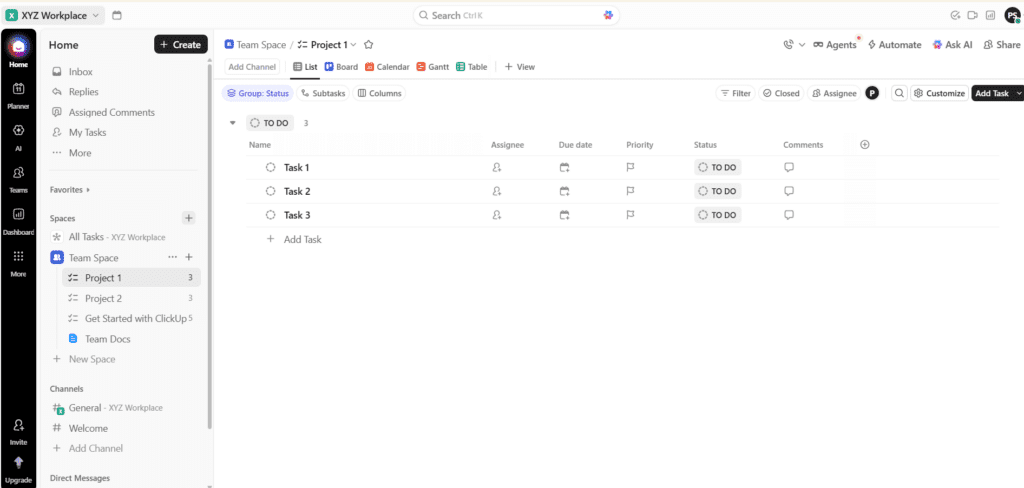
Why professionals use it: It offers Everything View, allowing you to see every task across every project in one list.
Key Features
- Everything View
- Native time tracking
- Workflow automation
Real-world Use: A small agency owner uses ClickUp to assign sub-tasks to two freelancers and track their billable hours automatically.
Pricing: Free Forever plan; Unlimited from $7/month.
Best for: Freelancers with high-volume tasks or those managing small teams.
4. Calendly
The days of What time works for you? are over. Calendly lets people book meetings based on your actual availability.
Why professionals use it: It eliminates the back-and-forth email chain and handles time-zone math automatically.
Key Features
- Automated reminders
- Time zone detection
- Paid booking options
Real-world Use: A coach uses a Calendly link in her bio so potential clients can book a 15-minute discovery call without her lifting a finger.
Pricing: Free for one event type; Standard starts at $10/month.
Best for: Anyone who does discovery calls, coaching, or frequent client check-ins.
5. Toggl Track
If you don’t track your time, you’re likely undercharging. Toggl is the gold standard for simple, one-click time tracking.
Why professionals use it: It’s non-intrusive. You hit “Start” and get back to work.
Key Features: Detailed reports for client billing and a browser extension that puts a timer button inside other apps like Trello or Gmail.
Real-world Use: A freelance writer realized through Toggl that “quick” 500-word articles were taking 3 hours, leading her to double her rates.
Pricing: Free for up to 5 users; Starter at $9/month.
Best for: Hourly freelancers who need to justify their invoices with data.
Writing & Content Creation
6. Grammarly
Grammarly has evolved from a spell-checker into a full-blown communication coach.
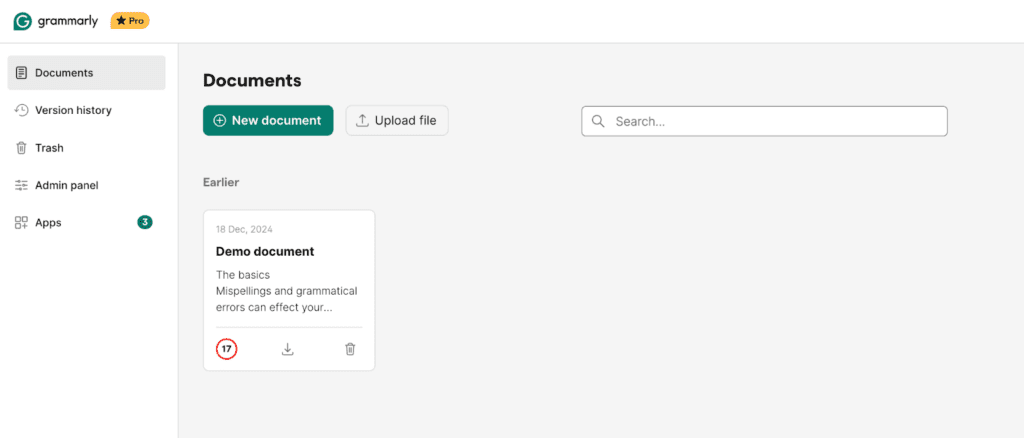
Why professionals use it: It ensures every email and proposal sounds professional, confident, and error-free.
Key Features
- Tone suggestions
- Grammar corrections
- Plagiarism checker
Real-world Use: A developer uses Grammarly to ensure his technical documentation is easy for non-technical clients to understand.
Pricing: Free version available; Premium from $12/month.
Best for: Everyone. Professional writing is a non-negotiable for credibility.
7. Jasper
Jasper is an AI writing assistant tailored specifically for marketing and business growth.
Why professionals use it: It helps beat writer’s block by generating high-converting ad copy, blog outlines, and social captions.
Key Features
- Marketing templates
- Blog outlines
- Brand voice customization
Real-world Use: A social media manager uses Jasper to turn one long-form blog post into 10 different LinkedIn posts in minutes.
Pricing: Creator plan from $39/month.
Best for: Marketers and bloggers who need to produce high volumes of content.
8. Hemingway Editor
This tool focuses on making your writing “bold and clear” by highlighting complex sentences and passive voice.
Why professionals use it: It forces you to write for the web—simple, punchy, and readable.
Key Features
- Readability scores
- Passive voice detection
Real-world Use: A copywriter runs every landing page draft through Hemingway to ensure it hits a Grade 6 reading level for maximum conversion.
Pricing: Free web version; $19.99 for the desktop app.
Best for: Copywriters and bloggers who want to improve their style.
Design Tools
9. Canva
Canva democratized design. It’s no longer just for social media posts; it’s a full-scale publishing platform.
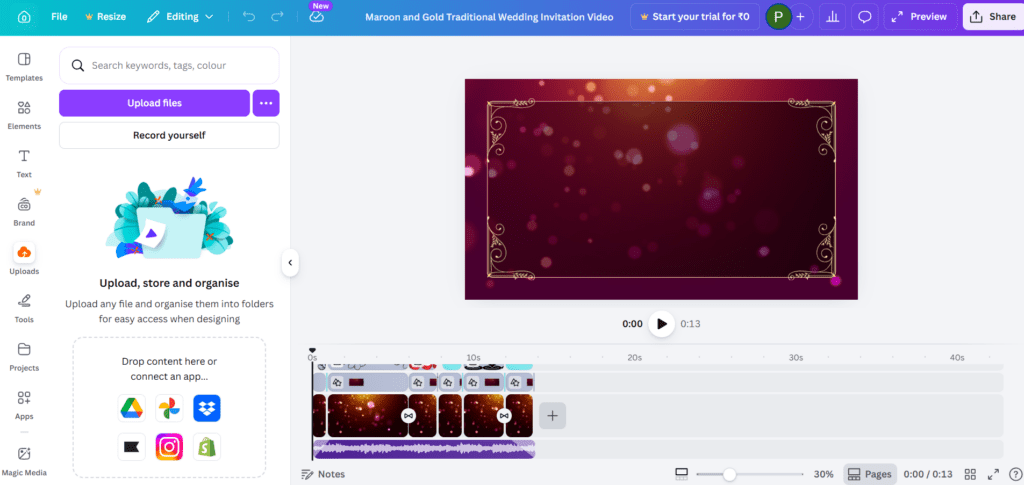
Why professionals use it: You don’t need a degree in design to create professional-grade pitch decks, white papers, or resumes.
Key Features
- Drag-and-drop design
- Brand kits
- Thousands of templates
Real-world Use: An entrepreneur uses Canva to create a 30-page e-book and a matching set of Instagram stories in a single afternoon.
Pricing: Free version; Canva Pro is $120/year.
Best for: Non-designers who need high-quality visuals quickly.
10. Adobe Express
Adobe Express is Adobe’s answer to Canva, offering a bridge into the professional Creative Cloud ecosystem.
Why professionals use it: It offers higher-level creative control and integrates perfectly with Photoshop and Illustrator files.
Key Features
- Background remover
- Premium fonts
- Video templates
Real-world Use: A freelance photographer uses Express to quickly add text overlays to her work for client Instagram reels.
Pricing: Free version; Premium for $9.99/month.
Best for: Creators who want a bit more “pro” polish than Canva offers.
11. Figma
Figma is the industry standard for UI/UX design and collaborative brainstorming.
Why professionals use it: It’s entirely browser-based, allowing you to design interfaces and prototypes alongside your clients.
Key Features: Real-time collaboration, interactive prototyping, and an endless community plugin library.
Real-world Use: A web designer creates a mobile app mockup and shares a link with the client, who leaves comments directly on the design elements.
Pricing: Free for 3 files; Professional from $12/month.
Best for: Web designers, app developers, and UI/UX specialists.
Video Creation Tools
12. Descript
Descript changed video editing by letting you edit video by editing text.
Why professionals use it: If you can edit a Word doc, you can edit a podcast or a video.
Key Features
- Automatic transcription
- AI voice cleanup
- Screen recording
Real-world Use: A podcaster removes a 5-minute tangent just by highlighting the text in the transcript and hitting “Delete.”
Pricing: Free tier; Creator plan at $12/month.
Best for: Podcasters and YouTubers who want to save hours on editing.
13. CapCut (Desktop)
While it started on mobile, CapCut Desktop is now a staple for short-form content creators.
Why professionals use it: It has the most “viral” features built-in, like auto-captions and trendy transitions.
Key Features
- Auto captions
- Music library
- Viral templates
Real-world Use: A TikTok creator uses CapCut to sync her footage to a trending beat in under 10 minutes.
Pricing: Free; Pro version available for $7.99/month.
Best for: Short-form video creators (TikTok, Reels, Shorts).
14. Loom
Loom is for “video messages.” It records your screen and your face simultaneously.
Why professionals use it: It replaces 30-minute meetings with a 2-minute video walkthrough.
Key Features: Instant sharing links, viewer comments, and automatic transcripts.
Real-world Use: A developer records a Loom to show a client a bug fix, explaining the logic while pointing at the code.
Pricing: Free (up to 5 mins); Business at $12.50/month.
Best for: Explaining complex ideas or giving feedback to clients and teams.
SEO & Marketing Tools
15. Semrush
Semrush is a massive intelligence platform for anything related to online visibility.
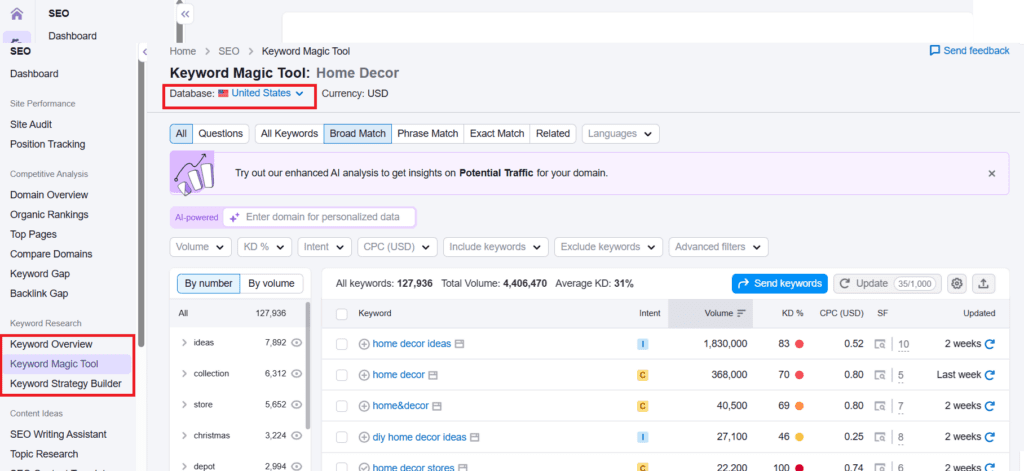
Why professionals use it: It tells you exactly what your competitors are doing and what keywords you need to rank for.
Key Features: Keyword Magic Tool, Site Audit, and Backlink Analytics.
Key Features
- Keyword research
- SEO audits
- Competitor tracking
Pricing: Pro plan starts at $129/month.
Best for: Serious digital marketers and SEO specialists.
16. Ahrefs
Ahrefs is the primary competitor to Semrush, favored by those who prioritize link-building and content research.
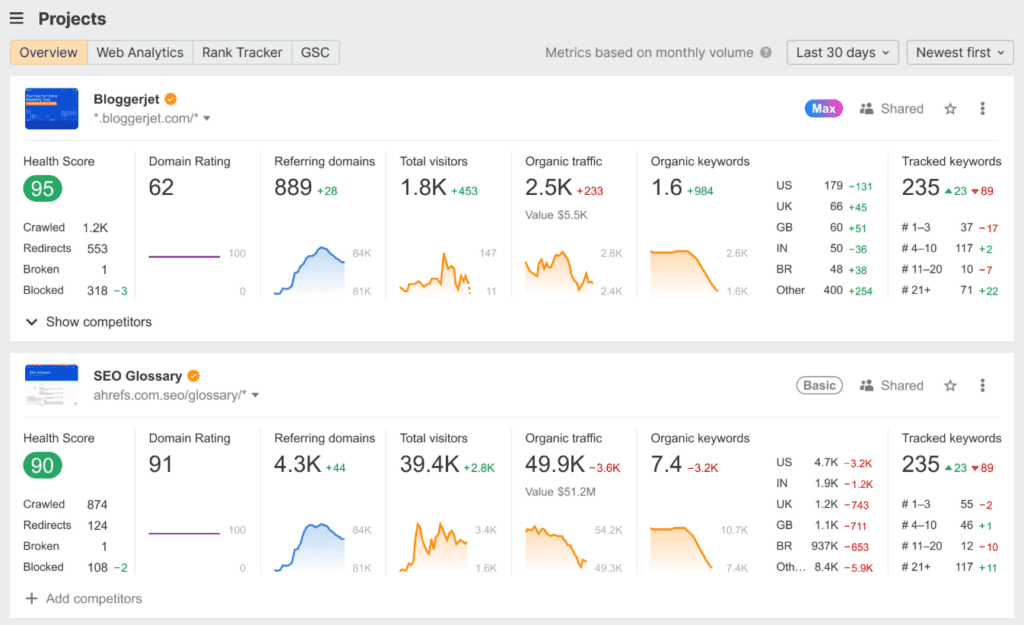
Why professionals use it: It has arguably the best “Content Explorer” and the most comprehensive backlink index.
Key Features: Keywords Explorer, Site Explorer, and Rank Tracker.
Real-world Use: A niche blogger uses Ahrefs to see which articles on a competitor’s site are getting the most traffic, then writes a better version.
Pricing: Lite starts at $99/month.
Best for: Content marketers and link-builders.
17. ConvertKit (now Kit)
ConvertKit is an email marketing platform built specifically for creators, not just “big business.”
Why professionals use it: It makes it easy to build landing pages, sell digital products, and automate your email sequences.
Key Features: Visual automation builders, paid newsletter features, and easy segmenting.
Real-world Use: A writer uses ConvertKit to automatically send a “Welcome Email” with a free PDF to anyone who signs up for her newsletter.
Pricing: Free up to 1,000 subscribers; Creator starts at $9/month.
Best for: Authors, bloggers, and newsletter creators.
Automation & Workflow Tools
18. Zapier
Zapier is the glue of the internet. It connects over 6,000 apps to automate repetitive tasks.
Why professionals use it: It allows you to build custom systems without knowing how to code.
Key Features: Multi-step “Zaps,” AI-powered workflow builder, and scheduled tasks.
Real-world Use: When a new lead fills out a form on a freelancer’s website, Zapier automatically adds them to Notion, sends a Slack alert, and adds the lead to a ConvertKit tag.
Pricing: Free for basic Zaps; Starter at $19.99/month.
Best for: Anyone looking to automate themselves out of administrative work.
19. Make (formerly Integromat)
Make is a more visual, often more affordable alternative to Zapier for complex automations.
Why professionals use it: It allows for highly complex, branching logic that can be visualized on a canvas.
Key Features: Infinite branching, visual drag-and-drop builder, and lower cost per operation than Zapier.
Real-world Use: A data analyst uses Make to pull data from a Google Sheet, process it through an AI, and then generate a custom PDF report sent via Gmail.
Pricing: Free for 1,000 operations; Core at $9/month.
Best for: Advanced users who need complex, multi-branching automations.
Payment & Finance Tools
20. Stripe
Stripe is the infrastructure behind almost every modern online business.
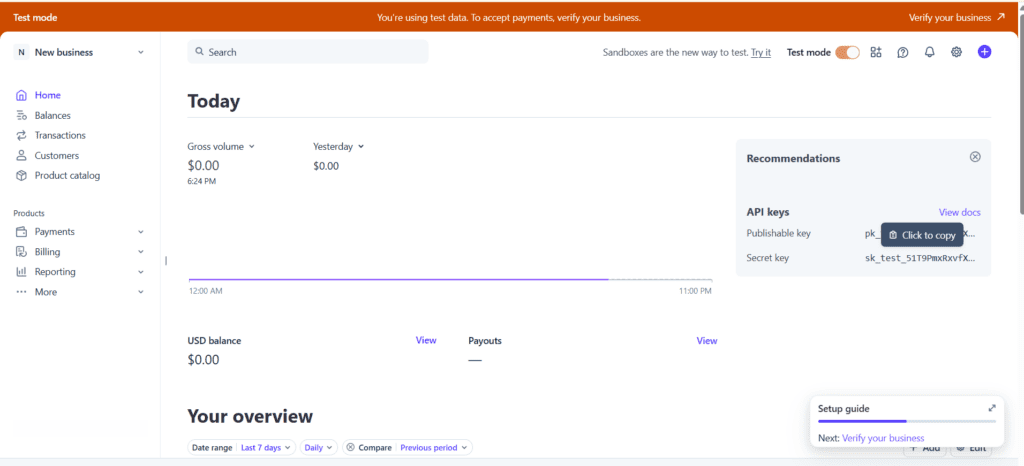
Why professionals use it: It allows you to accept credit cards, Apple Pay, and international currencies with high security and reliability.
Key Features: Payment links, recurring billing (subscriptions), and detailed financial reporting.
Real-world Use: A freelancer sends a “Stripe Payment Link” in an email, allowing the client to pay an invoice in seconds without signing up for an account.
Pricing: Pay-as-you-go (usually 2.9% + 30¢ per transaction).
Best for: Anyone selling services or digital products online.
21. Gumroad
Gumroad is the easiest way to start selling digital products like e-books, presets, or templates.
Why professionals use it: You don’t need a website. You just upload a file, set a price, and share the link.
Key Features: Built-in affiliate marketing, simple checkout, and “Pay What You Want” pricing options.
Real-world Use: A photographer sells her Lightroom presets on Gumroad, earning passive income while she’s out on shoots.
Pricing: Flat 10% fee on every sale (no monthly fees).
Best for: Creators selling their first digital products.
22. QuickBooks Self-Employed
Accounting is usually the part of freelancing everyone hates. QuickBooks makes it manageable.
Why professionals use it: It separates personal and business expenses with a simple swipe.
Key Features: Mileage tracking, quarterly tax estimations, and receipt scanning.
Real-world Use: During tax season, a freelancer exports a single report that hasall her deductions categorized, saving her days of manual work.
Pricing: Starts around $15/month.
Best for: Freelancers who need to stay compliant with taxes and expenses.
Website & Portfolio Tools
23. Webflow
Webflow is a professional website builder that gives you the power of code without actually writing it.
Why professionals use it: It creates high-performance, custom-branded websites that look significantly better than standard templates.
Key Features: CMS for blog posts, full design customization, and reliable hosting.
Real-world Use: A high-end brand designer built her portfolio on Webflow with custom animations to show off her technical skills.
Pricing: Free to start; CMS plan from $14/month.
Best for: Designers and developers who want total creative control.
24. Shopify
If you are selling physical goods or high-volume digital products, Shopify is the industry leader.
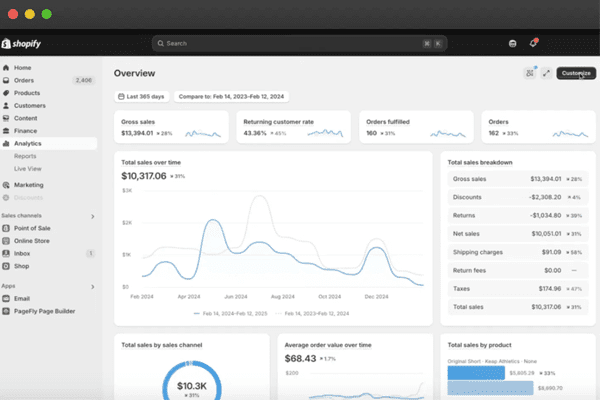
Why professionals use it: It is designed to scale. It handles everything from inventory to shipping labels.
Key Features: Massive app store, world-class checkout experience, and integrated marketing tools.
Real-world Use: An artist uses Shopify to sell limited edition prints, managing the shipping and tax calculations automatically.
Pricing: Basic plan from $39/month.
Best for: E-commerce entrepreneurs and creators with physical merchandise.
25. Framer
Framer has recently become the go-to tool for creating high-end, animated portfolios and landing pages.
Why professionals use it: It is incredibly fast. You can design in a Figma-like interface and hit “Publish” to go live instantly.
Key Features: Built-in animations, responsive design out of the box, and easy CMS.
Real-world Use: A copywriter used a Framer template to launch his portfolio in a single weekend, featuring smooth scrolling effects that impressed his clients.
Pricing: Free version; Mini plan from $5/month.
Best for: Freelancers who want a “premium” looking site with minimal technical effort.
Free vs Paid Tools for Freelancers
Many freelancers start with free tools, then upgrade when their business grows.
Best Free Tools
- Notion
- Trello
- Canva
- Grammarly
- CapCut
- Loom
These tools cover productivity, design, writing, and communication.
Best Paid Tools Worth Upgrading
- Semrush (SEO research)
- ClickUp (advanced project management)
- Jasper (content creation)
- ConvertKit (email marketing)
- Webflow (professional websites)
Paid tools become useful once your income depends on efficiency and automation.
Real-World Use Scenarios
The Content Creator’s Workflow
Imagine a YouTuber named Leo. He uses Notion to script his videos. Once filmed, he drops the file into Descript to remove all the “ums,” then uses CapCut to add snappy captions. He designs the thumbnail in Canva and uses ConvertKit to notify his email list when the video goes live.
The Freelance Writer’s Workflow
Sarah writes for B2B tech companies. She manages her deadlines in Trello and uses Toggl to track her time for billing. She drafts her work in Grammarly to ensure it’s polished. Once the work is approved, she sends an invoice via Stripe and logs the income in QuickBooks.
The Digital Marketer’s Workflow
James runs Facebook ads for local businesses. He uses Semrush to research keywords and Jasper to write the ad copy. He sets up an automation in Zapier so that whenever a lead is generated, it’s sent directly to his client’s email and a Notion database.
Recommended Toolkit Stacks
The Writing Stack
- Notion (Planning)
- Grammarly (Editing)
- Substack/ConvertKit (Distribution)
- Stripe (Payments)
The Visual Creator Stack
- Figma (Design)
- Canva (Marketing Assets)
- Descript (Video/Audio)
- Framer (Portfolio)
The “Business-First” Freelancer Stack
- ClickUp (Project Management)
- Calendly (Booking)
- QuickBooks (Finances)
- Zapier (Automation)
Related Guides on BizSmartTools
If you’re building your freelance toolkit, you may also find these guides helpful:
- Best SEO Tools for Growing Website Traffic
- Canva vs Adobe Express: Which Design Tool Is Better
- Best Website Builders for Freelancers and Creators
These resources will help you build a complete digital workflow.
Conclusion
The 25 tools listed above are more than just software—they are the building blocks of a sustainable freelance career. In 2026, the goal isn’t to work more; it’s to work smarter. By automating the boring stuff and streamlining your creative process, you free up the mental space to do what you actually love.
Don’t feel pressured to sign up for all 25 today. Start with a Core Three: one for project management like Notion, one for creation like Canva, and one for finances like Stripe. Master those first, and then add more tools as your business grows. The right toolkit won’t just make you look more professional—it will help you become a more profitable, less stressed creator.
If you’re unsure which tools to try first, BizSmartTools regularly publishes practical guides and comparisons to help freelancers and creators choose the right software without wasting time or money.
0 Comments