






Starting an online store sounds exciting—until you actually start looking at eCommerce platforms.
Many beginners run into the same problems. One platform looks powerful but feels complicated. Another is easy to use but gets expensive quickly. Some require technical setup, while others promise simplicity but limit customization.
Choosing the wrong platform often leads to wasted time, unexpected costs, and sometimes rebuilding the entire store later.
That’s why picking the right platform from the beginning matters.
In this guide, we looked at 10 widely recommended eCommerce platforms and evaluated them based on:
• Beginner friendliness
• Setup speed
• Pricing and hidden costs
• Scalability
• Support and ecosystem
Some platforms are perfect for launching your first store in a few hours. Others work better if you already run a website or plan to scale quickly.
Below you’ll find a quick comparison table, detailed reviews, real-world style examples, and finally a ranked list of the best eCommerce platforms for beginners in 2026.
To make the decision easier, we compared the most popular eCommerce platforms based on real beginner needs like ease of setup, pricing, customization options, and long-term scalability.
Table of Contents
- Quick Comparison: Top eCommerce Platforms for Beginners
- eCommerce Platforms Feature Comparison
- Detailed Reviews of the Top eCommerce Platforms
- Hosted vs Self-Hosted eCommerce Platforms
- Best Platforms for Different Types of Beginners
- Final Ranking: Top 7 Best eCommerce Platforms for Beginners
- Final Thoughts
Quick Comparison: Top eCommerce Platforms for Beginners
| Platform | Best For | Starting Price | Ease of Use | Beginner Rating |
|---|---|---|---|---|
| Shopify | All-in-one online store | $39/month | Very Easy | 9.5/10 |
| WooCommerce | WordPress users | Free + hosting | Moderate | 9/10 |
| Wix eCommerce | Drag-and-drop store builder | $27/month | Very Easy | 8.8/10 |
| Squarespace Commerce | Design-focused stores | $27/month | Easy | 8.5/10 |
| BigCommerce | Growing online stores | $39/month | Moderate | 8/10 |
| Ecwid | Adding store to existing site | Free / $19 | Easy | 7.8/10 |
| Shift4Shop | Budget stores | Free (with payment plan) | Moderate | 7.5/10 |
| Square Online | Small local businesses | Free | Easy | 7.3/10 |
| Sellfy | Digital creators | $29/month | Very Easy | 7.2/10 |
| Gumroad | Simple digital sales | Free + fees | Very Easy | 7/10 |
eCommerce Platforms Feature Comparison
| Platform | Setup Difficulty | Best For | Monthly Cost | Transaction Fees | Scalability | Beginner Score |
|---|---|---|---|---|---|---|
| Shopify | Very Easy | Beginners launching a store quickly | $39/month | Yes (unless Shopify Payments) | Excellent | 9.5/10 |
| WooCommerce | Medium | WordPress users | Hosting $5–$20/month | No | Excellent | 9/10 |
| Wix eCommerce | Very Easy | Small businesses & beginners | $27/month | No | Good | 8.8/10 |
| Squarespace | Easy | Creators & design-focused stores | $27/month | No | Good | 8.5/10 |
| BigCommerce | Medium | Growing online stores | $39/month | No | Excellent | 8.3/10 |
| Ecwid | Easy | Adding a store to existing website | Free – $19/month | No | Moderate | 8/10 |
| Shift4Shop | Medium | US-based sellers | Free (with payment processing) | No | Good | 7.8/10 |
| Square Online | Very Easy | Local businesses | Free – $29/month | Yes | Moderate | 8.2/10 |
| Sellfy | Very Easy | Digital creators | $29/month | No | Moderate | 8/10 |
| Gumroad | Very Easy | Digital products | Free (with fees) | Yes | Limited | 7.5/10 |
These platforms vary in terms of ease of use, pricing, and scalability. Hosted platforms like Shopify and Wix are usually easier for beginners, while self-hosted solutions like WooCommerce offer more control but require a bit more setup.
Detailed Reviews of the Top eCommerce Platforms
1. Shopify
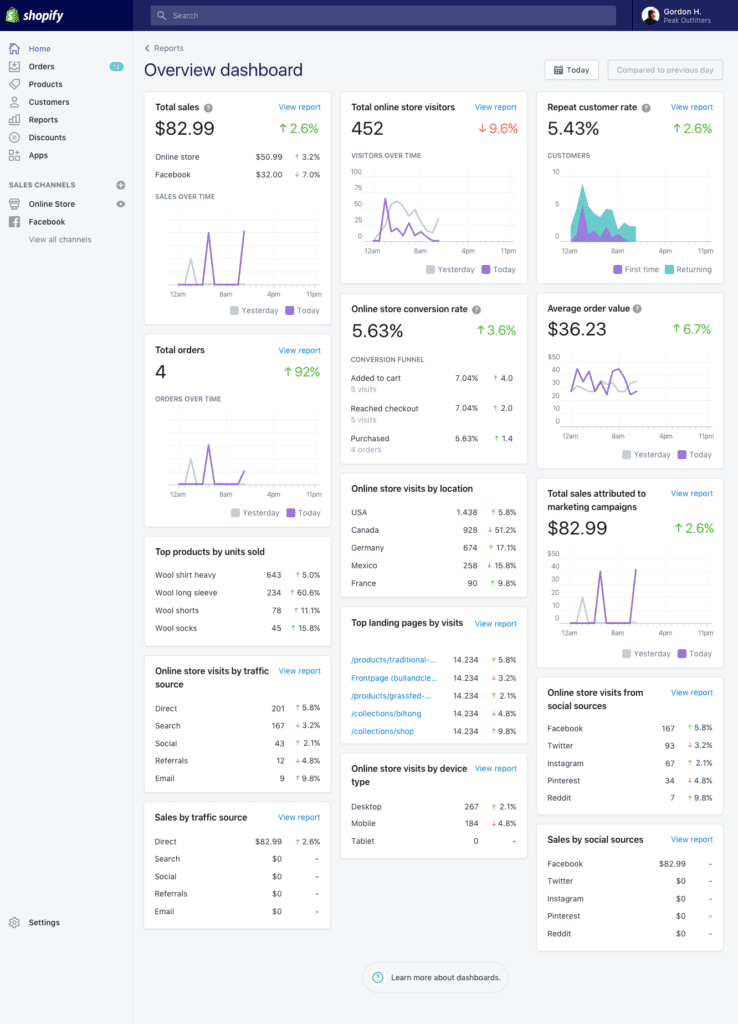
Shopify is often the first platform beginners hear about—and for good reason. It’s designed specifically for people who want to launch an online store quickly without dealing with technical setup.
Everything is included: hosting, security, checkout, payments, and templates.
Best For
• First-time online store owners
• Small product brands
• Dropshipping businesses
Key Features Beginners Actually Use
• Ready-made store templates
• Built-in payment processing
• Easy product management
• Large app marketplace
• Mobile store management
Pricing
Plans start around $39/month, with additional costs for apps and themes if needed.
Most beginners start with the Basic Shopify plan, which includes everything needed to launch a small online store. As your business grows, you can upgrade to higher plans for advanced reports and lower transaction fees.
Shopify Pros & Cons
| Pros | Cons |
|---|---|
| Extremely beginner friendly | Monthly costs can increase with apps |
| Fast store setup | Some themes are paid |
| Huge app ecosystem | Transaction fees if not using Shopify Payments |
| Reliable hosting and security | Limited deep customization |
Real Example
A small clothing brand starting with Instagram traffic can set up a Shopify store in one weekend. Products, payments, and shipping can all be configured without hiring a developer.
Beginner Score
9.5 / 10
If you want a complete walkthrough, check our Shopify Beginner Guide for 2026 which explains how to launch your store step-by-step.
👉 Shopify Beginner Guide 2026 – Start Your Online Store Today
2. WooCommerce
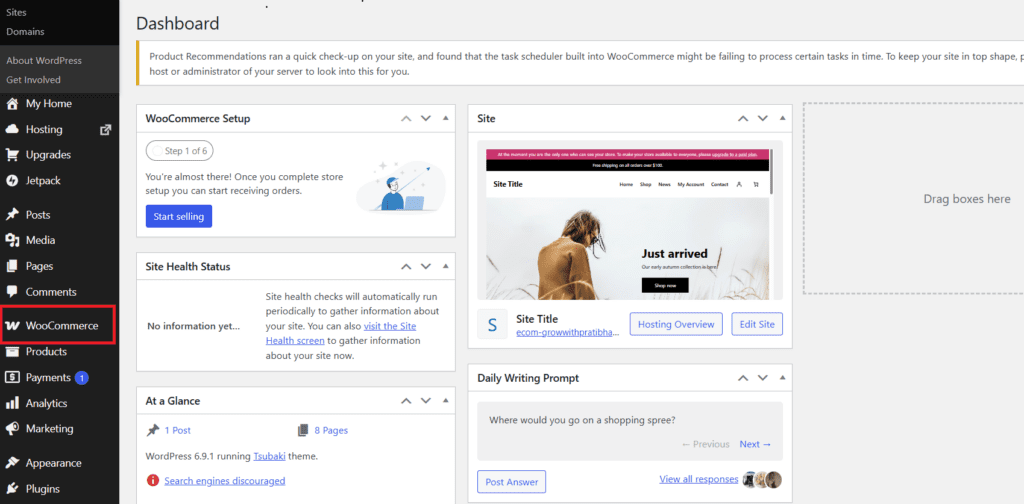
WooCommerce powers millions of online stores because it runs on WordPress, the world’s most popular website platform.
Unlike Shopify, WooCommerce is self-hosted, meaning you control your store and hosting.
Best For
• Bloggers adding a store
• WordPress website owners
• Businesses wanting full control
Key Features
• Complete customization
• Thousands of plugins
• Large theme marketplace
• No platform transaction fees
Pricing
The plugin itself is free, but you’ll need:
• Hosting ($5–$25/month)
• Domain
• Optional plugins
WooCommerce itself is free, but you will need to pay for hosting, domain, and some plugins. For beginners, a basic hosting plan is usually enough to launch a small online store.
WooCommerce Pros & Cons
| Pros | Cons |
|---|---|
| Extremely flexible | Requires technical setup |
| No platform transaction fees | Maintenance responsibility |
| Huge plugin ecosystem | Hosting required |
| Full ownership of website | Learning curve for beginners |
Real Example
A blogger running a WordPress website can install WooCommerce and start selling ebooks, merch, or physical products without migrating to a new platform.
Beginner Score
9 / 103.
3. Wix eCommerce
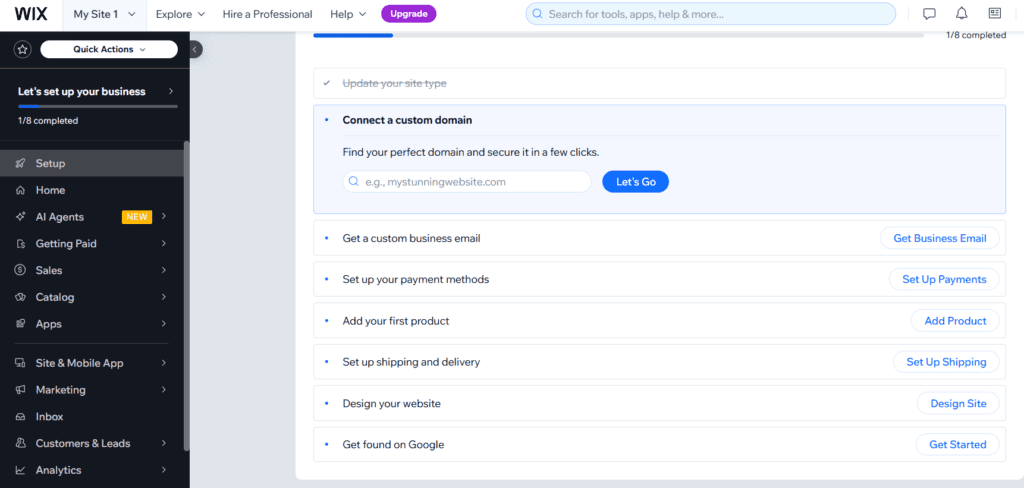
Wix started as a simple website builder but has evolved into a capable eCommerce platform.
Best For
• Small product catalogs
• Personal brands
• Handmade product sellers
Key Features
• Drag-and-drop store editor
• Built-in marketing tools
• Email automation
• App marketplace
The Business Basic plan is usually the best starting point for beginners who want to sell products online without dealing with technical setup.
Wix eCommerce Pros & Cons
| Pros | Cons |
| Extremely easy builder | Limited scalability |
| Fast setup | Less flexible than WooCommerce |
| No coding required | Smaller ecosystem |
Beginner Score
8.8 / 10
4. Squarespace Commerce
Squarespace is known for beautiful website templates.

Best For
• Photographers
• Designers
• Creative brands
Most beginners choose the Basic Commerce plan since it removes transaction fees and includes the essential tools needed to run an online store.
Squarespace Commerce Pros & Cons
| Pros | Cons |
| Excellent design templates | Smaller app marketplace |
| Clean layouts | Less customizable |
| Built-in blogging | Slight learning curve |
Beginner Score
8.5 / 10
5. BigCommerce
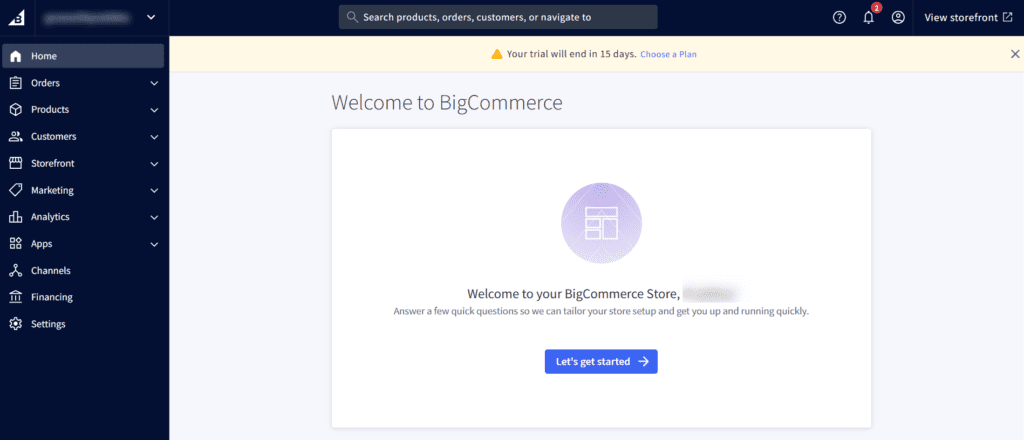
BigCommerce focuses on larger and scaling online stores.
Pros
• Strong built-in features
• No transaction fees
Cons
• Slightly complex interface
The Standard plan works well for beginners starting their first online store. As sales grow, businesses often upgrade to higher plans for advanced features and automation.
Beginner Score: 8 / 10
6. Ecwid
Ecwid allows you to add an online store to an existing website.
Pros
• Free plan
• Easy integration
Cons
• Limited customization
Ecwid offers a free plan that works well for very small stores. However, most businesses eventually upgrade to paid plans to unlock more product listings and marketing tools.
Score: 7.8 / 10
7. Shift4Shop
Full eCommerce platform with many built-in features.
Score: 7.5 / 10
8. Square Online
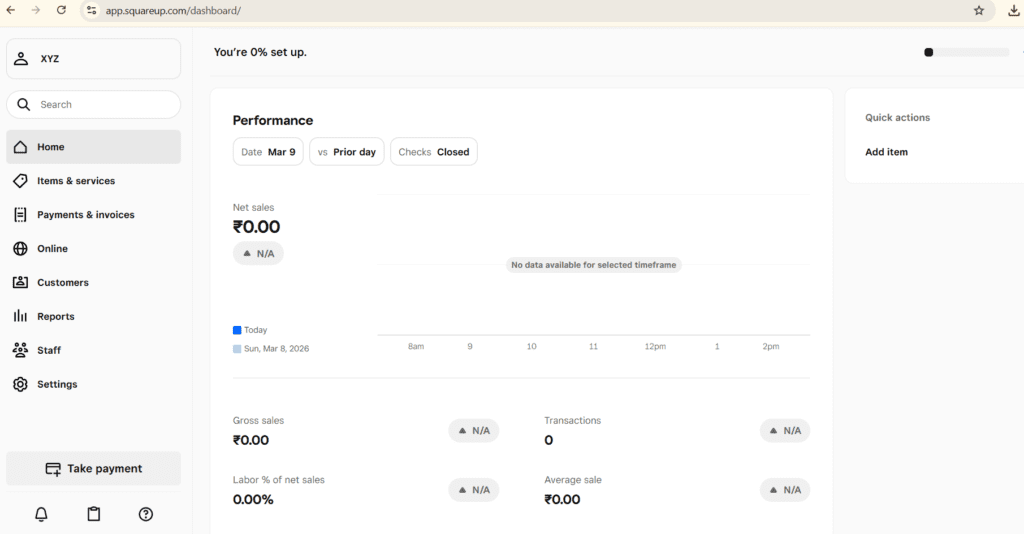
Perfect for small businesses already using Square POS.
Real Example:
A bakery using Square payments in-store can launch online ordering in a few hours.
Score: 7.3 / 10
9. Sellfy
Great platform for creators selling digital downloads.
Sellfy also supports print-on-demand products, which allows creators to sell branded merchandise like t-shirts, mugs, and posters without managing inventory.
Many YouTubers and digital creators use Sellfy because it combines digital product sales, subscriptions, and merchandise in one platform.
Score: 7.2 / 10
10. Gumroad
Simple platform for selling digital downloads without building a full store.
Gumroad is widely used by independent creators, writers, and developers who want a simple way to sell digital products directly to their audience.
Since it focuses on simplicity, many creators prefer Gumroad for selling ebooks, templates, music, and online resources without managing a full eCommerce website.
Score: 7 / 10
Hosted vs Self-Hosted eCommerce Platforms
One of the biggest decisions beginners face is choosing between hosted and self-hosted platforms.
Hosted Platforms
Examples:
• Shopify
• Wix
• Squarespace
These handle hosting, security, updates, and technical setup.
Best for beginners.
Self-Hosted Platforms
Example:
• WooCommerce
Advantages:
• More flexibility
• Lower long-term costs
• Full customization
But they require maintenance.
Best Platforms for Different Beginners
| Rank | Platform | Best For |
|---|---|---|
| #1 | Shopify | Best overall beginner platform |
| #2 | WooCommerce | WordPress users |
| #3 | Wix eCommerce | Drag-and-drop store builder |
| #4 | Squarespace Commerce | Design-focused brands |
| #5 | BigCommerce | Growing businesses |
| #6 | Square Online | Free eCommerce option |
| #7 | Sellfy | Digital creators |
Final Thoughts
Choosing the best eCommerce platform for beginners often feels overwhelming at first.
But most successful online stores didn’t start with the perfect platform. They started with a simple setup and improved over time.
If you want the fastest path to launching your first store, Shopify is usually the safest choice.
If you already use WordPress, WooCommerce makes more sense.
And if you’re selling digital products, tools like Sellfy or Gumroad can get you started quickly.
The important thing is to start your store instead of spending months comparing tools.
At BizSmartTools, we regularly test software, compare platforms, and publish beginner-friendly guides to help entrepreneurs choose the right tools for building an online business.
If you’re still exploring tools, check our other comparisons and tutorials on BizSmartTools to find the best platforms for launching and growing your online store.
Frequently Asked Questions
What is the easiest eCommerce platform for beginners?
Shopify is widely considered the easiest platform because it handles hosting, payments, and store setup.
Can I start an online store for free?
Yes. Platforms like Square Online and Ecwid offer free plans.
Which platform is best for WordPress users?
WooCommerce is the best choice because it integrates directly with WordPress.

0 Comments