






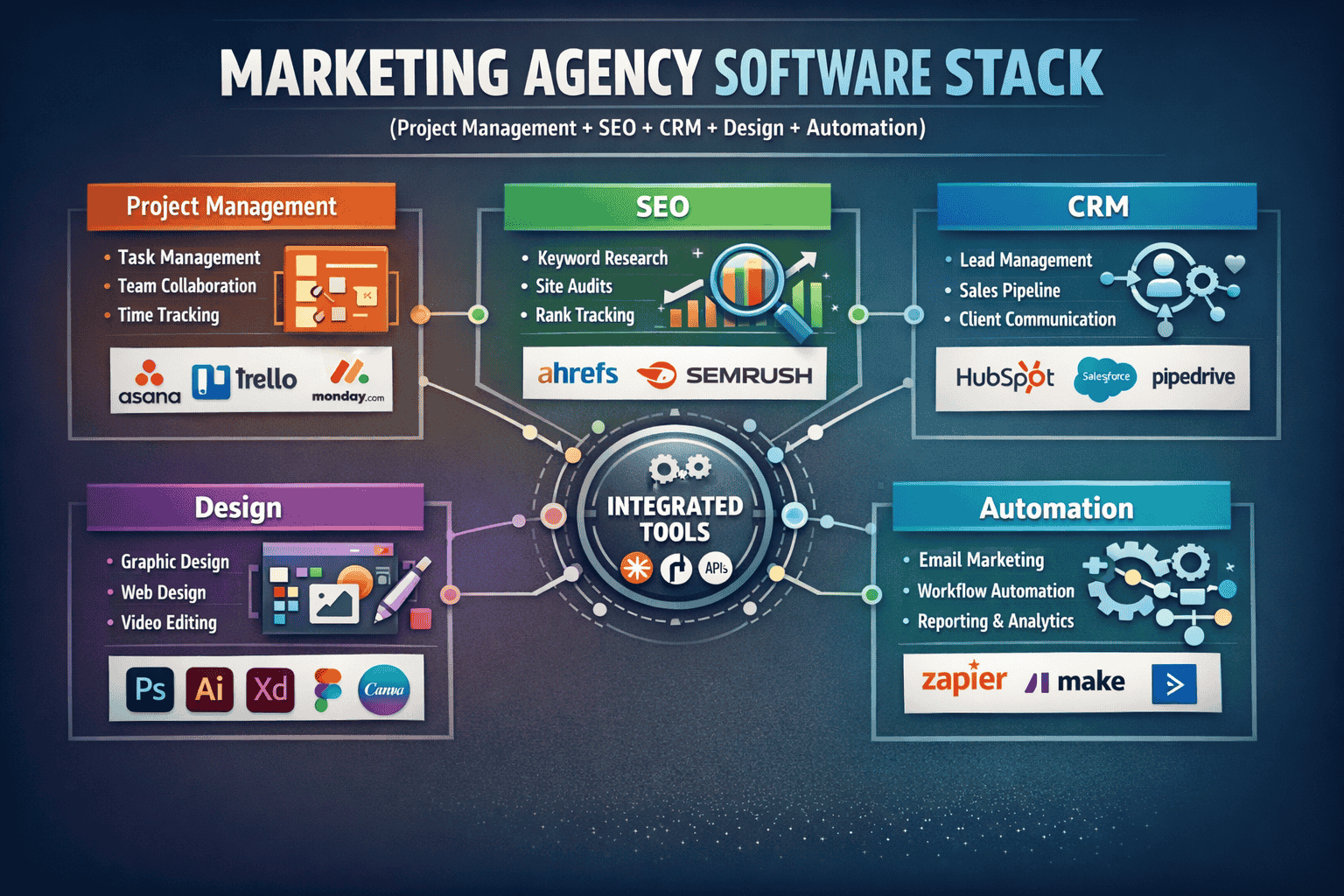
Marketing agencies in 2026 aren’t just creating clever campaigns. You are juggling complex data, managing hybrid teams across time zones, and proving ROI to increasingly demanding clients. Doing this manually or with an ad-hoc collection of spreadsheets is a recipe for burnout and lost accounts.
The biggest challenges agencies face haven’t changed: inefficient processes, poor client reporting, and difficulty scaling. The right software stack directly addresses these pain points. Good tools don’t just save time; they enforce process, improve visibility, and automate the mundane tasks that eat into your billable hours.
I’ve reviewed, implemented, and optimized SaaS tools for dozens of marketing teams. I know which features look good on a demo and which ones actually move the needle in a busy agency environment.
If you’re exploring tools to improve your agency workflow, you’ll also find detailed reviews and comparisons on BizSmartTools.com, where we break down the best software for marketers, creators, and growing teams.
Let’s dive into the 15 tools that will define successful marketing teams in 2026.
Table of Contents
- Category 1: Project Management & Workflow
- Notion
- ClickUp
- Asana
- Monday.com
- Trello3
- Airtable
- Category 2: SEO & Digital Marketing
- Semrush
- Ahrefs
- Category 3: CRM, Marketing, & Reporting
- HubSpot
- Google Analytics
- Category 4: Content Creation & Design
- Canva
- Jasper
- Category 5: Communication & Automation
- Slack
- Zapier
- ConvertKit
- How to Build Your Agency Tool Stack
- Choosing the Right Tools for Your Agency
- Final Thoughts
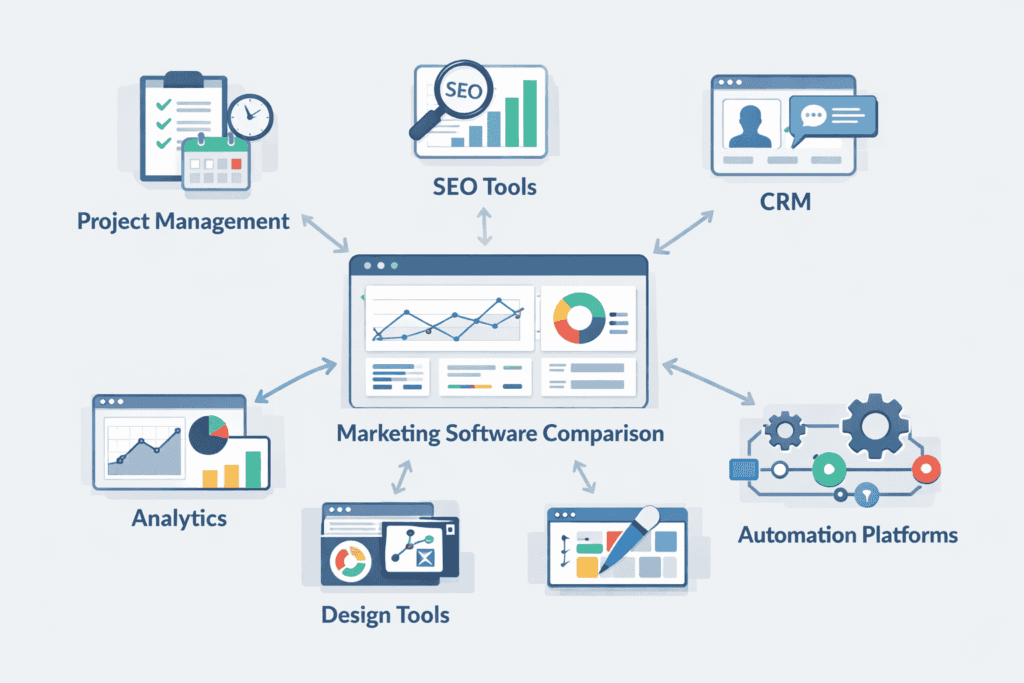
Agency Software Comparison Table
| Tool | Category | Best For | Starting Price | Key Strength |
| Notion | Project Management / Knowledge Base | Building custom agency wikis and client portals. | Free (Paid from $8/mo) | Flexibility and linked databases. |
| ClickUp | Project Management | Agencies needing all features in one platform. | Free (Paid from $7/mo) | Deep customization and feature set. |
| Asana | Project Management | Structured marketing campaigns and workflows. | Free (Paid from $10.99/mo) | Ease of use and visual clarity. |
| Monday.com | Project Management | Workflow automation and visual tracking. | Free (Paid from $9/mo) | Visual automation builder. |
| Trello | Project Management | Simple content pipelines or small agile teams. | Free (Paid from $5/mo) | Drag-and-drop simplicity (Kanban). |
| Airtable | Project Management / Database | High-level marketing calendars and data management. | Free (Paid from $20/mo) | Relational database power. |
| Semrush | SEO & Digital Marketing | Full-stack digital marketing (SEO, PPC, Social). | $139.95/mo | Competitive intelligence data. |
| Ahrefs | SEO | Technical SEO and backlink analysis. | $29/mo (Lite plan) | The world’s best backlink database. |
| HubSpot | CRM & Marketing Automation | Inbound marketing and agency lead management. | Free (Paid varies) | Unified CRM and marketing stack. |
| Google Analytics | Analytics & Reporting | Tracking website performance (Essential). | Free | Industry-standard web traffic data. |
| Canva | Content & Design | Non-designers creating on-brand graphics. | Free (Pro $15/mo) | Ease of use and vast template library. |
| Jasper | Content (AI) | Scaling high-quality marketing copy and content. | $39/mo | Quality of specialized AI templates. |
| Slack | Communication | Internal and client synchronous communication. | Free (Pro $7.25/mo) | Instant messaging and channels. |
| Zapier | Automation | Connecting other tools without writing code. | Free (Paid from $19.99/mo) | Sheer number of supported integrations. |
| ConvertKit | Marketing (Email) | Creator-focused agencies and newsletter building. | Free (Paid from $29/mo) | Creator-friendly automation and visual. |
Category 1: Project Management & Workflow
This category is the foundation of any successful agency. Without proper project management (PM), timelines slip, budgets are overrun, and client trust erodes.
1. Notion
👉 Official website: https://www.notion.so
What This Tool Does
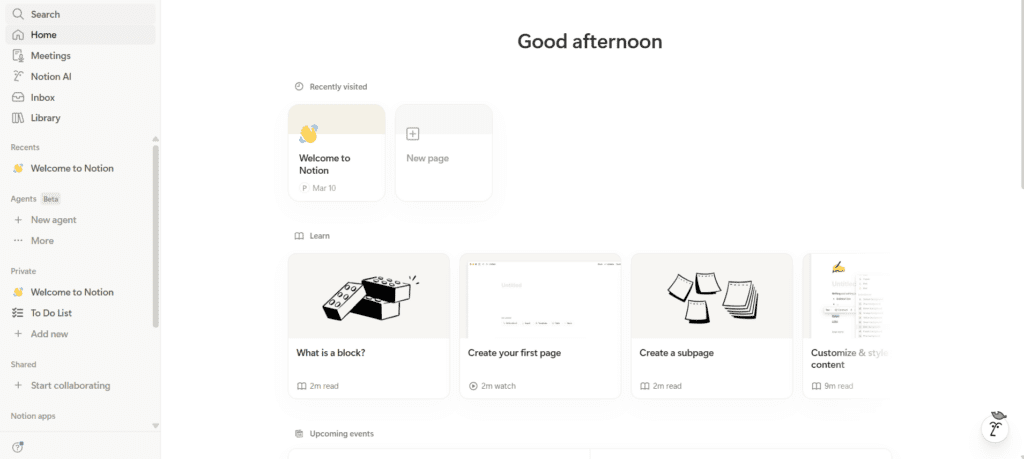
Notion is a highly customizable workspace that combines notes, documents, databases, and simple project management into one unified platform.
Key Features
- Databases: Create connected tables, lists, and boards.
- Wikis: Structure internal knowledge and SOPs.
- Client Portals: Share deliverables professionally.
- Notion AI: Summarize notes and generate drafts.
Why Agencies Love It
Agencies thrive on customization. Notion allows you to build the exact system you need, from a complex resource database to a simple client onboarding checklist.
Real Use Case
An agency uses Notion to build a custom “Client Command Center.” Each client has a dedicated page containing their project roadmap and final creative assets.
| Pros | Cons |
| Incredibly flexible and customizable. | The “blank canvas” can be overwhelming to set up. |
| Excellent for organizing documentation and SOPs. | Lacks native powerful automation features. |
| Creates beautiful professional-looking shared pages. | Reporting and time-tracking are weak. |
Pricing: Starts at $10/user per month.
2. ClickUp
👉 Official website: https://clickup.com
What This Tool Does
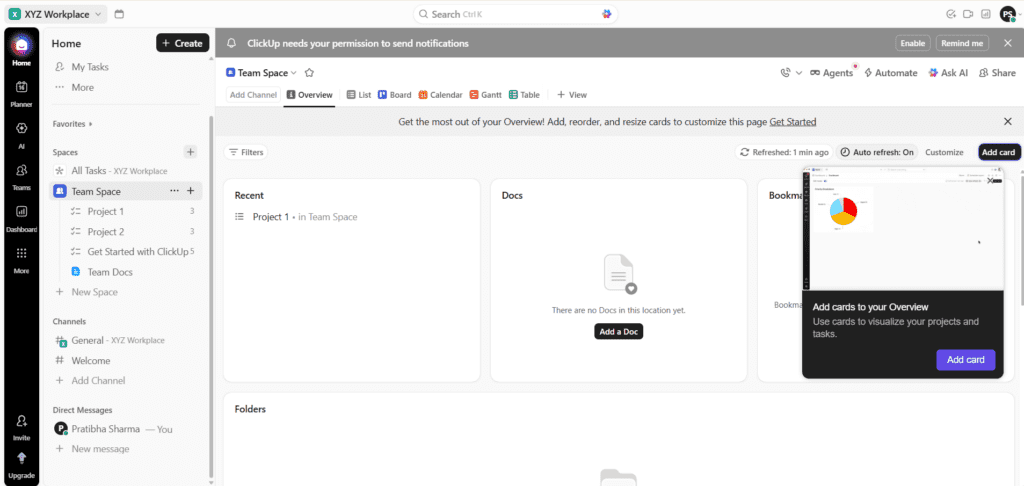
ClickUp aims to be the “one app to replace them all” by packing in every feature imaginable for task management.
Key Features
- Multiple Views: Switch between List, Board, Calendar, and Gantt.
- Custom Statuses: Track work progression precisely.
- Built-in Time Tracking: Native time logging within tasks.
Why Agencies Love It
ClickUp solves the “tool sprawl” problem. It’s fantastic for agencies needing robust features like Gantt charts and native reporting under one roof. (Compare this with Airtable’s database approach).
Real Use Case
A development agency uses Gantt views to map out website launch dependencies and uses native time-tracking for accurate billing.
| Pros | Cons |
| Incredible feature depth in one platform. | Overwhelming number of features creates a learning curve. |
| Native time tracking and simple reporting. | Platform can feel bloated or run slow. |
| Highly customizable at all levels. | Initial setup requires strategic planning. |
Pricing: Paid from $7/user per month.
3. Asana
👉 Official website: https://asana.com
What This Tool Does
Asana excels at helping teams orchestrate complex workflows with a polished, intuitive interface.
Key Features
- Workflows: Connect processes visually.
- Portfolios: High-level view of all active client projects.
- Forms: Standardized intake forms for client requests.
Why Agencies Love It
Asana is designed for adoption. Creative teams find it less intimidating than ClickUp, but it’s still powerful enough for complex campaigns.
Real Use Case
A content agency uses Asana Forms for client requests, which then automatically triggers a “Drafting” task for the writer.
| Pros | Cons |
| Highly intuitive and easy to get teams on board. | More expensive than competitors. |
| Visual “Workflows” are powerful for automation. | Free tier is too restrictive for pros. |
| “Portfolios” provide perfect leadership visibility. | Less customizable “under the hood.” |
Pricing: Starts at $10.99/user per month.
4. Monday.com
👉 Official website: https://monday.com
What This Tool Does
Monday.com is a visual Work OS using a spreadsheet-like structure (“boards”) that is powerful for tracking workflows.
Key Features
- Automation: Best-in-class no-code automation builder.
- Dashboards: Real-time data visualizations.
- Workload View: Balance team capacity visually.
Why Agencies Love It
Anyone can create powerful automations in minutes. It empowers teams to automate their own work without needing IT support. (Integrates perfectly with Slack).
Real Use Case
An ad agency uses Monday to track PPC campaign launches, where changing a status automatically notifies the next team member.
| Pros | Cons |
| Most intuitive visual automation builder. | Pricing structure can be confusing. |
| Highly flexible visual dashboards. | Can feel less task-focused than Asana. |
| Excellent for tracking team capacity. | Reporting can be shallow on lower plans. |
Pricing: Paid from $9/user per month.
5. Trello
👉 Official website: https://trello.com
What This Tool Does
The original digital Kanban board. Uses a simple drag-and-drop system of “Lists” and “Cards.”
Key Features
- Kanban Boards: Perfect for visualization.
- Butler: Built-in automation system.
- Power-Ups: Add-ons for calendars and custom fields.
Why Agencies Love It
Trello is perfect for small agencies or specialized pipelines like content production. Its simplicity ensures a very low barrier to entry.
Real Use Case
An SEO agency uses Trello to move “Technical Audits” through various stages from “To Do” to “Delivered.”
| Pros | Cons |
| Unbeatably simple to set up and use. | Not designed for complex project dependencies. |
| Visual, drag-and-drop interface. | Lacks native reporting and time tracking. |
| Excellent free tier for small teams. | Becomes chaotic with huge task volumes. |
Pricing: Paid from $5/user per month.
6. Airtable
👉 Official website: https://airtable.com
What This Tool Does
A “spreadsheet-meets-database” hybrid. It’s a powerful tool for storing and linking complex marketing data.
Key Features
- Relational Database: Link records across different tables.
- Interface Designer: Build custom apps on top of your data.
- Rich Field Types: Handles attachments, formulas, and links.
Why Agencies Love It
Airtable is the ultimate tool for structured data. It makes an unparalleled Master Marketing Calendar or Content Production Database. (Often used alongside Zapier for data sync).
Real Use Case
A media agency uses Airtable to manage a multi-channel content schedule, linking every post to its specific campaign and asset folder.
| Pros | Cons |
| Most powerful database-like features. | Steeper learning curve for non-data users. |
| Interface Designer is great for client portals. | Can be expensive for large teams. |
| Handles huge volumes of data effortlessly. | Not great for simple, quick task management. |
Pricing: Paid from $20/user per month.
Category 2: SEO & Digital Marketing
If you’re comparing multiple SEO tools, you can explore a detailed comparison here:
👉 Semrush vs Ahrefs – Complete SEO Tools Comparison
For digital agencies, these tools are your radar for discovering organic opportunities and reverse-engineering competitors.
7. Semrush
👉 Official website: https://www.semrush.com
What This Tool Does
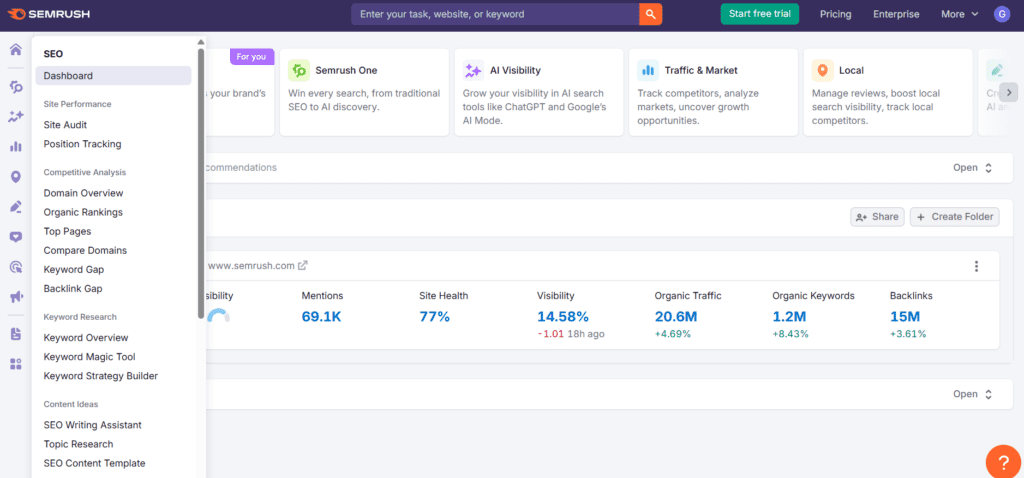
Semrush is an all-in-one suite covering SEO, PPC, content marketing, and social media.
Key Features
- Keyword Magic Tool: Massive keyword research database.
- Domain Overview: Rapid analysis of competitor strategies.
- Market Explorer: Identify key market players.
Why Agencies Love It
It’s a multi-tool. A single subscription gives you data for SEO, paid ads, and social media scheduling. Great for client pitches.
Real Use Case
An agency uses Semrush to show a prospect exactly which keywords their competitors are bidding on to win a new account.
| Pros | Cons |
| The ultimate “all-in-one” visibility platform. | One of the most expensive tools on this list. |
| Unrivaled competitive intelligence data. | Interface can be cluttered and overwhelming. |
| Excellent for both organic and paid (PPC) research. | Some features require expensive add-ons. |
Pricing: Starts at $139.95/month.
8. Ahrefs
👉 Official website: https://ahrefs.com
What This Tool Does
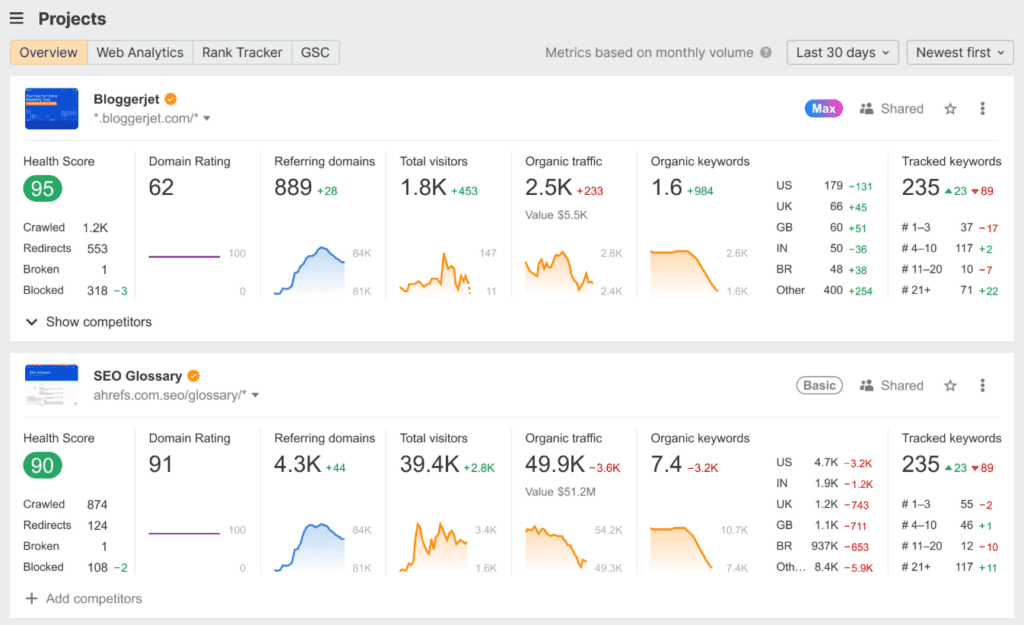
A technical-focused SEO suite renowned for having the world’s second-best backlink database.
Key Features
- Site Explorer: Surgical breakdown of backlinks.
- Keywords Explorer: Reliable keyword difficulty scores.
- Site Audit: Rigorous technical website crawler.
Why Agencies Love It
It’s the choice for technical SEOs. Its backlink data is invaluable for link-building campaigns and understanding link authority. (Works well for data that fuels Google Analytics strategies).
Real Use Case
A content agency uses Ahrefs to find high-traffic, low-difficulty keywords to build a “skyscraper” content piece.
| Pros | Cons |
| Definitive industry leader for backlink analysis. | Lite plan is extremely limited. |
| Consistently high-quality and reliable data. | Less of an all-in-one suite than Semrush. |
| Incredible technical site auditing capabilities. | Challenging for non-technical users. |
Pricing: Useful plans start at $199/month.
Category 3: CRM, Marketing, & Reporting
9. HubSpot
👉 Official website: https://www.hubspot.com
What This Tool Does
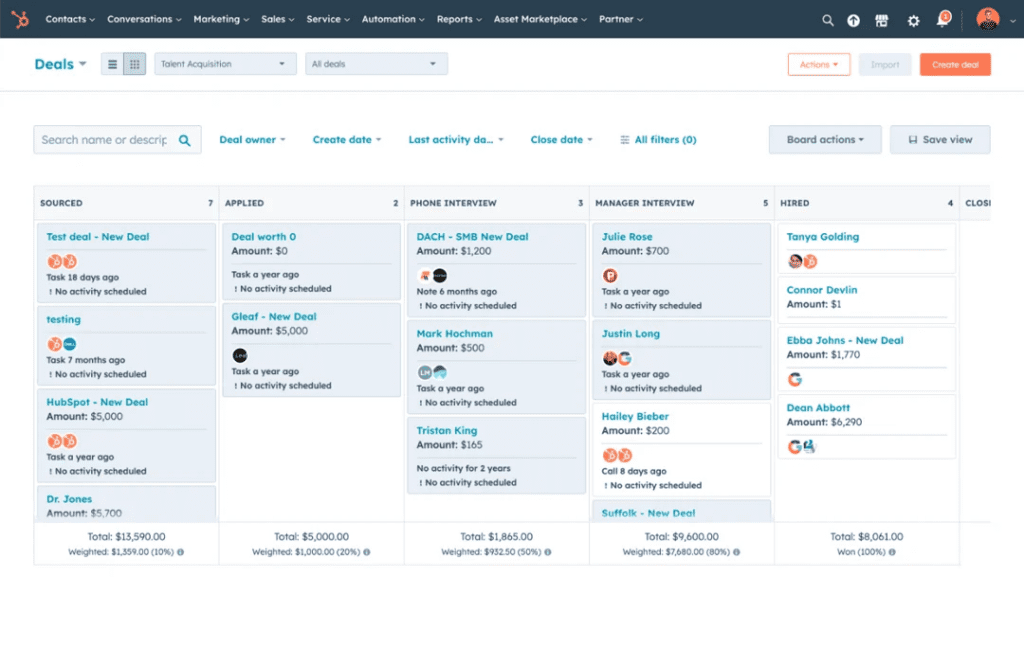
HubSpot is a unified CRM and marketing platform that connects marketing, sales, and service.
Key Features
- Unified CRM: Single source of truth for all contacts.
- Marketing Hub: Email, landing pages, and automation.
- Sales Hub: Manage the agency sales pipeline.
Why Agencies Love It
It allows agencies to run their entire business on one platform—from generating leads to servicing clients. (Can be automated using Zapier).
Real Use Case
An agency uses HubSpot to automate their own lead nurturing, moving prospects from an eBook download to a sales call.
| Pros | Cons |
| A truly unified ecosystem for all teams. | Can get very expensive as your database grows. |
| Powerful yet easy-to-use marketing automation. | Pricing based on contact numbers scales quickly. |
| Excellent free CRM and educational resources. | Advanced features require high-tier plans. |
Pricing: Paid “Hubs” start at $15/seat per month.
10. Google Analytics (GA4)
👉 Official website: https://analytics.google.com
What This Tool Does
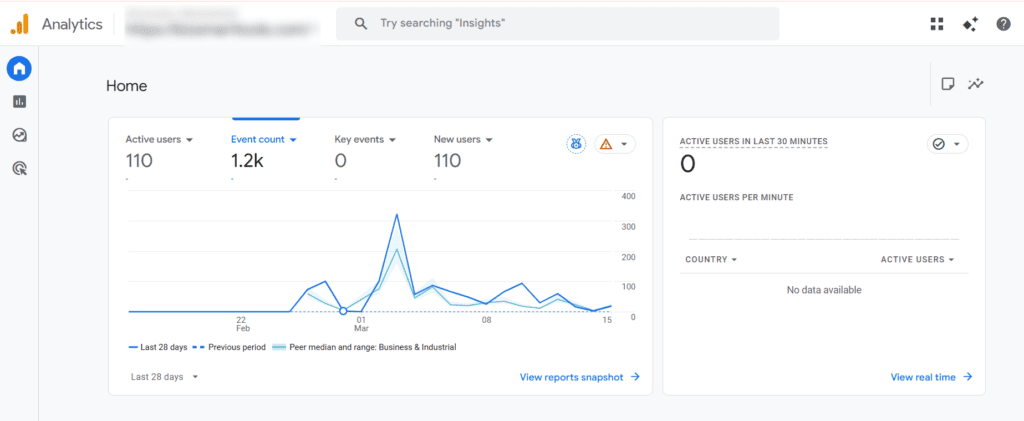
The industry-standard tool for tracking website traffic and user behavior.
Key Features
- Event-Based Tracking: Track interactions as events.
- User Journeys: Analyze interactions across devices.
- Google Ads Integration: Seamlessly connect ad data.
Why Agencies Love It
GA4 is non-negotiable for proving ROI. It provides the core data that fuels client reporting.
Real Use Case
An agency uses GA4 to prove that a specific blog post led to “Add to Cart” events, demonstrating the content’s value.
| Pros | Cons |
| Completely free and the industry standard. | Steep and often confusing learning curve. |
| Incredible depth of data on user behavior. | Requires significant setup for useful insights. |
| Essential for verifying marketing ROI. | Data processing can be slow. |
Pricing: Free.
Category 4: Content Creation & Design
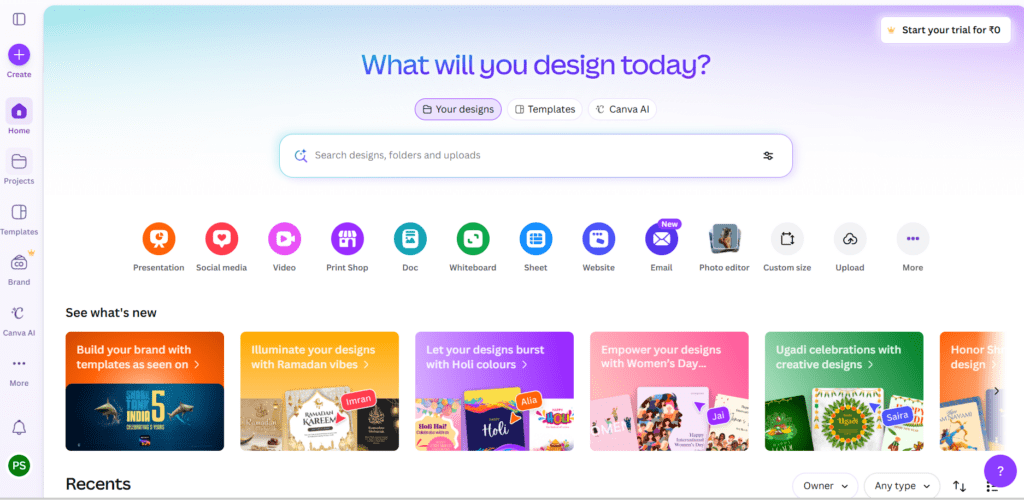
11. Canva
👉 Official website: https://www.canva.com
What This Tool Does
A drag-and-drop graphic design platform that makes professional visuals accessible to everyone.
Key Features
- Brand Kits: Store client colors, logos, and fonts.
- Template Library: Thousands of pre-made templates.
- Team Collaboration: Real-time editing for teams.
Why Agencies Love It
It empowers the entire team to produce graphics, freeing up specialist designers for high-level work. (Great for creating assets for ConvertKit emails).
Real Use Case
A social media manager uses Canva Brand Kits to quickly create weekly graphics for 10 different clients.
| Pros | Cons |
| Incredibly simple and user-friendly. | Not a replacement for Adobe Creative Cloud. |
| Empowers non-designers to create quality work. | Designs can look generic if not customized. |
| Brand Kits maintain consistency across clients. | Export options are limited for pros. |
Pricing: Pro starts at $15/user per month.
12. Jasper
👉 Official website: https://www.jasper.ai
What This Tool Does
An enterprise-grade AI platform built to help marketing teams produce on-brand copy at scale.
Key Features
- On-Brand Content: Train AI on specific client voices.
- Marketing Templates: Optimized for ads, blogs, and email.
- SEO Integration: Connects with tools like SurferSEO.
Why Agencies Love It
It’s a massive accelerator for content agencies. The “Brand Voice” feature ensures Client A doesn’t sound like Client B. (Compare with canva visual focus)
Real Use Case
An agency uses Jasper to generate 10 high-quality Facebook ad variations in seconds based on a client’s landing page.
| Pros | Cons |
| Best for maintaining a specific brand voice. | One of the most expensive AI content tools. |
| Specialized templates for specific marketing tasks. | Requires significant human editing. |
| Greatly accelerates drafting and brainstorming. | Blank canvas can still be intimidating. |
Pricing: Pro starts at $39/month.
Category 5: Communication & Automation
13. Slack
👉 Official website: https://slack.com
What This Tool Does
The gold standard for real-time team communication, organizing conversations into channels.
Key Features
- Channels: Organize by project, topic, or team.
- Slack Connect: Invite clients into specific channels.
- Huddles: Quick voice and video chats.
Why Agencies Love It
It radically reduces internal email. Slack Connect provides a faster, more personal way to manage client communications. (Works as the notification hub for Monday.com and Zapier).
Real Use Case
An agency uses a Slack Connect channel to give a client real-time updates and get quick asset approvals.
| Pros | Cons |
| Unbeatably efficient real-time communication. | Can be highly distracting for the team. |
| Slack Connect is excellent for client relations. | Setup of channels requires careful planning. |
| Searchable history is incredibly valuable. | Free tier has message history limits. |
Pricing: Pro starts at $7.25/user per month.
14. Zapier
👉 Official website: https://zapier.com
What This Tool Does
The universal translator of the SaaS world. Connects thousands of apps without any code.
Key Features
- Triggers & Actions: Automate “If This, Then That.”
- Multi-Step Zaps: Build complex, logic-based workflows.
- 5,000+ Integrations: Connects almost everything on this list.
Why Agencies Love It
It is the engine of an automated agency. It connects your lead forms to your CRM, and your CRM to your project management tool. (The “glue” for your HubSpot and Asana workflows).
Real Use Case
A Typeform submission automatically creates a [Google Drive] folder, an [Airtable] record, and an [Asana] task via Zapier.
| Pros | Cons |
| Absolute leader in software integrations. | Can become a significant monthly expense. |
| Requires zero coding knowledge to build. | Multi-step Zaps can be hard to debug. |
| Incredible time-saver for manual tasks. | Requires thoughtful planning to avoid mess. |
Pricing: Paid from $19.99/month.
15. ConvertKit
👉 Official website: https://convertkit.com
What This Tool Does
An email marketing platform focused on creators and audience growth.
Key Features
- Visual Automation: Build deep email nurture sequences.
- Creator Profile: Elegant landing pages and newsletters.
- Behavior Tracking: Tag subscribers based on actions.
Why Agencies Love It
Perfect for agencies in the creator economy. Its automation builder is world-class for nurturing engaged audiences. (Use assets from Canva here).
Real Use Case
An agency uses ConvertKit to automate a weekly newsletter that segments users based on which links they click.
| Pros | Cons |
| Best-in-class visual automation builder. | Less of a full CRM than HubSpot. |
| Highly effective for building engaged audiences. | Lacks sales pipeline management. |
| Clean, creator-focused user experience. | Free tier is too restrictive for pro agencies. |
Pricing: Paid starts at $29/month.
How to Build Your Agency Tool Stack
Choosing your tools is one thing. Building them into a functioning stack is another. Your stack is the connected ecosystem that powers your agency.
The Blueprint for an Agency Tool Stack:
- Project Management: ClickUp or Asana for the foundation.
- SEO: Semrush for research and data.
- Creative: Canva and Jasper for high-speed production.
- CRM: HubSpot for sales and relationships.
- Analytics: GA4 for proving results.
- Glue: Zapier to connect everything together.
Choosing the Right Tools for Your Agency
The correct tool is the one that solves your specific problems.
- Agency Size: Small teams should start with Trello or Notion.
- Specific Services: SEO agencies prioritize Ahrefs; content agencies prioritize Jasper.
- Budget vs. Value: Does the tool save more billable hours than it costs?
- Adoption: The best tool is the one your team actually uses daily.
- Integrations: Always ask: “Does it work with Zapier?”
Final Thoughts
The marketing agency landscape in 2026 is data-driven and fast-paced. Technology is the core of how you scale. These 15 tools are the platforms that will define successful agencies this year.
Don’t try to adopt all 15 at once. Start with your foundation—choose a project management platform and your core specialist tool. Then, add the automation layer.
Ready to compare more software for your agency? Head over to BizSmartTools.com to explore our full database and find the perfect tools for your growth.
Explore More Tools for Your Agency
Choosing the right software stack can dramatically improve how your agency operates. The tools listed above are widely used by modern marketing teams, but the best choice always depends on your workflow, clients, and growth plans.
If you want to discover more platforms like these, compare features, and find the best tools for your business, visit BizSmartTools.com. We regularly review and analyze marketing, automation, and productivity tools to help agencies build smarter tech stacks.
Frequently Asked Questions (FAQ)
What tools do most marketing agencies use?
Most marketing agencies rely on a combination of project management, communication, analytics, and marketing tools. Popular examples include ClickUp or Asana for project management, Slack for team communication, Semrush or Ahrefs for SEO research, Canva for design, and Google Analytics for performance tracking.
What is the best project management tool for marketing agencies?
The best project management tool depends on the agency’s workflow. ClickUp and Asana are widely used by agencies because they support task management, team collaboration, and campaign tracking in one place. Smaller teams sometimes prefer Trello because of its simplicity.
Which SEO tools are best for agencies?
Two of the most widely used SEO tools are Semrush and Ahrefs. Semrush is known for its all-in-one digital marketing features including keyword research, PPC analysis, and competitor insights. Ahrefs is highly regarded for backlink analysis and technical SEO research.
How many tools should a marketing agency use?
Most agencies operate efficiently with a core stack of 5–7 tools. Typically this includes one project management platform, one SEO research tool, one analytics tool, a communication platform, and an automation tool to connect everything together.
How can agencies automate their workflows?
Agencies commonly use automation platforms like Zapier to connect different tools. For example, a new lead form submission can automatically create a CRM contact, generate a project task, and send a notification to the team.
0 Comments