






If you’re new to graphic design, picking the right tool can be confusing. Most beginners just want a simple way to create good-looking graphics without spending weeks learning complicated software. Right now, two tools are especially popular among beginners: Canva and Adobe Express.
Both platforms promise easy design creation, ready-to-use templates, and powerful AI features. Bloggers use them for Pinterest pins, social media managers create Instagram posts, YouTubers design thumbnails, and small businesses build marketing graphics. But when you actually start using them, the experience can be quite different.
Many beginners struggle to decide which one is better. Canva is known for its simplicity and massive template library, while Adobe Express brings Adobe’s creative technology into a simplified interface.
So which tool should you choose in 2026?
In this detailed comparison, we’ll break down Canva vs Adobe Express based on real use cases, features, ease of use, and pricing—so you can choose the best design tool for your needs.
Canva vs Adobe Express: Quick Comparison
| Feature | Canva | Adobe Express |
| Ease of Use | Extremely beginner-friendly drag-and-drop editor | Beginner friendly but slightly more structured |
| Templates | Huge template library for almost every use case | Good templates but smaller library |
| AI Tools | Magic Design, Magic Write, AI image generation | Adobe Firefly AI integration |
| Brand Kit | Available in Pro plan | Available with Adobe plans |
| Video Editing | Simple timeline editor for social videos | Basic video editing tools |
| Collaboration | Excellent team collaboration | Good but not as strong |
| Pricing | Free plan + affordable Pro plan | Free plan + premium Adobe plan |
| Best For | Bloggers, social media creators, small businesses | Adobe users, marketers, brand-focused teams |
| Learning Curve | Very easy | Slightly moderate |
What is Canva?
Canva has become one of the most widely used design tools, especially for people who are not professional designers. It was created to make design accessible to everyone—even people with zero design experience.
Instead of complicated tools like Photoshop, Canva uses a drag-and-drop editor that allows users to create designs within minutes.
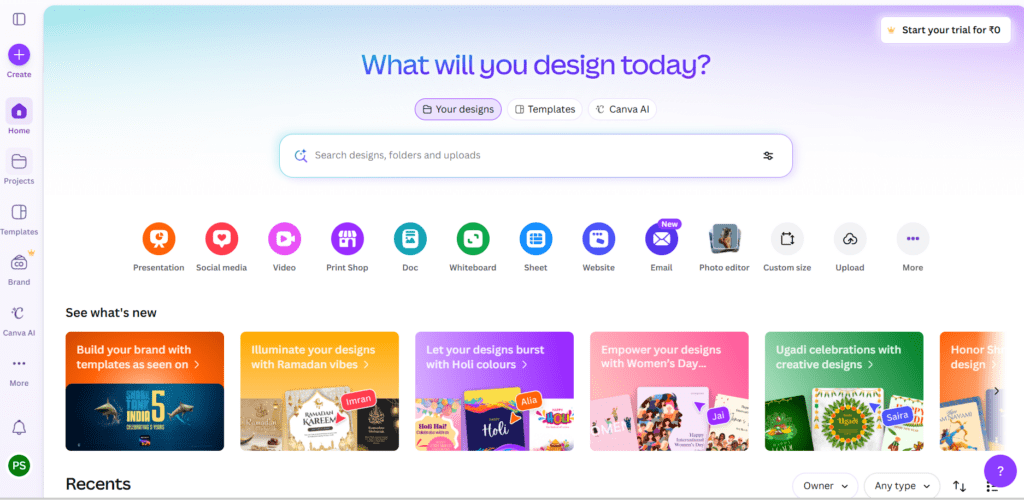
This dashboard shows various categories like:
- Instagram Posts
- Presentations
- YouTube Thumbnails
- Pinterest Pins
- Marketing Graphics
A beginner can simply choose a template and start editing.
Key Features of Canva
Here are some features that make Canva so easy to use:
• Thousands of ready-to-edit templates
• Drag-and-drop design editor
• Built-in stock photos and icons
• AI design tools
• Social media design formats
• Simple video editor
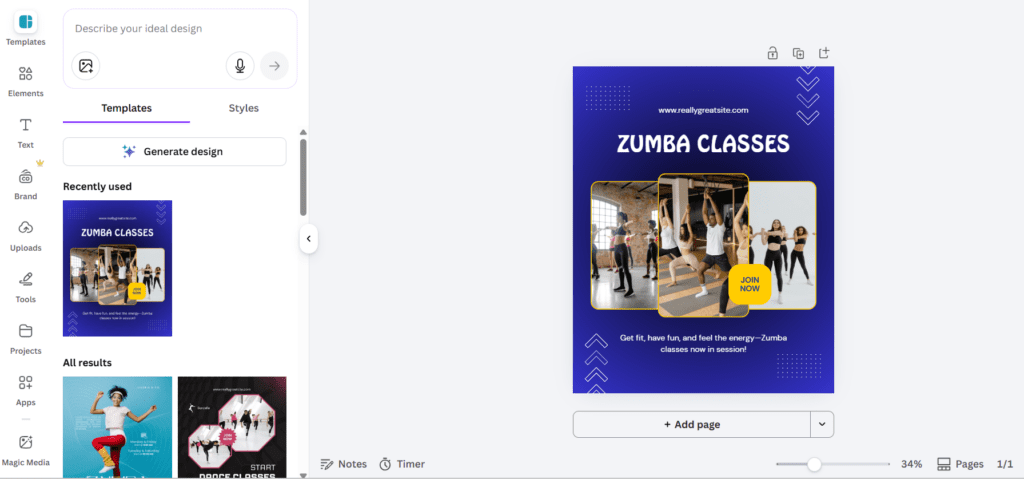
In the editor, users can easily:
- Change text
- Replace images
- Add icons
- Adjust colors
- Drag elements anywhere
Why Beginners Love Canva
The biggest reason beginners choose Canva is simplicity.
For example:
A blogger creating Pinterest pins can search for “Pinterest Pin Template,” select one, edit the text, and publish the design within minutes.
Another advantage is Canva’s massive template ecosystem. Almost every design format already exists in template form.
Another advantage is Canva’s massive template ecosystem. Almost every design format already exists in template form.
If you’re completely new to the platform, you can also read our detailed step-by-step tutorial on how to use Canva for beginners to start creating professional designs quickly.
What is Adobe Express?
Adobe Express is Adobe’s attempt to make design tools easier for people who are not professional designers. It brings Adobe’s design power into an easy interface.
It is especially useful for people who already use Adobe products like Photoshop, Illustrator, or Creative Cloud.
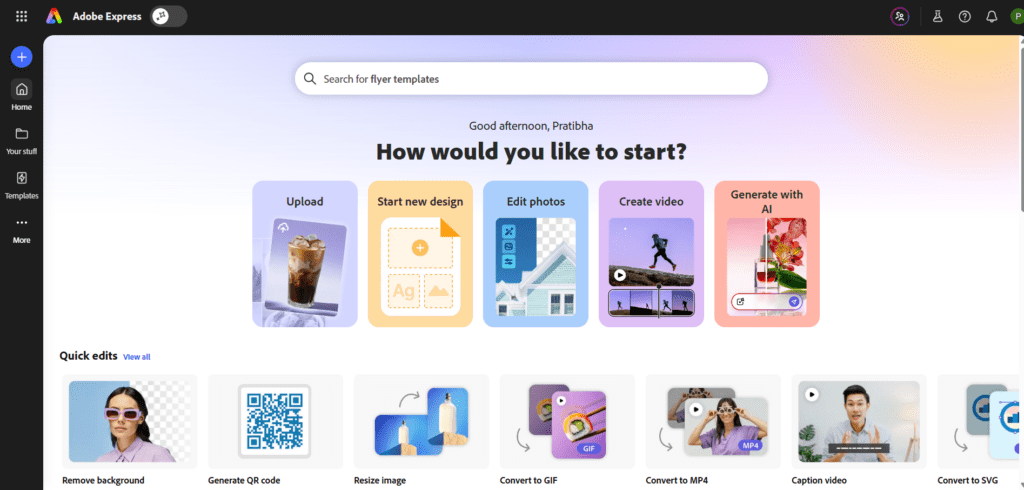
The homepage includes:
- Social media templates
- Quick design actions
- AI tools
- Brand templates
One unique feature of Adobe Express is its Quick Actions panel, which includes tools like background removal, video resizing, and image conversion.
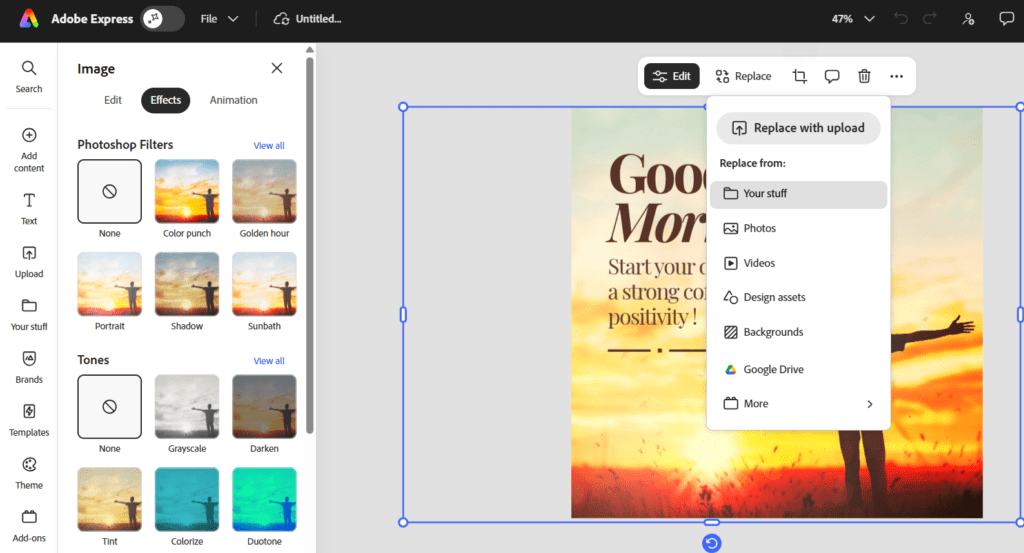
Core Features of Adobe Express
Adobe Express focuses on speed and automation.
Important features include:
• Adobe Firefly AI integration
• One-click design tools
• Background removal
• Branding templates
• Social media content creation
• Quick video editing
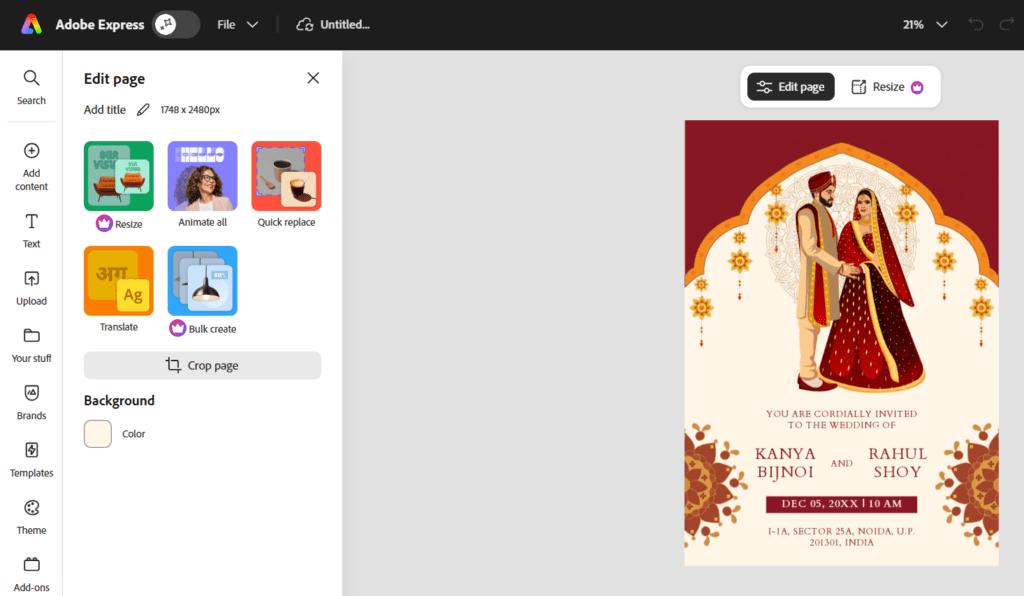
Compared to Canva, Adobe Express feels slightly more structured and less freeform.
However, Adobe’s AI tools make many design tasks faster.
Canva vs Adobe Express – Feature Comparison
Ease of Use
When beginners choose a design tool, the first thing they usually care about is how easy it is to use.
Canva
Canva is widely known for being one of the easiest design platforms available.
Everything works through drag and drop.
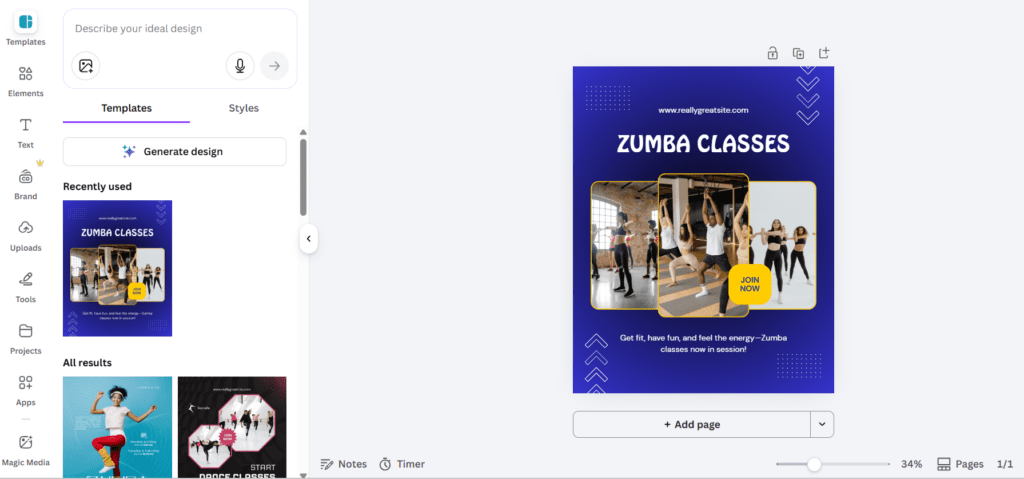
For example:
If you want to create an Instagram post, you can:
- Choose a template
- Click text and edit it
- Replace images
- Download the design
Even beginners can learn it within 10–15 minutes.
Adobe Express
Adobe Express is also beginner friendly, but its workflow feels slightly different.
Instead of complete free-form editing, Adobe Express often focuses on guided design tools.
For example:
- Choose template
- Replace text and images
- Apply brand style
This structure can be helpful for marketers but may feel slightly less flexible.
Templates and Design Assets
Templates are essential for beginners who don’t want to design from scratch.
Canva Templates
Canva has one of the largest template libraries available.
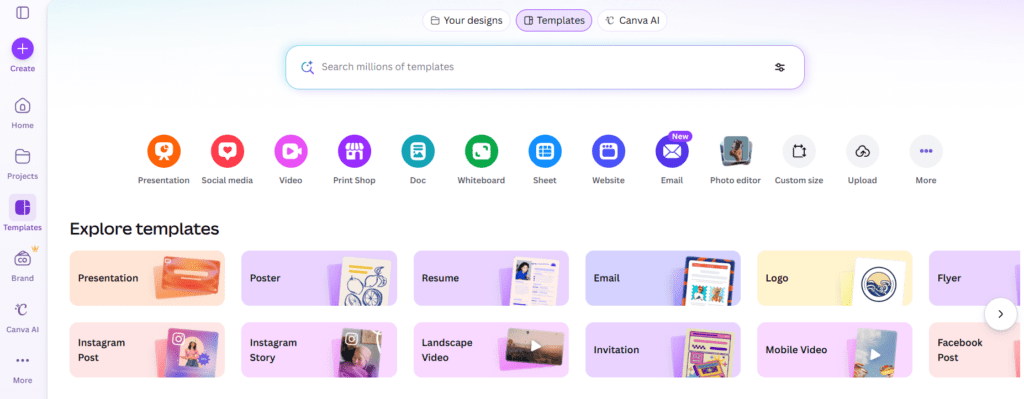
Users can search for almost anything:
- Instagram post templates
- Pinterest pin templates
- YouTube thumbnails
- Posters
- Resume designs
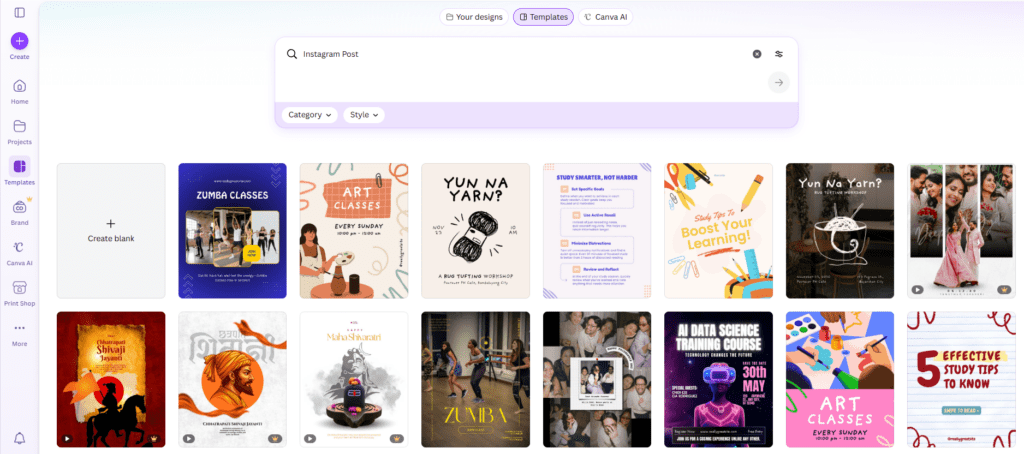
This huge template library makes Canva extremely useful for content creators.
Adobe Express Templates
Adobe Express also offers good templates.
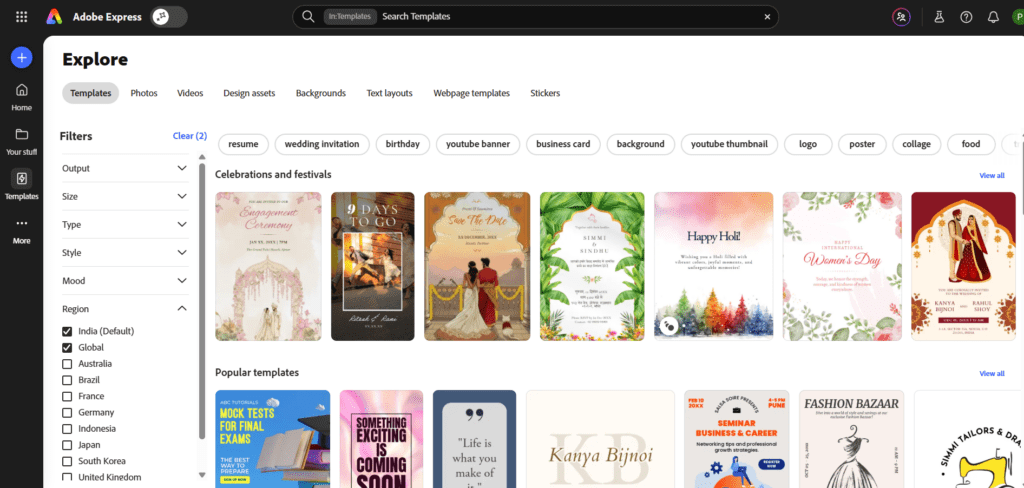
However, its template library is smaller compared to Canva.
The templates are usually more brand-focused and marketing oriented, which can be useful for businesses.
AI Design Tools
AI design tools have become essential in modern design platforms.
Canva AI Tools
Canva has introduced several AI tools.
These include:
- Magic Design
- AI image generator
- Magic Write
- Background remover
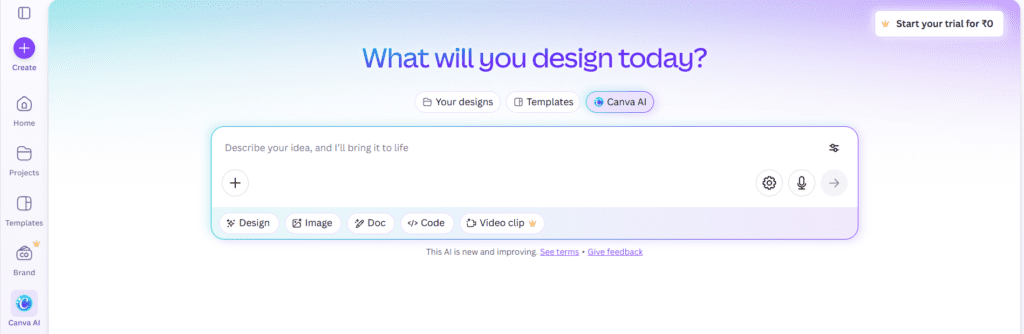
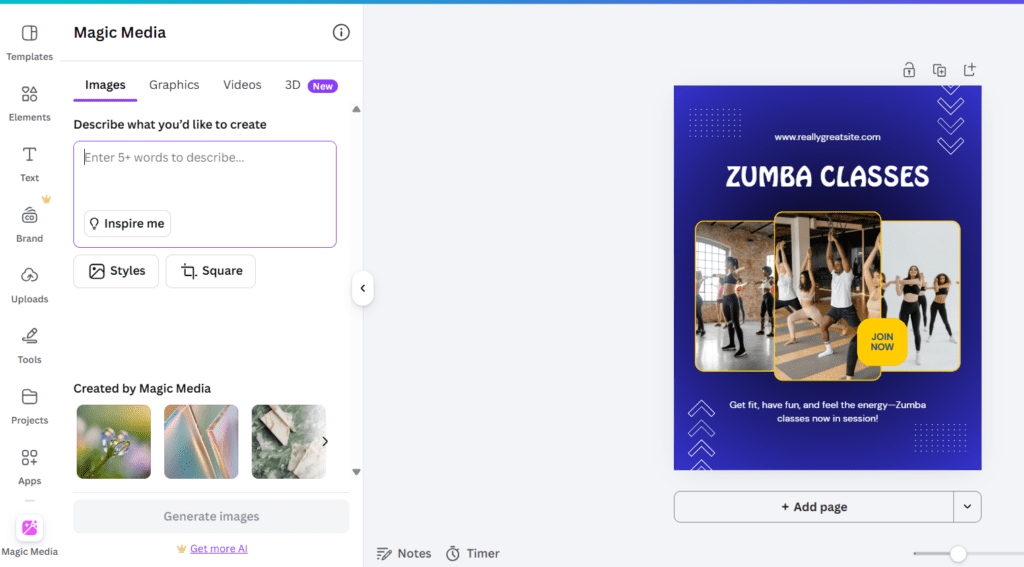
These tools help users create designs automatically based on prompts.
For example:
A social media manager can type “Create a promotional Instagram post for a coffee shop”, and Canva generates a design.
Adobe Express AI Tools
Adobe Express integrates Adobe Firefly AI, which is one of Adobe’s most advanced technologies.
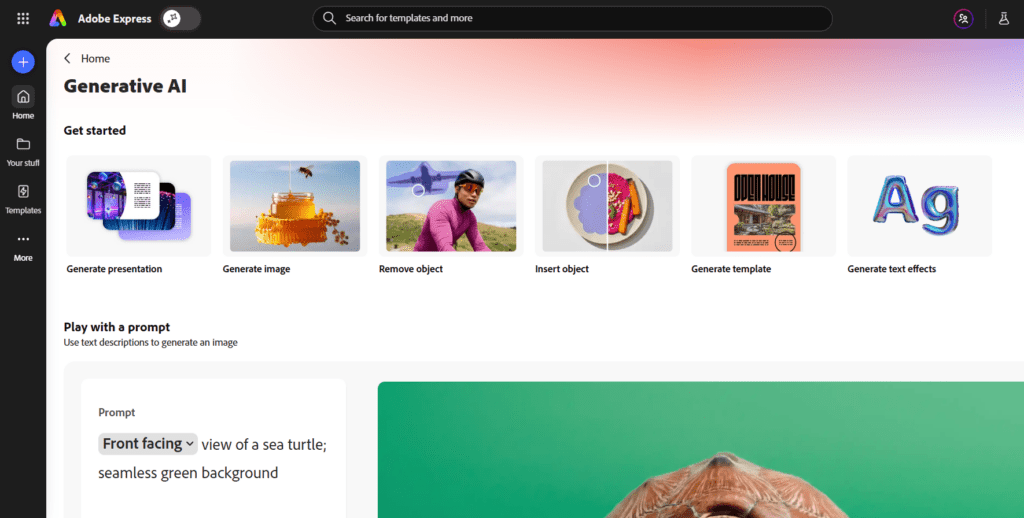
It can generate images, edit backgrounds, and create visual elements automatically.
Adobe’s AI tools are powerful, especially for users familiar with the Adobe ecosystem.
Branding Tools
Brand consistency is important for businesses.
Canva Brand Kit
Canva allows users to create a brand kit with:
- Logos
- Brand colors
- Brand fonts
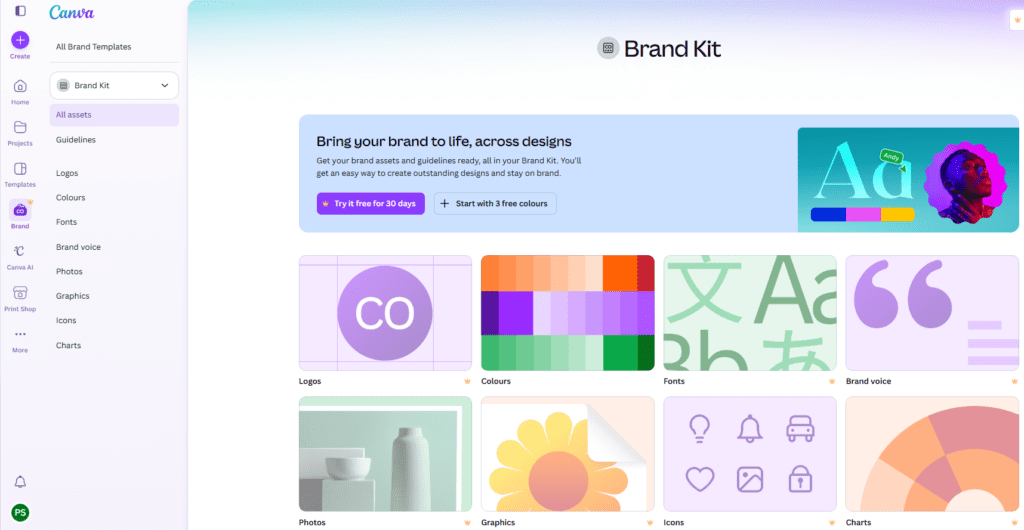
This helps businesses create consistent designs quickly.
Adobe Express Branding
Adobe Express also supports branding features.
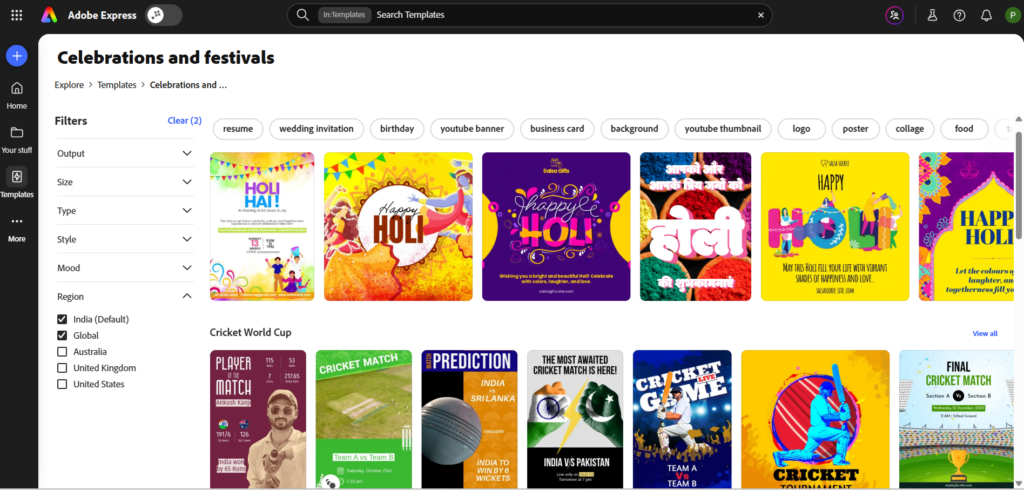
Companies can create branded templates that employees can reuse.
Social Media Design
Social media design is one of the most common uses for these tools.
Canva for Social Media
Canva is extremely popular among social media creators.
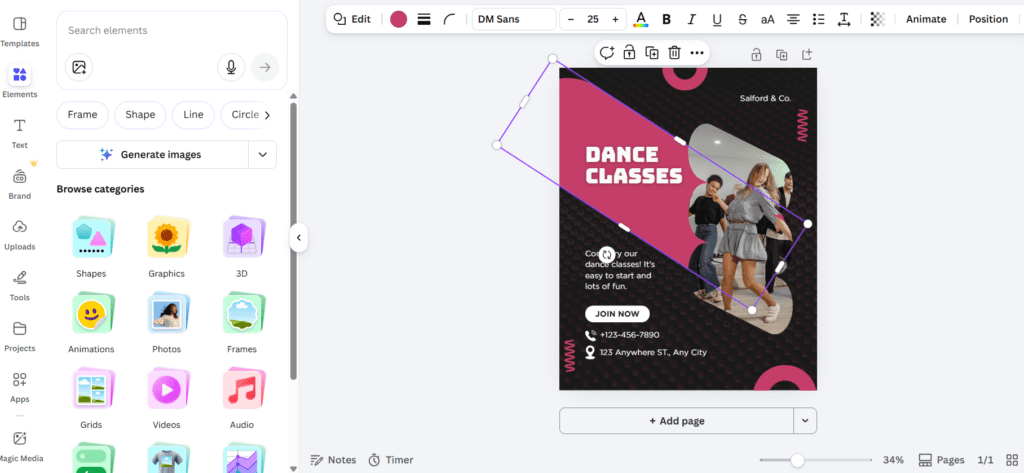
Creators use it for:
- Instagram posts
- Pinterest pins
- YouTube thumbnails
- Facebook banners
Adobe Express Social Media Tools
Adobe Express also supports social media designs.
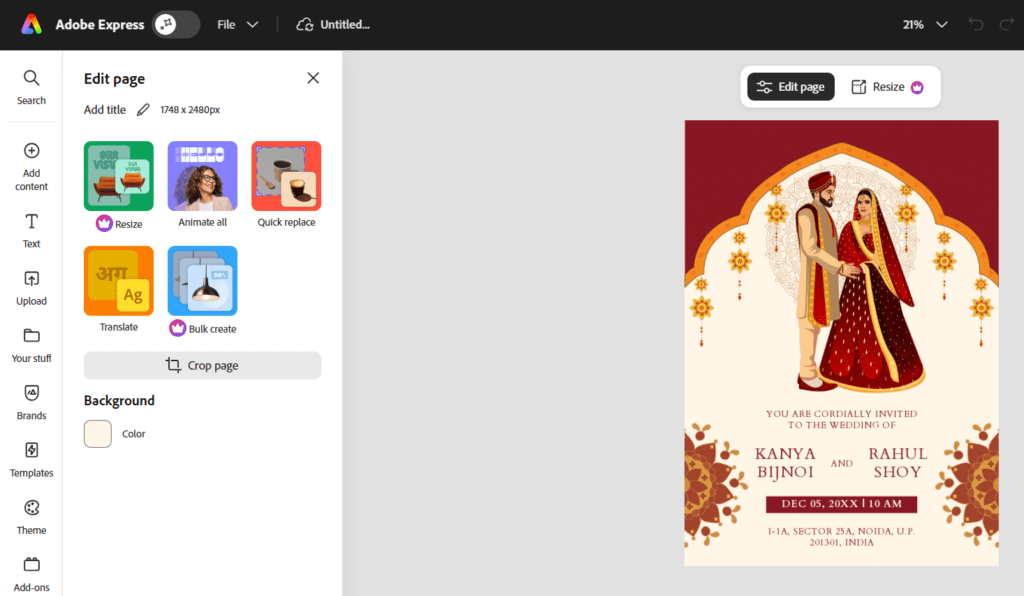
However, Canva’s template library makes it slightly easier for beginners.
Video Editing Tools
Both tools now support basic video editing.
Canva Video Editor
Canva provides a simple timeline editor.
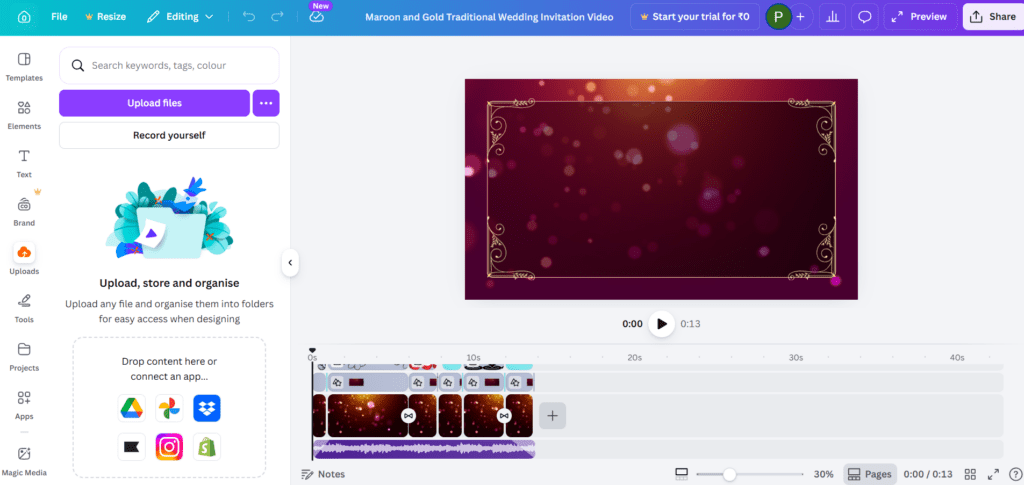
Users can:
- Add video clips
- Insert text
- Add music
- Export social videos
Adobe Express Video Tools
Adobe Express includes video editing features as well.
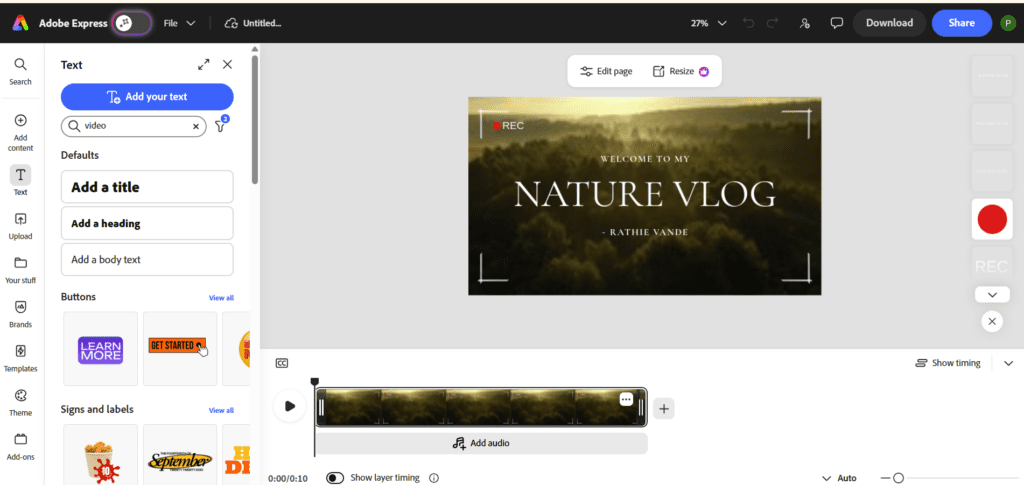
It focuses more on quick edits rather than full video production.
Real Use Cases
Understanding real-world use cases helps beginners choose the right tool.
Bloggers Creating Pinterest Pins
Bloggers often use Canva because of its Pinterest templates.
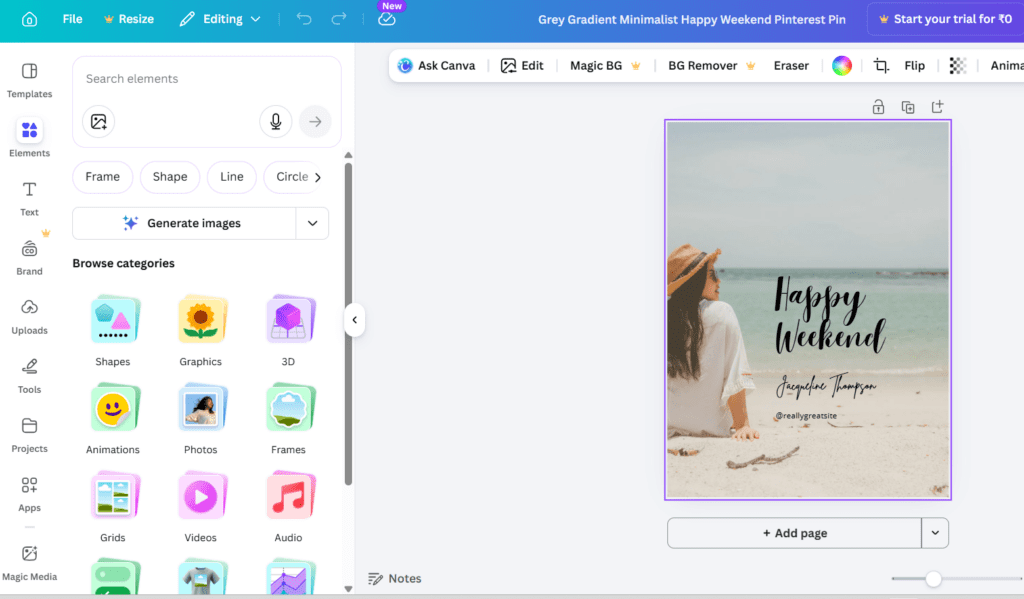
The template library makes it easy to create attractive pins.
Winner: Canva
YouTubers Creating Thumbnails
YouTubers need fast thumbnail creation.
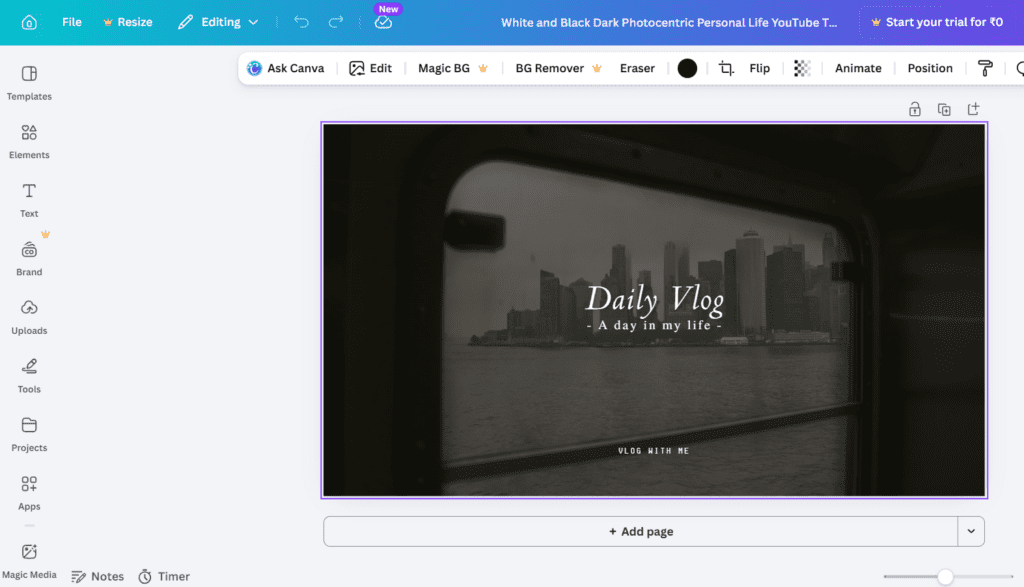
Canva offers many ready-made YouTube thumbnail templates.
Winner: Canva
Small Businesses Creating Marketing Graphics
Small businesses need consistent branding.
Adobe Express’s brand template system works well for marketing teams.
Winner: Adobe Express
Students Creating Presentations
Students often choose Canva because of its presentation templates.
Winner: Canva
Canva vs Adobe Express Pricing Comparison
Pricing can influence your decision.
Canva Pricing
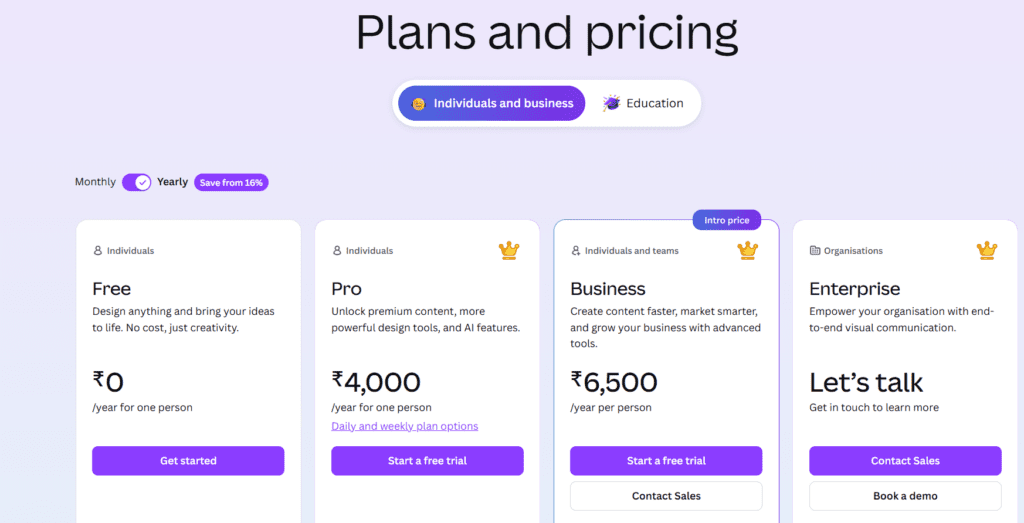
Canva offers:
Free Plan
Canva Pro
Canva Teams
The free plan already includes many features.
Adobe Express Pricing
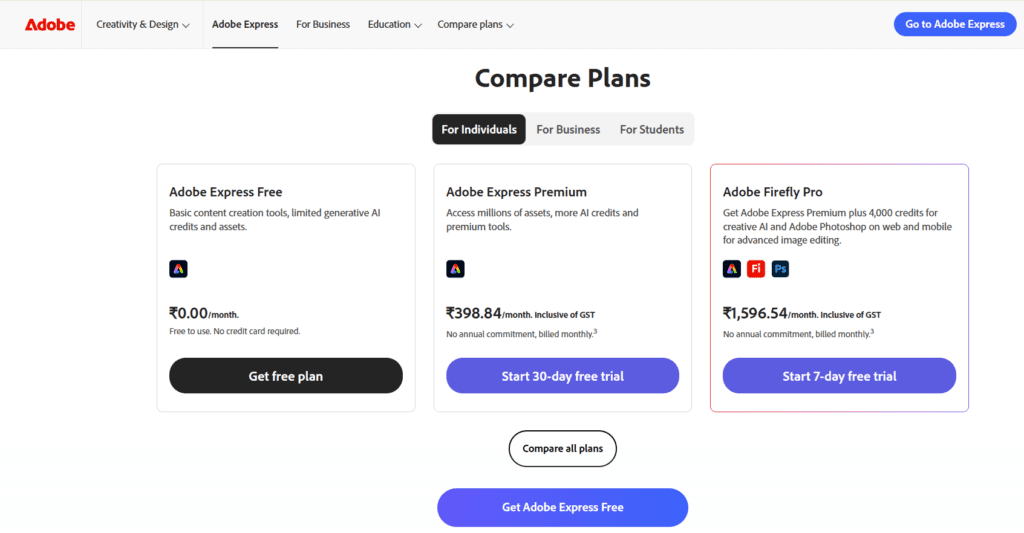
Adobe Express also offers a free plan and premium subscription.
However, many advanced features work best when connected with Adobe Creative Cloud.
What We Like and What Could Be Better
| Tool | What We Like | What Could Be Better |
|---|---|---|
| Canva | • Extremely easy for beginners to learn • Huge library of ready-made templates • Perfect for social media graphics and marketing visuals • Smooth drag-and-drop editor • Collaboration features make team work simple | • Many premium templates and elements require Canva Pro • Advanced design control is limited compared to full professional Adobe tools |
| Adobe Express | • Strong AI-powered design tools • Seamless integration with the Adobe ecosystem • Useful branding features for businesses • Quick Actions tools like background remover and resize | • Smaller template library compared to Canva • Editor is slightly less flexible for custom layouts • Best experience usually comes with other Adobe apps |
Which Tool Is Better for Beginners?
For most beginners, Canva is the easier tool to start with.
Its drag-and-drop interface and huge template library make design simple.
However, Adobe Express is a strong choice for users who already work with Adobe tools or need advanced AI features.
Final Verdict
Choosing between Canva vs Adobe Express depends on your needs.
Choose Canva if you want:
• The easiest design tool
• Huge template libraries
• Social media graphics
• Fast content creation
Choose Adobe Express if you want:
• Adobe ecosystem integration
• Strong AI features
• Branding and marketing tools
For beginners who want quick results, Canva is usually the better starting point. But Adobe Express is improving rapidly and could become a strong competitor in the future.
If you’re exploring more design tools and software comparisons, BizSmartTools regularly publishes detailed guides and tool reviews to help creators, bloggers, and businesses choose the right platforms for their work.
0 Comments