






Choosing the right page builder is one of the most important decisions when creating a WordPress website. For beginners, the page builder you choose can significantly affect how easily you design pages, customize layouts, and maintain your site.
Today, two of the most popular page builders are Divi and Elementor. Both tools allow you to build professional websites using drag-and-drop visual editors without needing coding knowledge.
However, they differ in pricing, design workflow, performance, and beginner friendliness.
In this Divi vs Elementor beginners guide, we’ll explore both builders in detail to help you decide which one is the best WordPress page builder for beginners in 2026.
Before using any page builder, you first need a working WordPress website. If you’re just starting out, you can follow this guide to set up a WordPress website step-by-step:
Table of Contents
- Why Choosing the Right Page Builder Matters
- What is Elementor?
- What is Divi?
- Divi vs Elementor: Key Differences Overview
- Ease of Use for Beginners
- Design Flexibility & Templates
- Performance & Speed
- Divi vs Elementor Pricing
- Pros and Cons
- Quick Comparison Summary
- Which Page Builder is Better for Beginners?
- Final Verdict
- Frequently Asked Questions
Why Choosing the Right WordPress Page Builder Matters
In the early days of WordPress, building a website required knowledge of HTML, CSS, and sometimes PHP.
Modern page builders changed this completely.
Today, page builders allow users to:
- Design pages visually
- Drag and drop elements
- Customize layouts easily
- Build websites without coding
However, the page builder you choose can influence:
- Website design flexibility
- Learning curve for beginners
- Website speed and performance
- Cost of building a website
This is why choosing between Elementor vs Divi is an important decision for beginners starting a WordPress website.
Divi vs Elementor Quick Comparison
| Feature | Elementor | Divi |
|---|---|---|
| Beginner Friendly | ⭐⭐⭐⭐⭐ | ⭐⭐⭐⭐ |
| Free Version | Yes | No |
| Templates | 300+ | 2000+ layouts |
| Design Flexibility | High | Very High |
| Pricing | Free + Pro | Yearly / Lifetime |
| Best For | Beginners | Designers & Agencies |
What is Elementor?
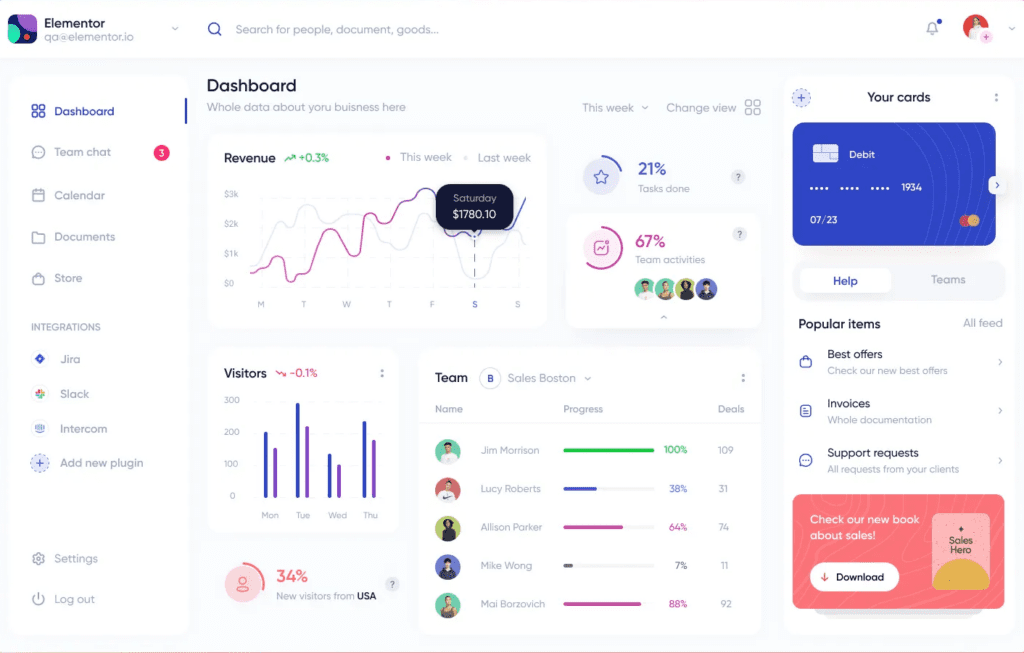
Elementor is one of the most widely used WordPress page builder plugins. It allows users to create websites using a visual drag-and-drop interface.
Since its launch, Elementor has gained massive popularity because of its beginner-friendly design and powerful free version.
Today, millions of websites worldwide use Elementor to create landing pages, blogs, business websites, and eCommerce stores.
Key Features of Elementor
Elementor includes many features that make website building easier.
Some important features include:
- Drag-and-drop page builder
- Real-time editing
- Responsive design controls
- Large template library
- Theme builder (Pro version)
- Popup builder (Pro version)
- WooCommerce builder (Pro version)
One major advantage is that Elementor provides a free version, allowing beginners to start building websites without spending money.
What is Divi?
Divi is a premium WordPress theme and visual builder developed by Elegant Themes.
Unlike Elementor, which mainly works as a plugin, Divi functions as both:
- A WordPress theme
- A visual page builder
Divi is widely used by freelancers, agencies, and designers who want advanced control over website design.
Key Features of Divi Builder
Divi includes many powerful design tools.
Important features include:
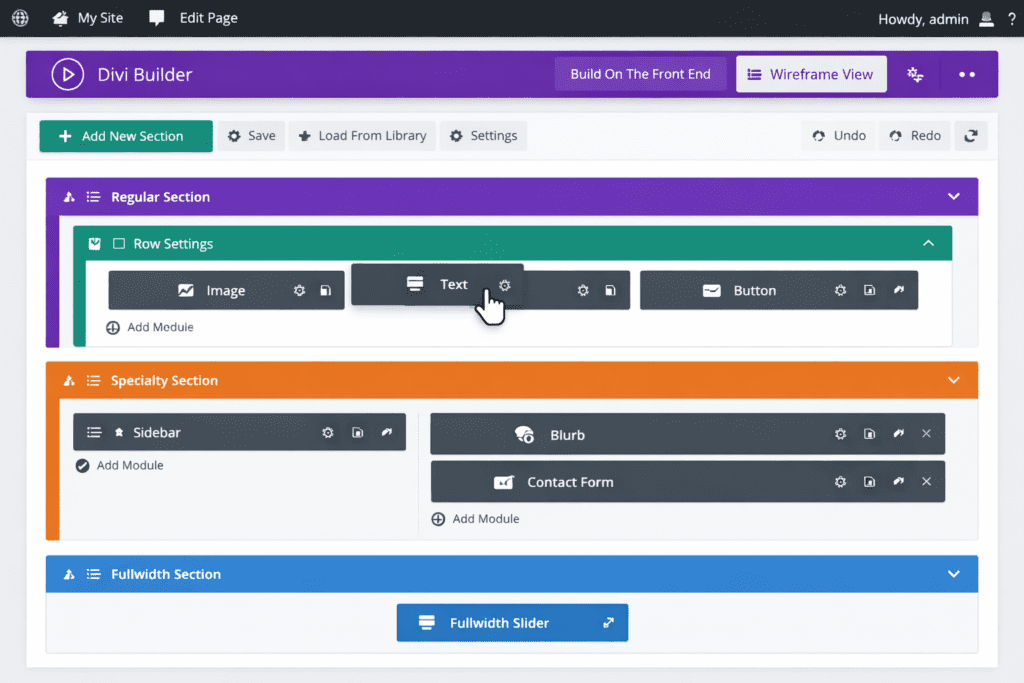
- Visual drag-and-drop builder
- Real-time design editing
- Large layout pack library
- Global design settings
- Built-in split testing
- WooCommerce integration
Divi is especially known for its advanced design customization options.
If you want a detailed walkthrough of the Divi builder, check out our complete guide on how to use Divi theme for beginners:
Divi vs Elementor: Key Differences Overview
Before diving deeper, here is a quick comparison.
| Feature | Elementor | Divi |
|---|---|---|
| Ease of Use | Beginner friendly | Slight learning curve |
| Pricing | Free + Pro plans | Paid membership |
| Performance | Lightweight improvements | Slightly heavier output |
| Templates | Large template library | Huge layout packs |
| Design Flexibility | Highly customizable | Extremely advanced styling |
| Integrations | Large ecosystem | Good ecosystem |
| Community | Very large community | Strong community |
Both tools are capable of building professional websites.
Ease of Use for Beginners
Ease of use is one of the biggest deciding factors for beginners.
Elementor Ease of Use
Elementor is often considered one of the most beginner-friendly page builders.
Reasons include:
- Simple drag-and-drop editor
- Clear sidebar interface
- Quick learning curve
- Many tutorials available online
Most beginners can create their first landing page within an hour.
Divi Ease of Use
Divi provides a visual editing experience directly on the page.
Advantages include:
- Inline editing
- Advanced design controls
- Visual design workflow
However, beginners may initially need more time to understand the interface compared to Elementor.
Design Flexibility & Templates
Both builders offer strong design features.
Elementor Design Features
Elementor provides:
- Pre-built page templates
- Block templates
- Responsive design tools
- Motion effects
- Custom CSS support
There are also many third-party Elementor extensions available.
Divi Design Features
Divi provides an extensive layout library.
Features include:
- Hundreds of layout packs
- Advanced styling controls
- Global design elements
- Built-in animations
Divi offers deeper control over design customization.
Performance & Speed
Website speed is important for both SEO and user experience.
Elementor Performance
Recent updates improved Elementor performance significantly.
Enhancements include:
- optimized CSS loading
- improved DOM structure
- performance optimization experiments
When combined with good hosting and caching, Elementor websites can load quickly.
Divi Performance
Divi has also improved performance with:
- dynamic CSS
- improved script loading
- performance updates
However, complex layouts may generate more design markup.
Divi vs Elementor Pricing
Pricing is an important factor for beginners when choosing a WordPress page builder. Elementor and Divi follow different pricing models, which can affect long-term costs.
| Feature | Elementor | Divi |
|---|---|---|
| Free Version | Yes (limited features) | No |
| Paid Plans | Elementor Pro (annual subscription) | Elegant Themes membership |
| Key Premium Features | Theme Builder, Popup Builder, WooCommerce Builder, Advanced Widgets | Divi Theme, Divi Builder Plugin, Extra Theme |
| Extra Tools Included | Mostly page builder features | Bloom Email Plugin, Monarch Social Sharing |
| Pricing Model | Yearly subscription | Yearly or Lifetime license |
| Best For | Beginners who want a free starting option | Users building multiple websites |
Elementor is a great option for beginners because it offers a free version to start building websites. Divi, on the other hand, does not have a free plan but provides a lifetime license that can be cost-effective for freelancers, agencies, and users managing multiple websites.
Elementor – Advantages & Limitations
| Advantages | Limitations |
|---|---|
| Free version available | Advanced features require Pro |
| Beginner-friendly interface | Subscription pricing |
| Large ecosystem of plugins & add-ons | Some widgets locked in free version |
| Quick learning curve | Can become expensive with Pro |
| Flexible design tools |
Divi – Advantages & Limitations
| Advantages | Limitations |
|---|---|
| Lifetime pricing option | No free version |
| Advanced visual builder | Slight learning curve for beginners |
| Huge layout library | Heavier output in complex layouts |
| Powerful styling controls | Can slow down very large pages |
Quick Comparison Summary
| Best For | Recommended Builder |
|---|---|
| Absolute beginners | Elementor |
| Free page builder | Elementor |
| Advanced design control | Divi |
| Agencies building many sites | Divi |
| Large ecosystem | Elementor |
Which Page Builder is Better for Beginners?
The best choice depends on your goals and budget.
Choose Elementor if:
- You want a free page builder
- You prefer a simple beginner interface
- You want access to many integrations
Choose Divi if:
- You want lifetime pricing
- You plan to build multiple websites
- You want deeper design control
Final Verdict
IIn the Divi vs Elementor comparison, both page builders are excellent tools for creating professional WordPress websites without coding.
Elementor stands out for:
- beginner-friendly interface
- strong free version
- large plugin ecosystem
Divi stands out for:
- powerful visual builder
- advanced design customization
- lifetime pricing option
For most beginners, Elementor is easier to start with, while Divi can be a strong long-term investment for designers and agencies building multiple websites.
Ultimately, the best WordPress page builder depends on your budget, design needs, and long-term website goals.
At BizSmartTools, we focus on reviewing beginner-friendly digital tools and platforms that help users build websites, start online businesses, and grow their digital presence. If you’re exploring more tools for building and managing your website, be sure to check out our other detailed guides and comparisons.
If you are planning to build an online store as well, you may also want to read our comparison of Shopify vs WooCommerce:
Frequently Asked Questions
Is Elementor better than Divi for beginners?
Elementor is often considered easier for beginners because it offers a simpler interface and a free version.
Is Divi faster than Elementor?
Both builders can perform well when optimized correctly with proper hosting and caching.
Can Elementor and Divi be used together?
It is technically possible but not recommended because using multiple page builders can create conflicts.
Which page builder is cheaper?
Elementor is cheaper initially because it has a free version, while Divi can be more cost-effective long-term due to its lifetime license.

0 Comments