






Choosing the right web hosting provider is one of the most important decisions when launching a website. Your hosting directly affects website speed, uptime reliability, security, and overall user experience. If your hosting provider is slow or unreliable, it can negatively impact SEO rankings and frustrate visitors.
For beginners, bloggers, and small business owners, two popular options frequently come up: Hostinger and Bluehost.
Both companies offer beginner-friendly hosting plans, competitive pricing, and tools that help users launch websites quickly. However, when comparing Hostinger vs Bluehost, there are noticeable differences in pricing structure, performance technologies, dashboard experience, and feature availability.
In this detailed Hostinger vs Bluehost comparison, we’ll explore the most important factors including pricing, performance, ease of use, security, and customer support. By the end of this guide, you’ll have a clearer understanding of which hosting provider may be the better choice for your website in 2026.
Table of Contents
- Introduction
- Quick Comparison Table
- Hostinger Overview
- Bluehost Overview
- Feature Comparison
- Performance Discussion
- Pros and Cons
- Which Hosting is Better
- Final Verdict
- FAQ
- Ready to Start Your Website
- Related Guides
Quick Comparison Table
| Feature | Hostinger | Bluehost |
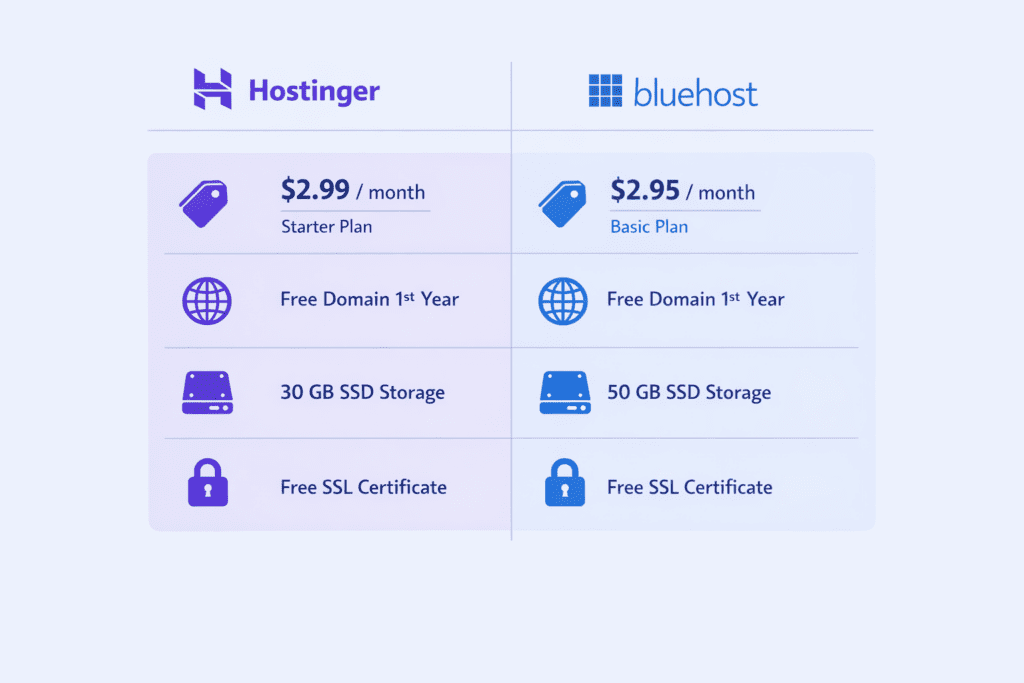
| Starting Price | Around $2.99/month | Around $2.95/month |
| Free Domain | Yes (yearly plans) | Yes |
| Free SSL | Yes | Yes |
| Control Panel | Custom hPanel | cPanel |
| Performance Technology | LiteSpeed servers | Standard Apache servers |
| Customer Support | 24/7 Live Chat | 24/7 Chat & Phone |
| Best For | Budget-friendly hosting | WordPress beginners |
This table provides a quick overview of the Hostinger vs Bluehost comparison, but understanding the differences requires a closer look at each platform.
Overview of Hostinger
Hostinger is a global hosting company founded in 2004. Over the years, it has grown rapidly and now serves millions of websites worldwide. The company is known for offering affordable hosting plans while maintaining strong performance features.
One of the main reasons many beginners choose Hostinger is its combination of low introductory pricing and modern hosting infrastructure.
Key Features of Hostinger
Hostinger includes several features designed to simplify website management:
• LiteSpeed web servers
• Free SSL certificates
• Free domain with yearly plans
• Global data centers
• One-click WordPress installation
• Automatic backups on certain plans
• Built-in caching for performance
Advantages of Hostinger
Hostinger focuses heavily on speed optimization and affordability. Its LiteSpeed server technology is designed to improve page loading times and handle website traffic efficiently.
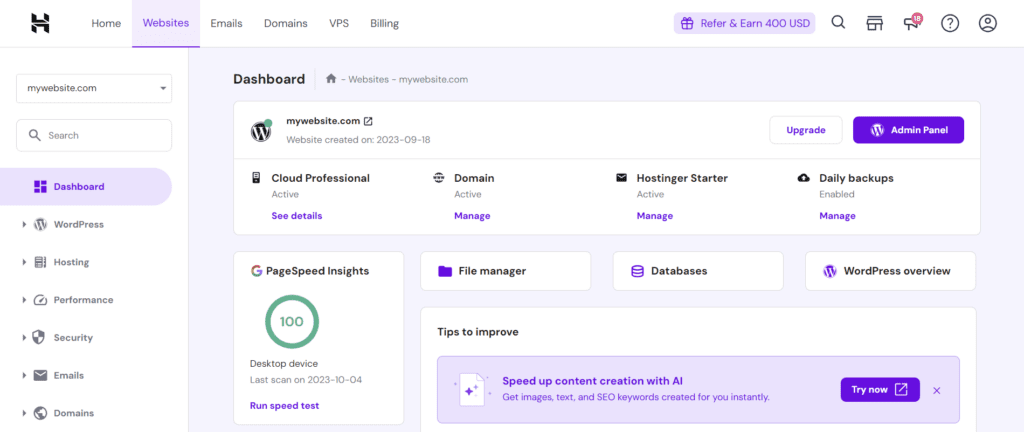
Another benefit is its custom control panel called hPanel, which is designed to simplify hosting management for beginners. Many users find it more intuitive than traditional hosting dashboards.
Potential Limitations
Although Hostinger offers strong value, some advanced features such as daily backups or priority support may only be available in higher-tier plans.
Users who are already familiar with cPanel may also need some time to adjust to Hostinger’s custom interface.
Overview of Bluehost
Bluehost is one of the most established hosting providers in the industry. Founded in 2003, the company has built a reputation as a reliable hosting platform, especially for WordPress users.
Bluehost is also officially recommended by WordPress.org, which has contributed to its popularity among bloggers and small website owners.
Key Features of Bluehost
Bluehost offers several tools designed to help users launch websites quickly:
• WordPress optimized hosting
• Free domain for the first year
• Free SSL certificate
• One-click WordPress installation
• Built-in website builder
• Email hosting options
• 24/7 customer support
Advantages of Bluehost
One of Bluehost’s biggest strengths is its tight integration with WordPress. The setup process is simple, and users can easily install themes, plugins, and website tools from within the dashboard.
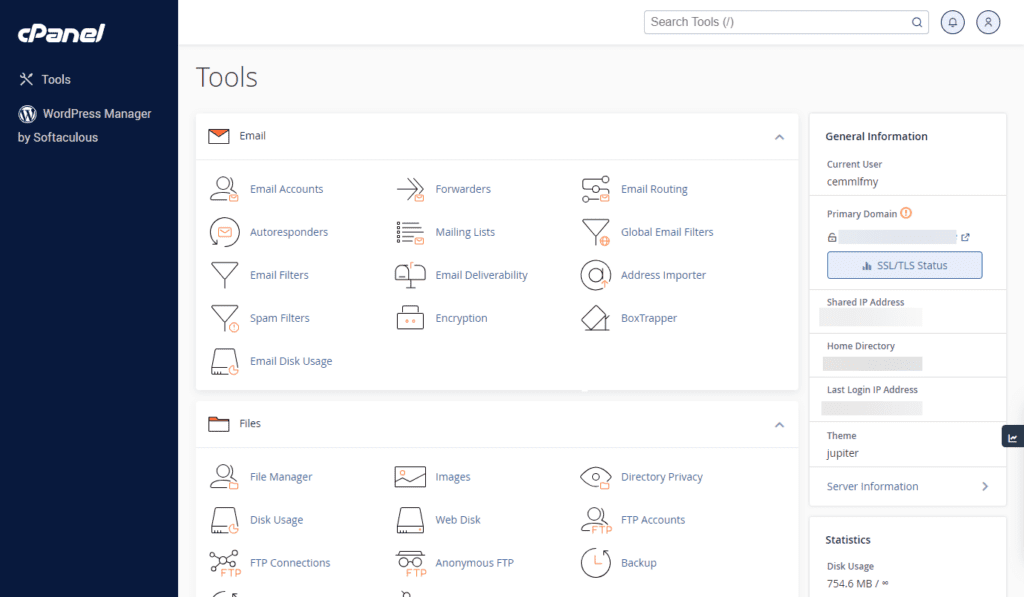
Bluehost also provides an interface based on cPanel, which is widely used across the hosting industry.
Potential Limitations
Some users report that Bluehost renewal prices can be higher than the introductory pricing. Performance may also vary depending on server load and hosting plan.
Hostinger vs Bluehost: Feature Comparison
Pricing and Plans
Pricing is often the first factor beginners evaluate when choosing a hosting provider.
Hostinger has built a strong reputation for offering affordable entry-level hosting plans, especially for new bloggers and small websites.
Bluehost also offers competitive introductory pricing, but renewal costs can be higher once the promotional period ends.
When comparing pricing, it is important to consider:
• Introductory discounts
• Renewal pricing
• Included features
• Storage limits
• Email hosting availability
Overall, Hostinger is often seen as a strong choice for long-term affordability, while Bluehost may appeal to users looking for a traditional hosting experience.
Performance and Speed
Website speed plays an important role in both user experience and search engine rankings.
Several technical factors influence hosting performance:
• server technology
• caching systems
• data center locations
• website optimization
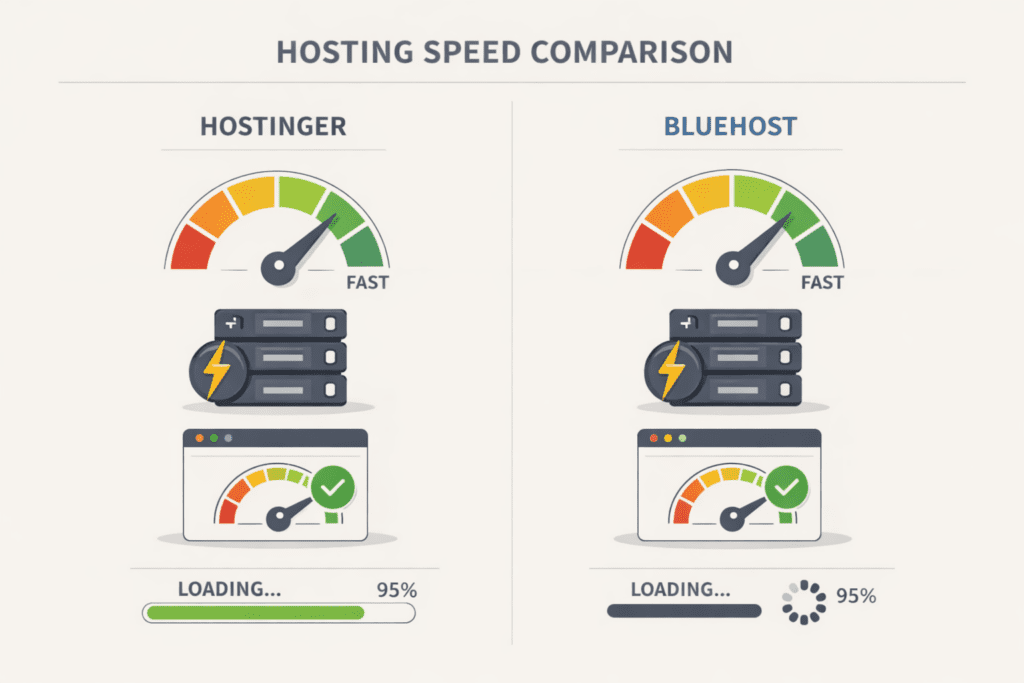
Hostinger uses LiteSpeed web servers, which are designed to deliver faster response times and improved caching performance.
Bluehost uses reliable server infrastructure that integrates well with WordPress optimization tools.
However, website performance also depends on how well the website is optimized.
Real Factors That Affect Hosting Speed
Even the best hosting provider cannot guarantee fast speed if a website is poorly optimized.
Some important factors include:
• website theme optimization
• image compression
• plugin usage
• CDN integration
• server location
Understanding these factors helps website owners get the best performance from their hosting provider.
Ease of Use
Ease of use is especially important for beginners launching their first website.
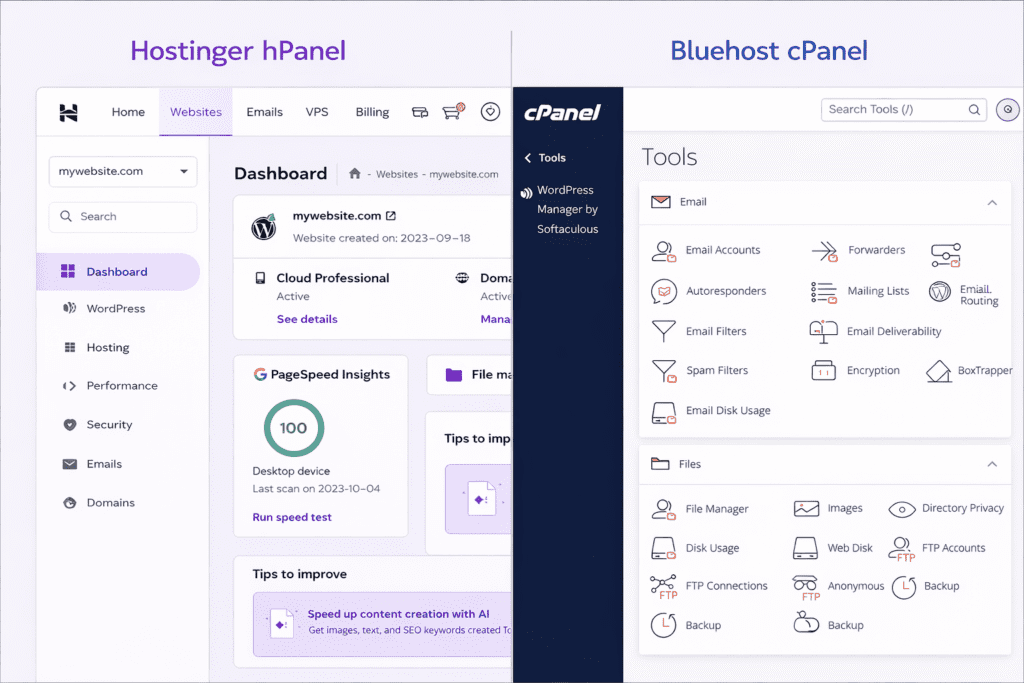
Hostinger uses a custom dashboard called hPanel, designed to simplify hosting management and improve navigation.
Bluehost relies on cPanel, which is a widely used hosting control panel across many providers.
Both platforms provide beginner-friendly tools such as:
• One-click WordPress installation
• Domain management tools
• Email account setup
• File manager and database access
Users who prefer a modern interface may prefer Hostinger, while those familiar with traditional hosting panels may prefer Bluehost.

Customer Support
Reliable customer support is important when dealing with technical issues or website downtime.
Both Hostinger and Bluehost provide 24/7 support options, though the available channels may differ.
Common support options include:
• Live chat support
• Email ticket systems
• Knowledge base tutorials
• Setup guides and documentation
The overall support experience may depend on the complexity of the issue and the hosting plan being used.
Advantages and Limitations of Hostinger vs Bluehost
| Hosting Provider | Pros | Cons |
| Hostinger | Affordable pricing, LiteSpeed servers, beginner-friendly dashboard, global data centers | Some advanced features limited to higher plans |
| Bluehost | Strong WordPress integration, easy setup process, widely recognized hosting provider | Renewal pricing can be higher than introductory offers |
Hostinger vs Bluehost: Which Should You Choose?
Choosing between Hostinger and Bluehost depends on your specific needs.
Choose Hostinger if:
• you want lower long-term pricing
• you prefer modern hosting dashboard
• speed optimization is a priority
Choose Bluehost if:
• you want strong WordPress integration
• you prefer the traditional cPanel interface
• you want a well-known hosting brand
Final Verdict
In the Hostinger vs Bluehost comparison, both hosting providers offer reliable solutions for beginners, bloggers, and small business owners who want to launch a website.
Hostinger stands out for its affordable pricing and performance-focused infrastructure, while Bluehost remains a strong option for users who prefer WordPress integration and a traditional hosting experience.
If you are just starting your online journey, both platforms can provide the tools needed to build and manage a website successfully. The right choice ultimately depends on your budget, preferred interface, and long-term website goals.
At BizSmartTools, our goal is to help beginners and online entrepreneurs make informed decisions by providing clear comparisons, practical guides, and unbiased insights about SaaS tools and online business platforms. By understanding the strengths of each hosting provider, you can choose the option that best fits your needs in 2026.
FAQ
Is Hostinger faster than Bluehost?
Hostinger uses LiteSpeed server technology and built-in caching systems that may help improve performance. However, website speed also depends on optimization, server location, and website design.
Which hosting is cheaper?
Hostinger generally offers lower introductory pricing compared to Bluehost, though pricing can vary depending on promotions and renewal rates.
Is Bluehost good for beginners?
Yes. Bluehost is considered beginner-friendly due to its simple setup process and WordPress integration.
Can I migrate from Bluehost to Hostinger?
Yes. Many hosting providers offer migration tools or support assistance that allows users to transfer their websites between hosting platforms.
Ready to Start Your Website?
Starting a website becomes much easier when you choose the right hosting provider from the beginning. Both Hostinger and Bluehost offer beginner-friendly hosting plans that allow you to launch a website without advanced technical knowledge.
If you’re planning to start a blog, portfolio site, or small business website, choosing a reliable hosting platform will help ensure better speed, security, and long-term scalability.
Before making a final decision, consider factors such as:
• your budget
• website type
• expected traffic
• ease of website management
At BizSmartTools, we regularly publish detailed SaaS comparisons, beginner guides, and online business tutorials to help you choose the right tools for building your online presence.
You can also explore our other helpful guides to learn more about starting and growing a website.
Related Guides on BizSmartTools
You may also find these guides helpful:
• How to Use Divi Theme for Beginners Step-by-Step Guide
• Shopify vs WooCommerce: Profit & Cost Comparison
• Semrush vs Ahrefs: Ultimate SEO Tool Comparison
• Fast WordPress Setup Guide for Beginners
These guides can help you make better decisions when choosing tools for building and managing your website.
0 Comments