






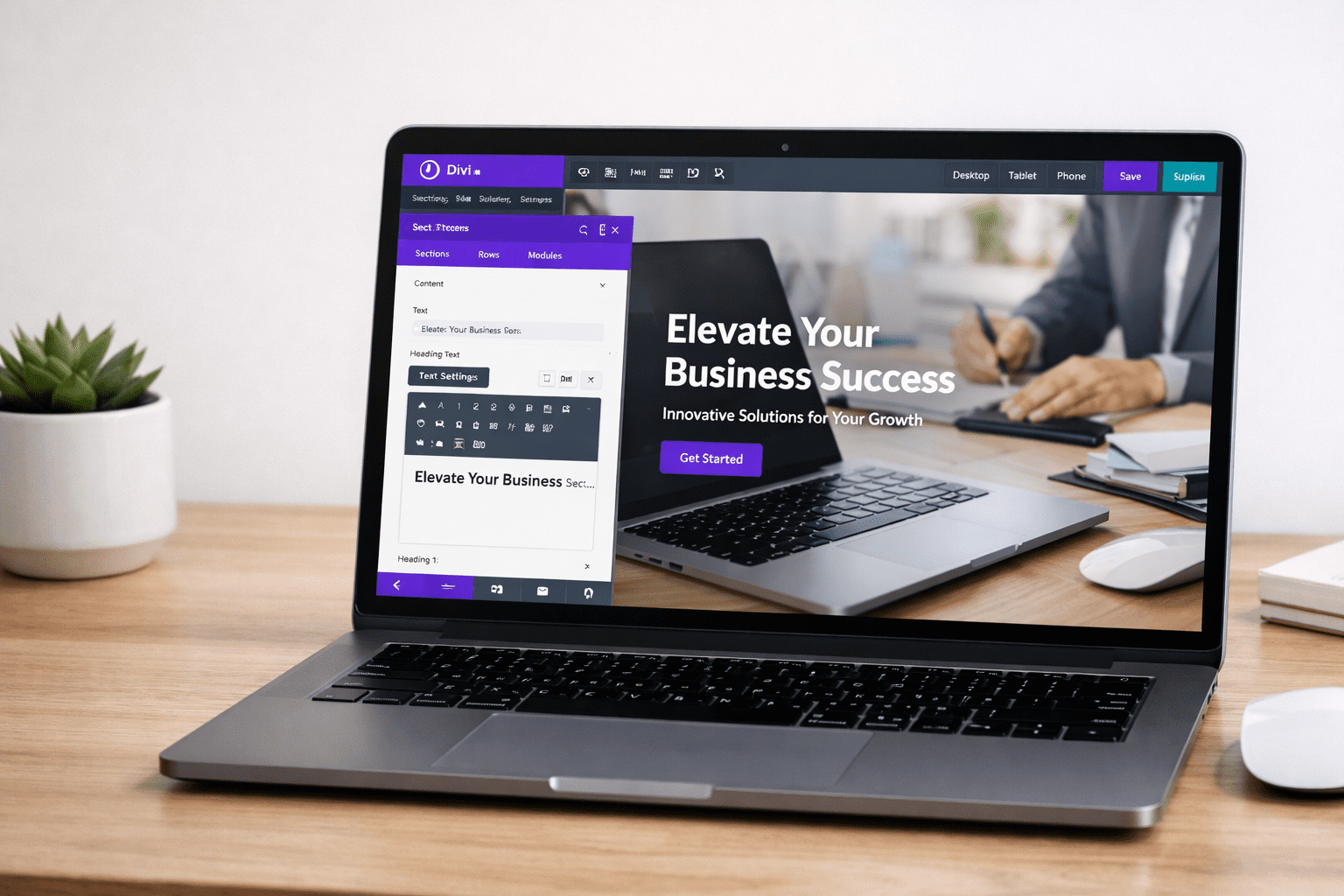
If you’re searching for a complete guide on how to use Divi Theme for beginners, you’re in the right place.
Building a professional website in 2026 no longer requires coding skills or hiring expensive developers. With powerful visual builders like Divi, anyone can design stunning, responsive, and high-converting websites using a simple drag-and-drop interface.
Divi, developed by Elegant Themes, is more than just a WordPress theme. It is a full visual website-building framework that allows you to create custom layouts, landing pages, blogs, portfolios, and even eCommerce stores — all without writing a single line of code.
However, for beginners, Divi can feel slightly overwhelming at first. There are sections, rows, modules, theme builder options, global settings, responsive controls, and performance settings.
With powerful visual builders like Divi, anyone can design stunning, responsive, and high-converting websites using a simple drag-and-drop interface.
👉 Explore Divi Theme: https://www.elegantthemes.com/divi/
That’s exactly why this detailed Divi tutorial will guide you step-by-step through:
- Installing and activating Divi
- Understanding Divi Builder structure
- Creating your first professional page
- Customizing layouts
- Mobile optimization
- SEO settings inside Divi
- Beginner mistakes to avoid
- Performance optimization tips
By the end of this guide, you’ll have complete clarity and confidence to build professional websites using Divi.
Let’s get started.
What is Divi Theme?
Divi is a premium WordPress theme with a built-in visual page builder.
👉 Learn more about Divi here:
https://www.elegantthemes.com/
Unlike traditional themes where you rely on limited customization options, Divi gives you complete design control.
It works using a front-end visual editor, meaning you design your website live and see changes instantly.
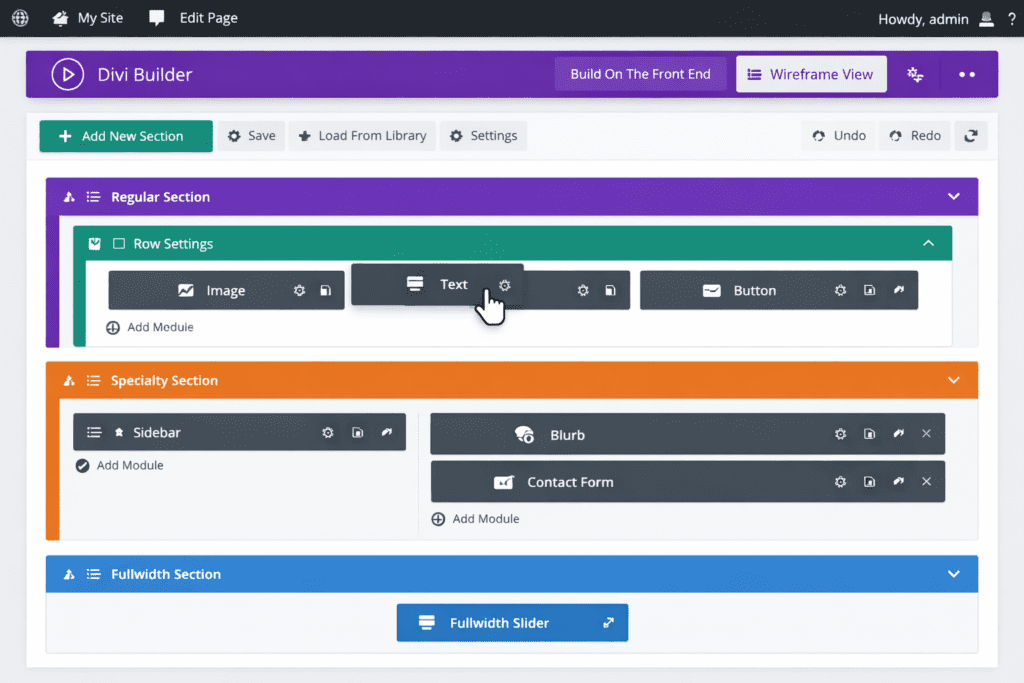
Why Choose Divi in 2026?
Here’s why Divi is still one of the most powerful WordPress themes:
✔ True drag-and-drop builder
✔ 2000+ pre-made layouts
✔ Full Theme Builder
✔ WooCommerce support
✔ Built-in split testing
✔ Global design settings
✔ No coding required
For beginners who want flexibility without complexity, Divi is an excellent choice.
👉 If you’re planning to build multiple websites, Divi’s lifetime pricing makes it a strong long-term investment.
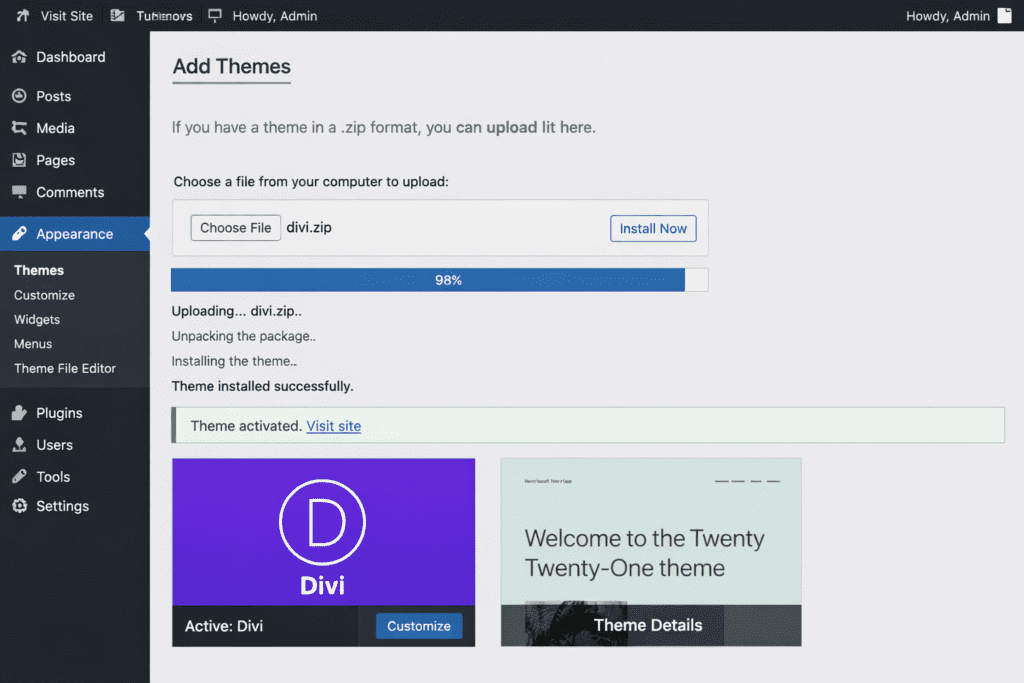
Step 1: Install and Activate Divi Theme
- Purchase Divi from Elegant Themes
👉 Get Divi Theme: https://www.elegantthemes.com/gallery/divi/
- Download the theme ZIP file
- Go to WordPress Dashboard
- Appearance → Themes → Add New
- Upload Theme → Activate
After activation, you’ll see “Divi” in your WordPress menu.
Step 2: Understanding Divi Builder Structure
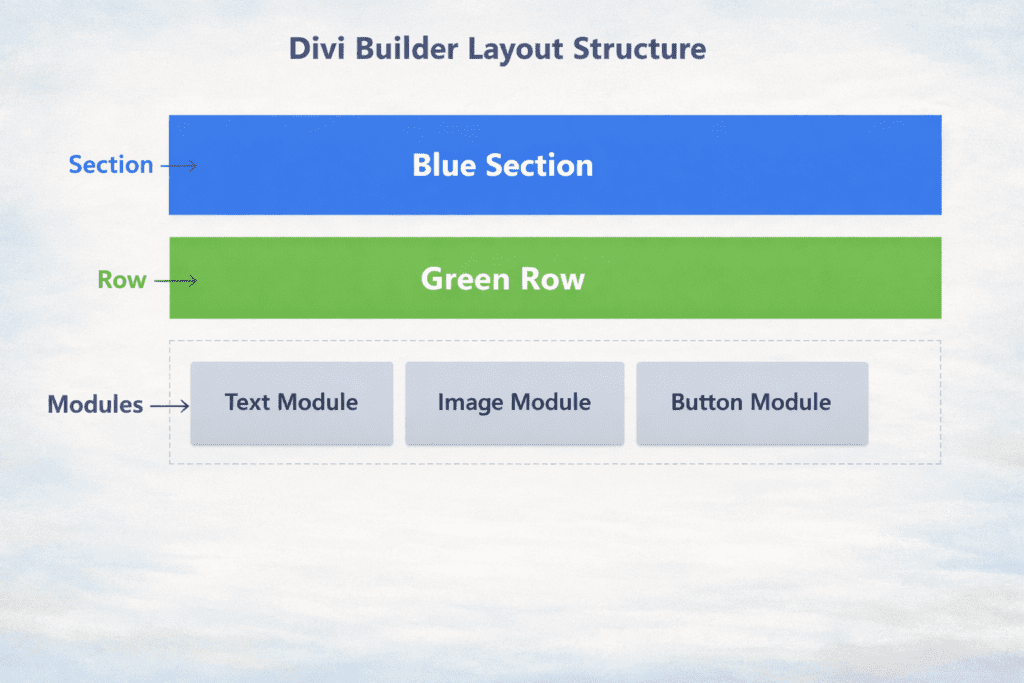
Divi works on 3 main building blocks:
1️⃣ Sections (Blue)
Large containers that divide your page.
2️⃣ Rows (Green)
Rows go inside sections and define column structure.
3️⃣ Modules (Grey)
Actual content elements like text, image, button, video, form.
Think of it like this:
Section → Row → Module
Step 3: Create Your First Page Using Divi
- Go to Pages → Add New
- Click “Use Divi Builder”
- Choose:
- Build From Scratch
- Choose Pre-Made Layout
- Clone Existing Page
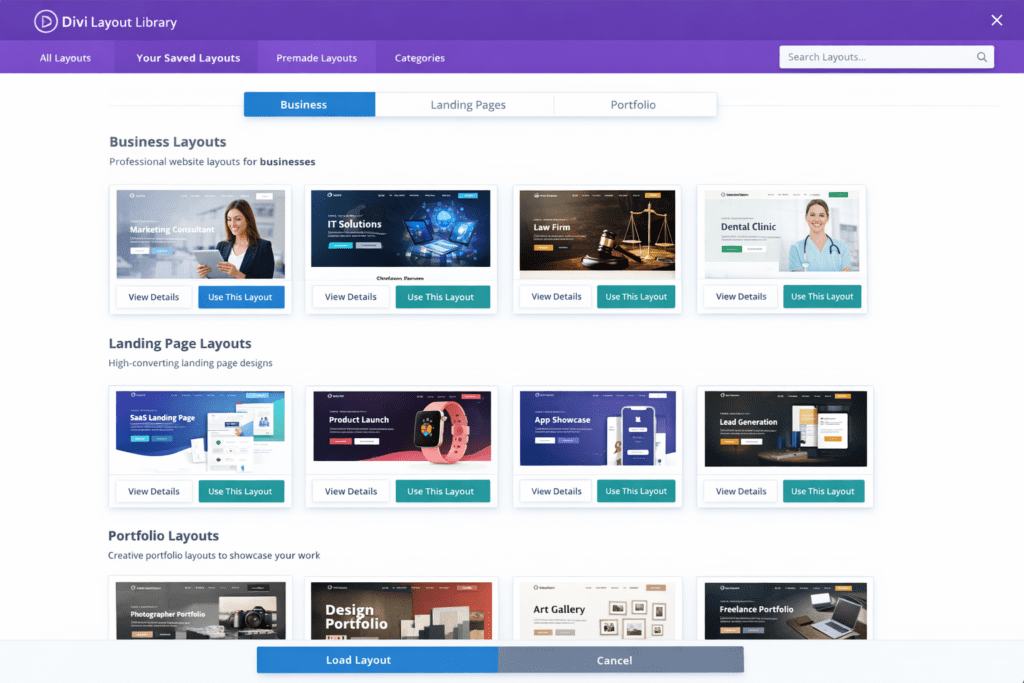
For beginners, I recommend starting with a pre-made layout.
Divi provides layouts for:
- Business websites
- Landing pages
- Blogs
- Portfolios
- Online courses
- eCommerce stores
Step 4: Customizing Modules
Each module has 3 tabs:
- Content
- Design
- Advanced
Inside Design tab, you can change:
- Fonts
- Colors
- Spacing
- Borders
- Shadows
- Animations
This gives you complete creative control.
Step 5: Global Design Settings
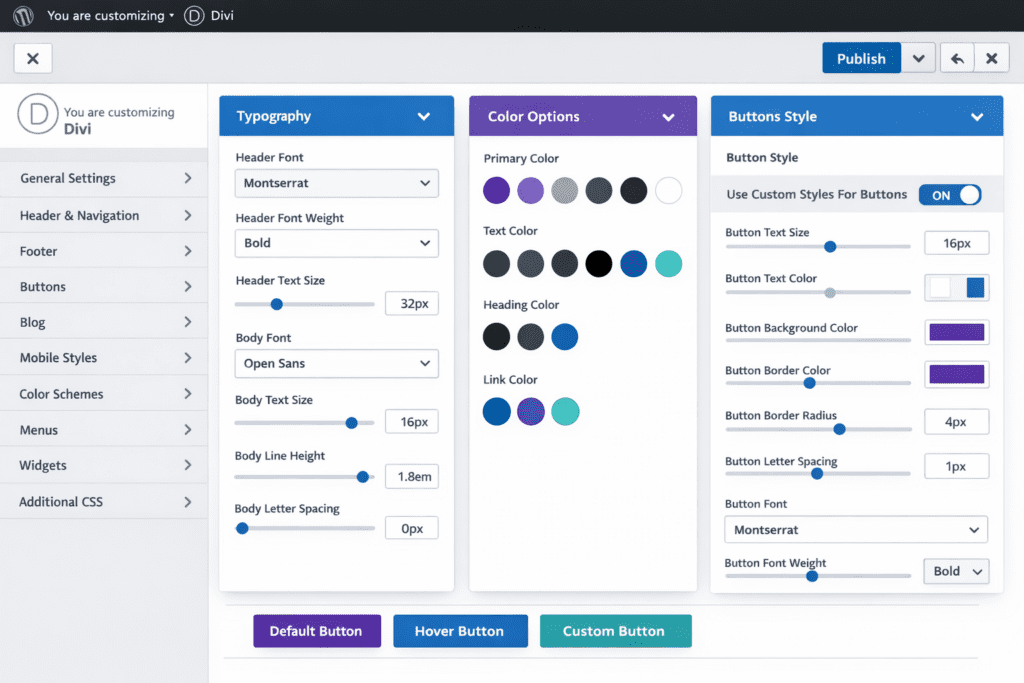
Divi allows you to set global fonts and colors.
Go to:
Divi → Theme Customizer → General Settings
Set:
✔ Default heading fonts
✔ Body font
✔ Primary brand color
✔ Button styles
This ensures consistent branding across your website.
Step 6: Making Your Website Mobile Responsive
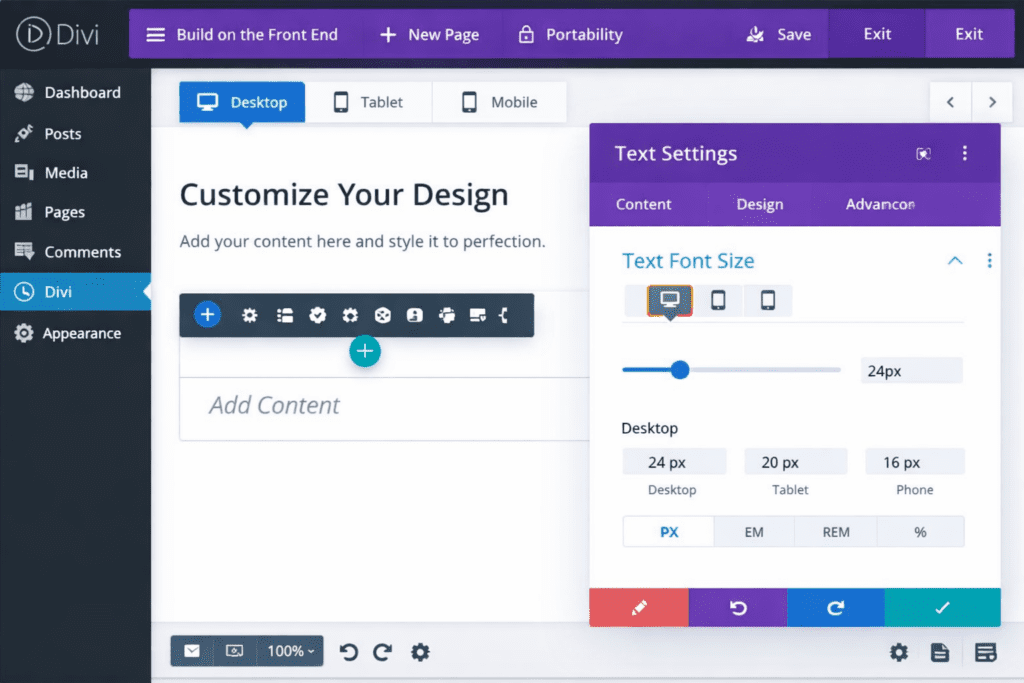
In Divi Builder, every setting has device icons:
- Desktop
- Tablet
- Mobile
You can adjust:
✔ Font sizes
✔ Spacing
✔ Padding
✔ Image alignment
Always preview your page in mobile view before publishing.
Mobile optimization is crucial for SEO ranking in 2026.
For more SEO strategies and digital tools tutorials, check out our guides on BizSmartTools.
Step 7: Divi Theme Builder (Header & Footer Customization)
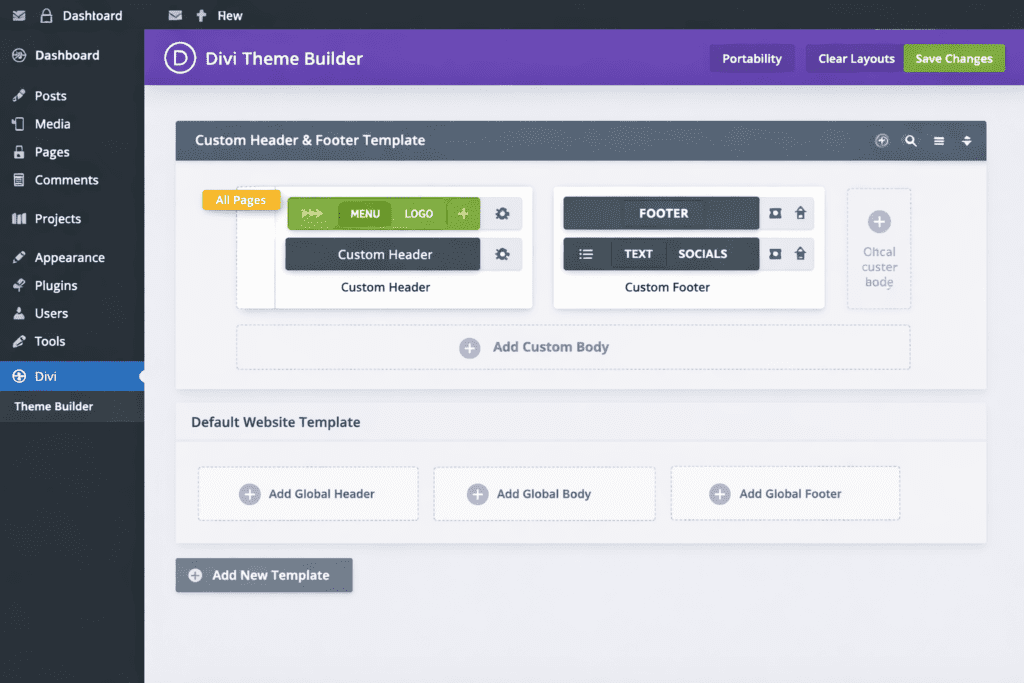
Divi Theme Builder allows you to design:
✔ Custom header
✔ Custom footer
✔ Blog post template
✔ Category page template
Go to:
Divi → Theme Builder
This is powerful for authority blogs.
Step 8: SEO Settings in Divi
Divi itself is SEO-friendly, but for best results:
✔ Install Rank Math or Yoast SEO
✔ Use proper heading structure (H1, H2, H3)
✔ Optimize images
✔ Add meta description
✔ Use schema markup
Also:
- Keep paragraphs short
- Use bullet points
- Internal linking
These help improve ranking.
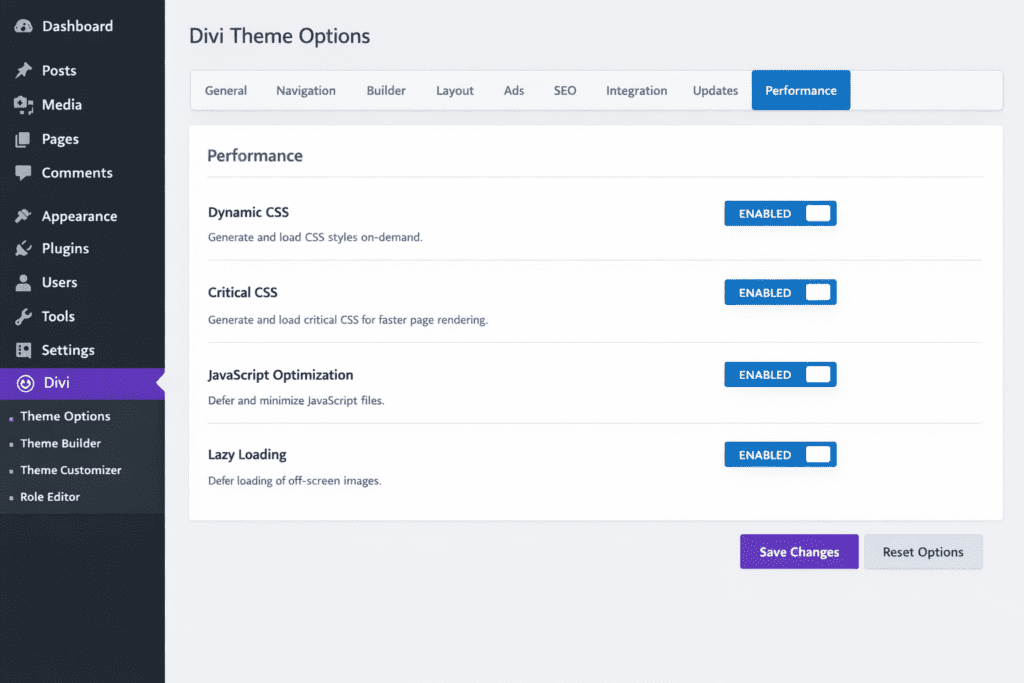
Step 9: Performance Optimization (Very Important for Ranking)
Slow websites lose rankings.
Go to:
Divi → Theme Options → Performance
Enable:
✔ Dynamic CSS
✔ Critical CSS
✔ JavaScript optimization
✔ Lazy loading
Also use:
- Fast hosting
- Image compression
- Caching plugin
Website speed is a major Google ranking factor.
Common Beginner Mistakes to Avoid
❌ Using too many animations
❌ Overloading with heavy images
❌ Ignoring mobile view
❌ Not setting global fonts
❌ Using inconsistent spacing
Keep your design clean and simple.
Is Divi Worth It in 2026?
Yes — especially if:
✔ You’re a beginner
✔ You want design flexibility
✔ You plan to build multiple websites
✔ You want lifetime pricing option
Divi gives long-term value and powerful customization without coding.
If you’re serious about building professional websites and even offering web design services, Divi can become a strong business tool for you.
Pro Tips for Authority Blogs
✔ Use Theme Builder for blog template
✔ Add email opt-in module
✔ Use split testing
✔ Maintain clean typography
✔ Focus on readability
Authority comes from consistency and clarity.
FAQs
Is Divi good for beginners?
Yes, Divi is beginner-friendly with a visual drag-and-drop interface.
Does Divi slow down websites?
If optimized properly with performance settings enabled, Divi runs efficiently.
Can I use Divi for eCommerce?
Yes, Divi fully supports WooCommerce.
Is Divi better than Elementor?
Both are powerful. Divi offers lifetime pricing and strong built-in features.
Conclusion
Now you understand how to use Divi Theme for beginners and how powerful this visual builder really is. From installing the theme to designing pages, optimizing for mobile, and improving SEO, Divi gives you complete control without needing coding skills.
The key is to start simple. Build one clean page, focus on good spacing and typography, and optimize for speed and responsiveness. As you practice, your confidence and design skills will naturally improve.
In 2026, creating a professional website is no longer difficult — you just need the right tool and the right guidance. Divi provides both flexibility and long-term value, especially if you plan to build multiple websites.
If you’re looking for more beginner-friendly tutorials, detailed tool guides, and practical online business resources, make sure to explore more content on BizSmartTools, where we simplify powerful digital tools to help you grow smarter and faster.
Now it’s your turn to take action. Start building, keep improving, and turn your ideas into a powerful online presence.

0 Comments