






Ever wondered how top websites consistently rank on Google, find profitable keywords, or peek at competitors’ strategies? The secret isn’t luck — it’s data. And the tool powering it all is Semrush.
Explore Semrush: https://www.semrush.com/
In this Semrush Guide, we’ll show you step-by-step how to use Semrush to boost your SEO, track keywords, analyze competitors, and grow your website traffic effectively.
In this semrush guide, we will cover:
- Setting up your dashboard & projects
- Running site audits to fix errors
- Keyword research for beginners and pros
- Competitor analysis strategies
- Tracking keyword positions
- Backlink building and analytics
- On-page SEO & content optimization
- Quick research with domain overview & traffic analytics
- Understanding advertising research tools
- A proven SEO workflow, common mistakes, and free vs paid plans
- Timeline for results and a quick start checklist
By the end, you’ll know exactly how to use Semrush strategically to grow traffic and outperform competitors.
What Exactly Is Semrush?
Semrush is a digital marketing command center. Instead of juggling multiple tools for keyword research, competitor analysis, backlink tracking, SEO audits, and content optimization, you can do everything in one place.
👉 Official Semrush Website: https://www.semrush.com/
It’s loved by professionals because it replaces guesswork with real data.
Why is it powerful?
Most beginners fail at SEO because they create content without real data.
Semrush shows:
- What people search
- How often they search
- How competitive keywords are
- Who already ranks
- How strong competitors are
Used by bloggers, agencies, SaaS companies, e-commerce brands, and affiliate marketers, it’s an industry-standard SEO toolkit.
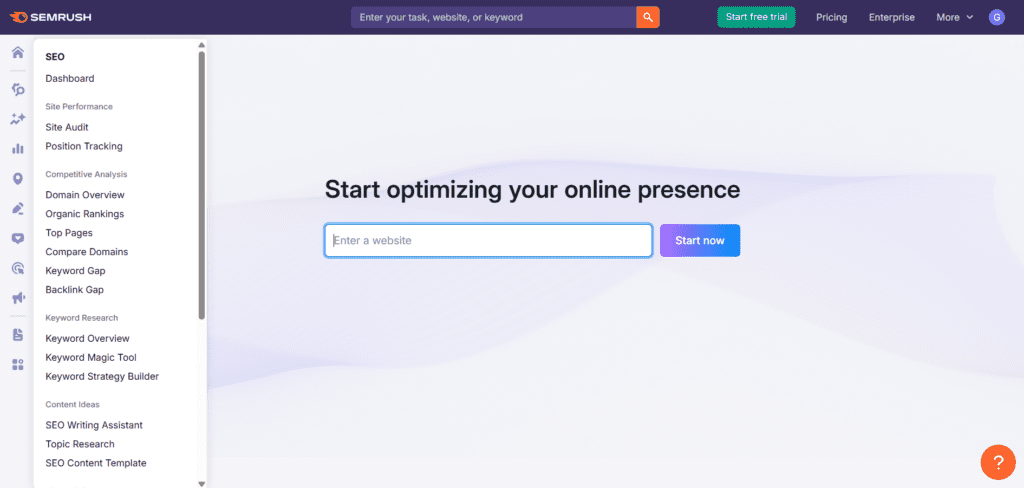
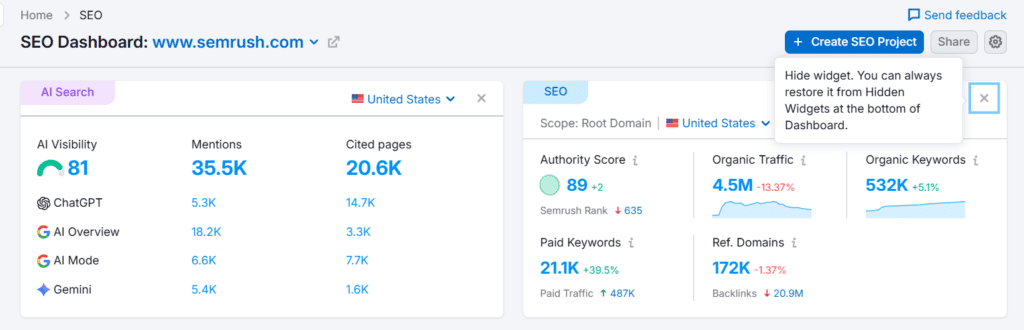
Dashboard & Projects – Your Control Room
When you log in the semrush, the dashboard looks like a data cockpit. Don’t panic — it’s simple once you understand it.
Main areas to focus on as a beginner:
- Projects
- SEO tools
- Content tools
- Reports
Pro Tip: Start with Projects to organize your website analysis.
Setting Up Your First Project
Step 1 — Add Your Website
Enter your domain to create a project. Semrush will automatically analyze your site.
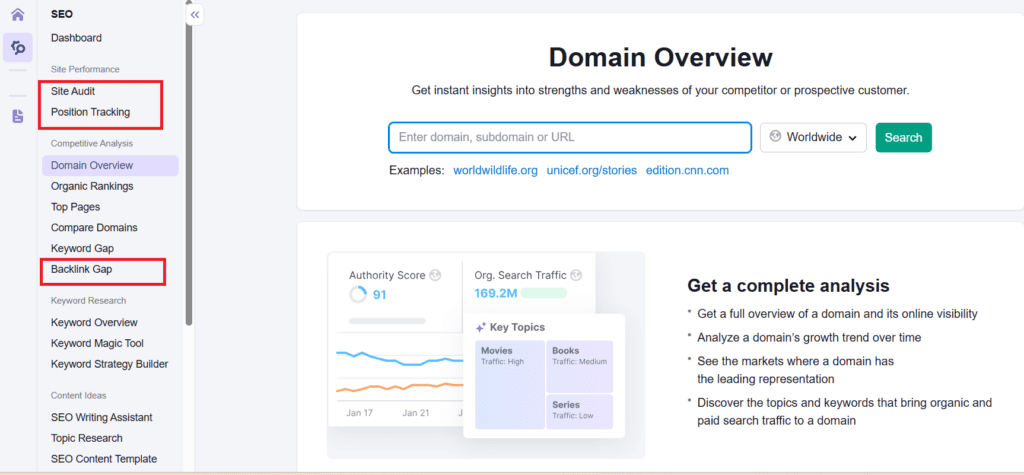
Step 2 — Connect Tools
Activate:
- Site Audit
- Position Tracking
- Backlink Audit
- On-Page SEO Checker
Mini Tip: Focus on one tool at a time to avoid overwhelm.
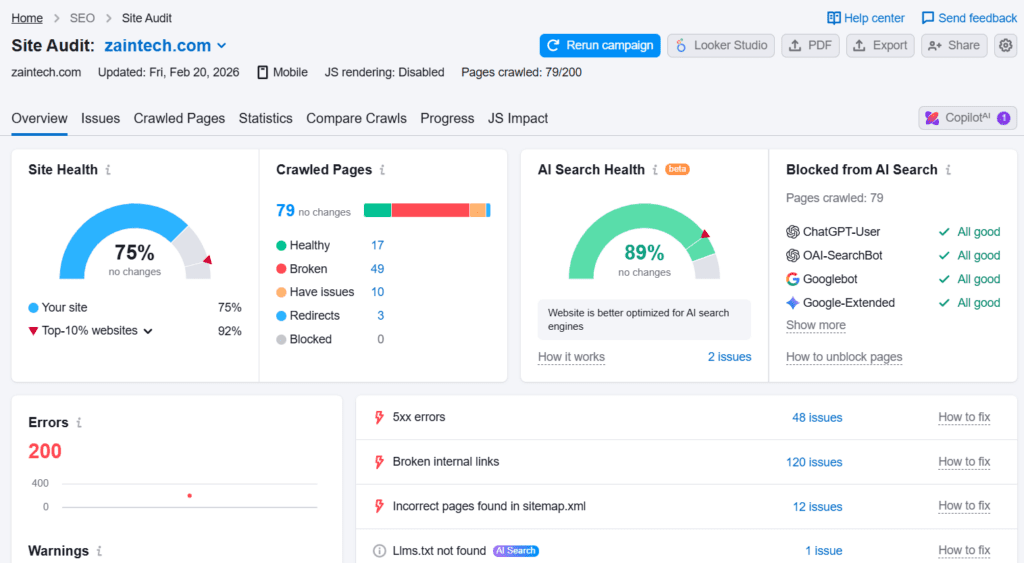
Site Audit – Scan Your Website
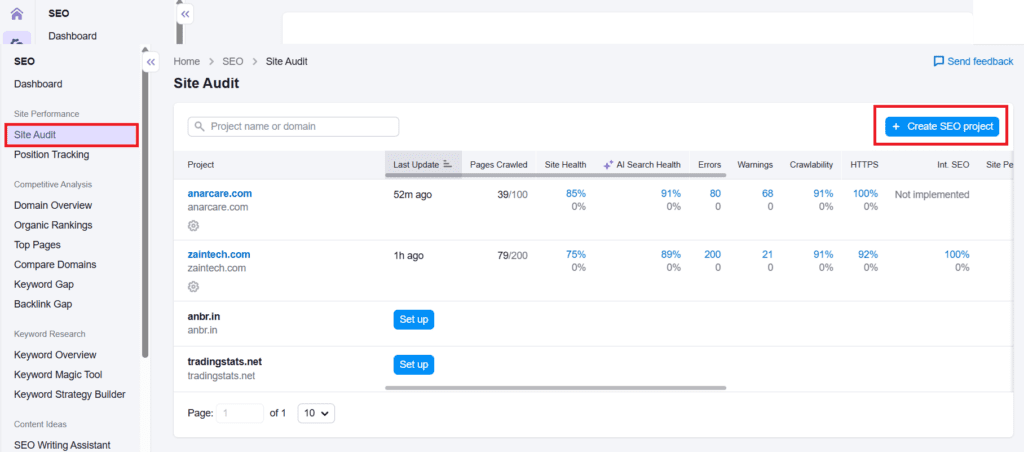
The Site Audit tool checks your website for errors like:
- Broken links
- Slow pages
- Missing meta tags
- Duplicate content
- Crawl issues
- Mobile usability problems
Site Health Score:
- 90+ = Excellent
- 70–89 = Good
- 50–69 = Needs improvement
- Below 50 = Urgent fixes
Beginner Focus: Fix Errors → Warnings → Notices.
Mini Example: 10 broken links + 5 missing meta descriptions → fix links first for better crawlability.
Keyword Research – The Heart of SEO
Keywords are the foundation of SEO. Without the right keywords, even the best content may remain unseen.
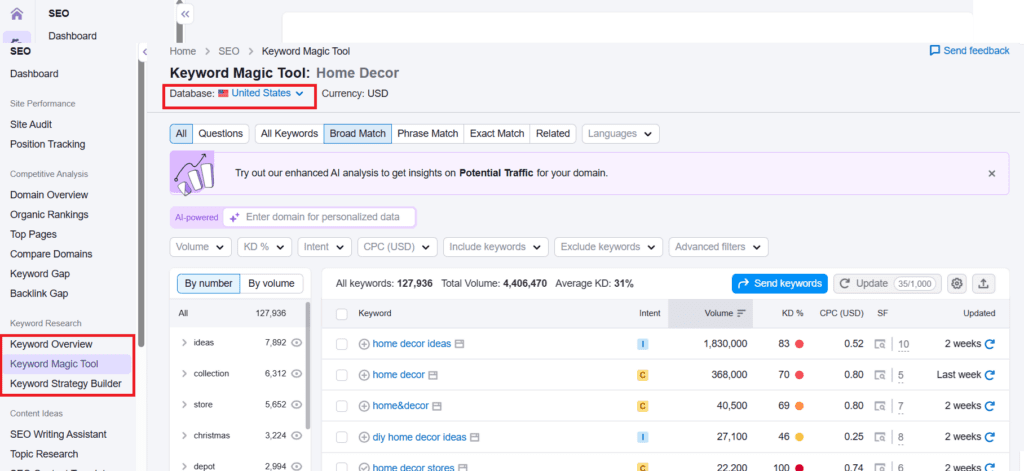
One of the most powerful tools inside Semrush is the Keyword Magic Tool, which generates thousands of keyword ideas based on search data.
👉 Try Semrush Keyword Research Tool:
https://www.semrush.com/analytics/keywordmagic/
Keyword Metrics Explained:
- Search Volume: How many monthly searches
- Keyword Difficulty: How hard it is to rank
- Intent: Why people search (informational, commercial, transactional)
- CPC: How valuable the keyword is for ads
Beginner Strategy – Long-Tail Keywords
Instead of broad terms like “SEO”, target:
- “SEO tools for beginners 2026”
- “Best free SEO analysis tool”
Why?
- Easier to rank
- Lower competition
- Brings targeted traffic
Keyword Magic Tool – Advanced Research:
Generates thousands of keyword ideas. Filter by: difficulty, word count, questions, intent, and search volume.
Pro Tip: Build your content calendar from the top filtered keywords.
Competitor Analysis – Your Secret Weapon
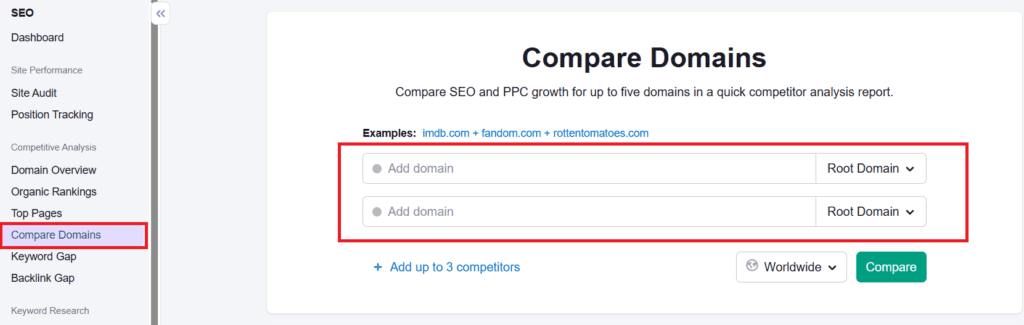
Enter a competitor’s domain to see:
- Top keywords
- Traffic
- Backlinks
- Best pages
- Ads
- Growth trends
Mini Case Study:
Competitor ranks for “free SEO tools”. You create a longer, more actionable guide → higher chance to outrank them.
Pro Tip: Use gap analysis to target keywords your competitors rank for, but you don’t.
Position Tracking – Monitor Rankings
Tracks keyword rankings daily, showing:
- Position changes
- Ranking history
- Visibility percentage
- Competitor rankings
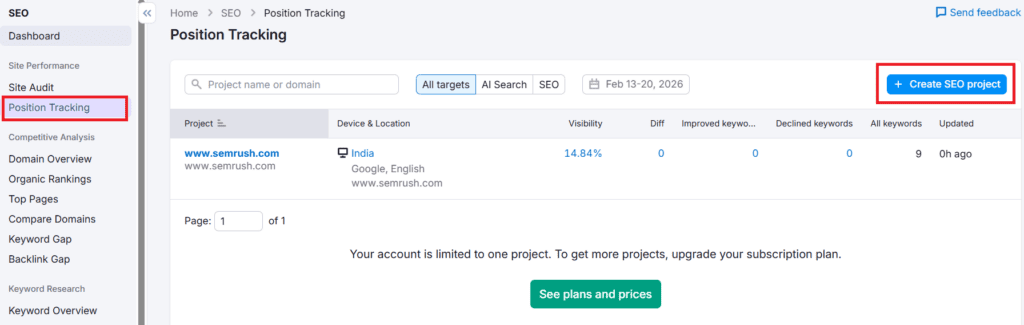
Why it matters: SEO is slow; without tracking, you won’t know what’s working.
Mini Tip: Review top 5 pages weekly → update content to improve rankings.
Backlink Analytics – Build Authority
Backlinks = Google’s trust signals. Semrush shows:
- Who links to you
- Competitor backlinks
- New & lost links
- Toxic links
👉 Analyze backlinks using Semrush:
https://www.semrush.com/backlink-analytics/
Pro Tip: Use link gap strategy → replicate competitor backlinks from relevant sources.
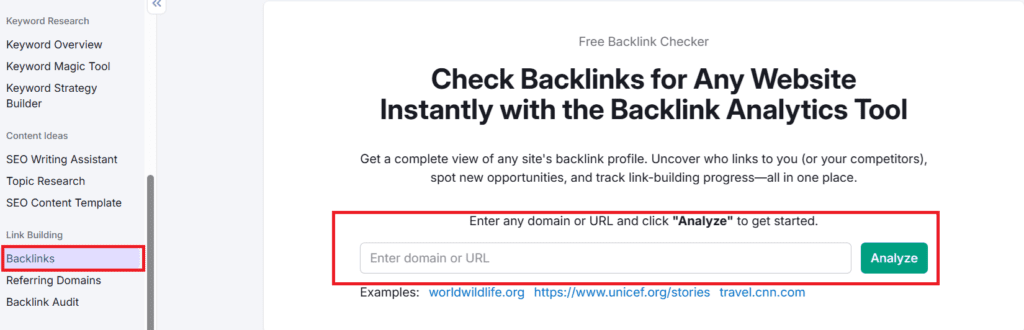
Mini Example: Competitor has backlinks from 10 marketing blogs → reach out with better content → gain backlinks faster.
On-Page SEO Checker & Content Marketing Toolkit
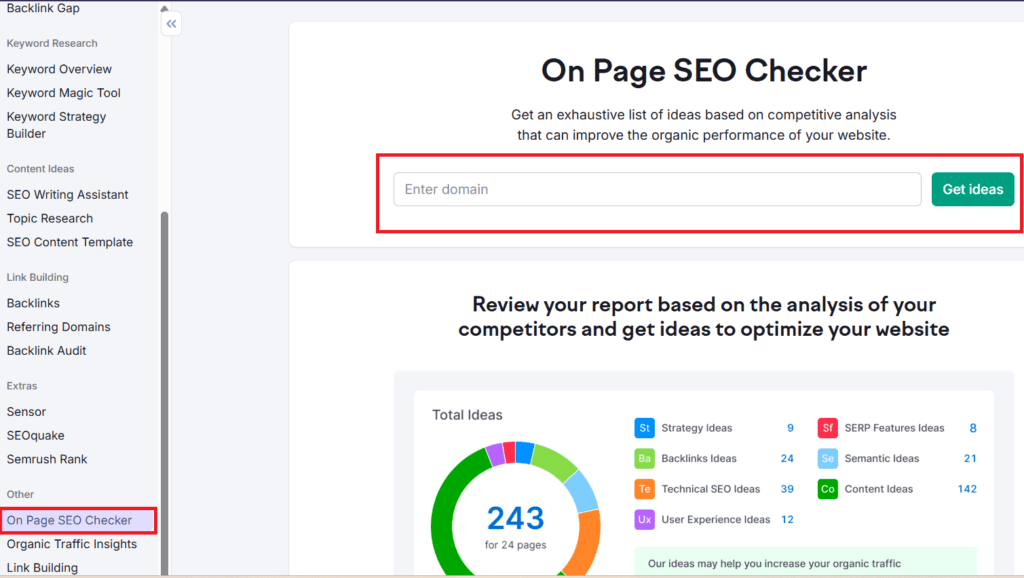
On-Page SEO Checker:
Analyze your pages for:
- Keywords in headings
- Content length
- Internal links
- Readability
- Technical fixes
Content Marketing Toolkit:
Provides:
- Topic ideas
- Headlines
- Related keywords
- Tone & readability analysis
Mini Tip: Run on-page checker before promotion to ensure content is optimized.
Domain Overview & Traffic Analytics
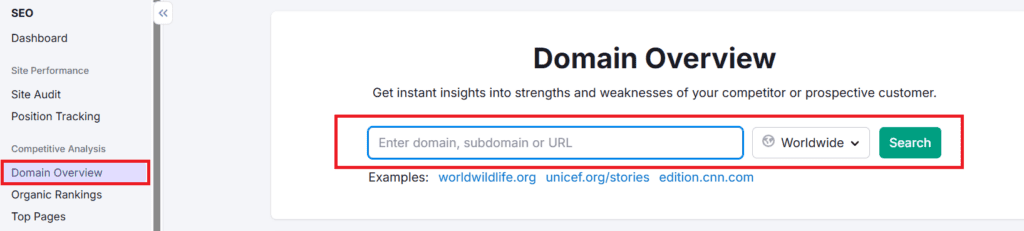
Domain Overview: Quick analysis for any website:
- Total traffic
- Top keywords
- Backlinks
- Authority score
- Top pages
Traffic Analytics: See sources: direct, organic, referral, social, paid.
Pro Tip: Use competitor insights to replicate strategies that work.
Advertising Research Tools
Even without running ads, analyze:
- Competitor ads
- Keywords they bid on
- Ad copies
- Landing pages
Pro Tip: Learn what converts for competitors to apply in content & SEO strategy.
Realistic SEO Workflow
- Run site audit → fix errors
- Find keywords → target long-tail
- Analyze competitors → find gaps
- Create optimized content → run on-page checker
- Build backlinks → link gap strategy
- Track rankings → update monthly
- Repeat → SEO is a continuous cycle
Common Mistakes to Avoid:
❌ Targeting impossible keywords
❌ Ignoring technical SEO
❌ Publishing short content
❌ Not building backlinks
❌ Not tracking rankings
Free vs Paid Plans
- Free: Limited searches, basic data
- Paid: Full access, advanced reports, competitor insights
Pro Tip: Start free to learn → upgrade when ready to scale.
Timeline for Results
| Website Type | Time |
| New website | 3–6 months |
| Existing site | 2–4 months |
| Strong domain | 1–2 months |
SEO traffic keeps coming, unlike paid ads.
Quick Start Checklist
✔ Create account
✔ Add website
✔ Run audit
✔ Find keywords
✔ Publish optimized article
✔ Track rankings weekly
✔ Build backlinks
✔ Update content monthly
Pro Tip: Spend 30 minutes daily exploring one feature. Consistency > intensity.
Final Thoughts
Learning SEO isn’t optional anymore. In today’s competitive online world, relying on guesswork won’t get you far. Tools like Semrush help you make data-driven decisions, understand what works, and optimize your website strategically. Success comes from consistent use, proper implementation, and ongoing analysis.
Start today, track your progress, and grow your website traffic smartly. For more practical tips, tutorials, and guides to help you master SEO and digital marketing, visit BizSmartTools — your partner for smart online growth.


0 Comments