






Starting an online business today is easier than ever before. Thanks to modern eCommerce platforms, anyone — even without technical skills — can launch a professional online store and begin selling products worldwide. Among all available platforms, Shopify stands out as one of the most beginner-friendly and powerful solutions for building and managing an online store.
👉 Explore Shopify here: https://www.shopify.com/
Whether you want to sell physical products, digital downloads, print-on-demand merchandise, or dropshipping items, this complete step-by-step guide will help you understand everything — from setting up your store to scaling it into a profitable online business.
What is Shopify and How Does It Work?
Shopify is a cloud-based eCommerce platform that allows you to create, customize, and manage your online store from one centralized dashboard. Instead of building a website from scratch or hiring developers, Shopify provides ready-made tools and templates that simplify the entire process.
With Shopify, you can manage:
- Store design and layout
- Product listings
- Payments and checkout
- Inventory tracking
- Shipping settings
- Marketing tools
- Customer data
- Analytics and reports
👉 Official Shopify Website: https://www.shopify.com/
Because it works on a subscription model, you simply pay a monthly fee and get access to all essential features required to run an online business.
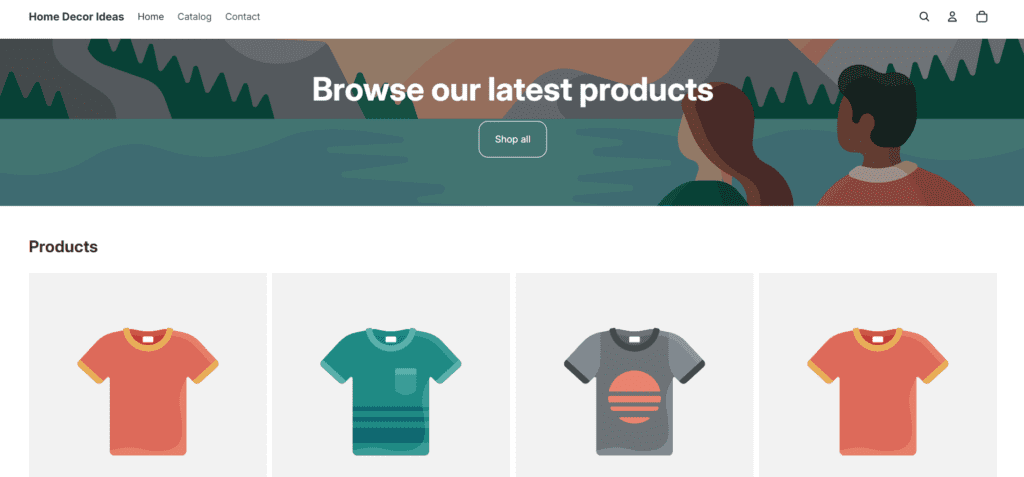
Step 1 — Create Your Shopify Account
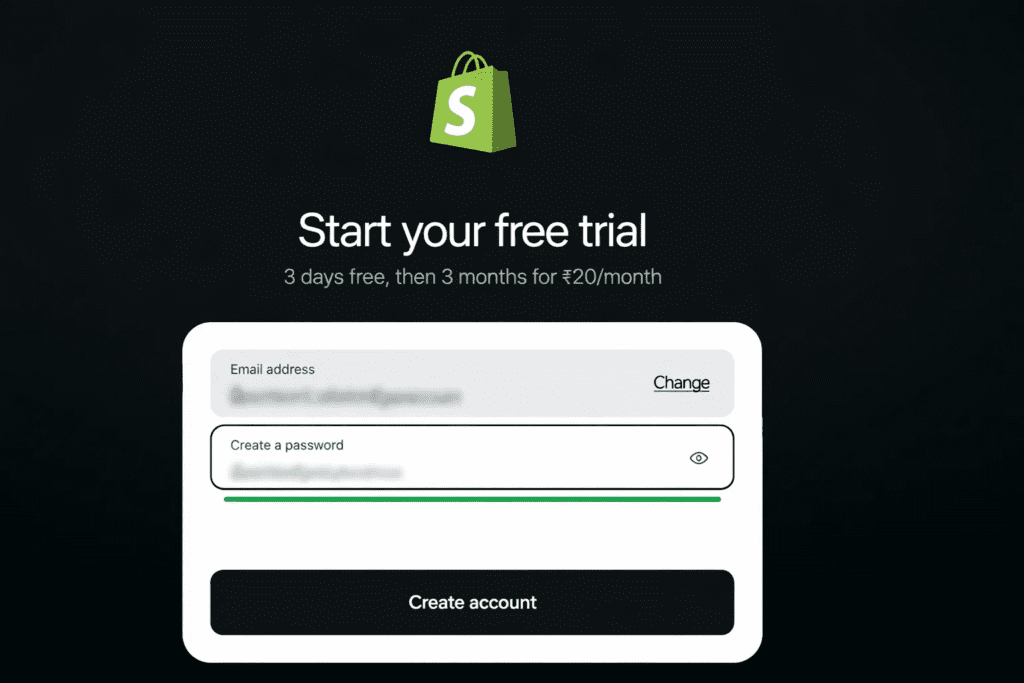
The first step is signing up on Shopify and creating your store. The process is simple and takes only a few minutes.
👉 Start creating your store: https://www.shopify.com/
You’ll be asked to enter:
- Email address
- Password
- Store name
Once done, you’ll be taken to your dashboard, where you can begin setting up your store.
Beginner Tip: Choose a store name that is short, memorable, and brand-friendly. Avoid long or complicated names.
Step 2 — Choose Your Store Niche
Before adding products, decide what you want to sell. Choosing a niche helps you target the right audience and makes marketing much easier.
Best Beginner Niches 2026
- Home decor
- Fitness products
- Pet accessories
- Digital products
- Beauty tools
- Print on demand
Pro Tip: Pick a niche you understand or are interested in. Knowledge helps you create better product descriptions, ads, and marketing content.
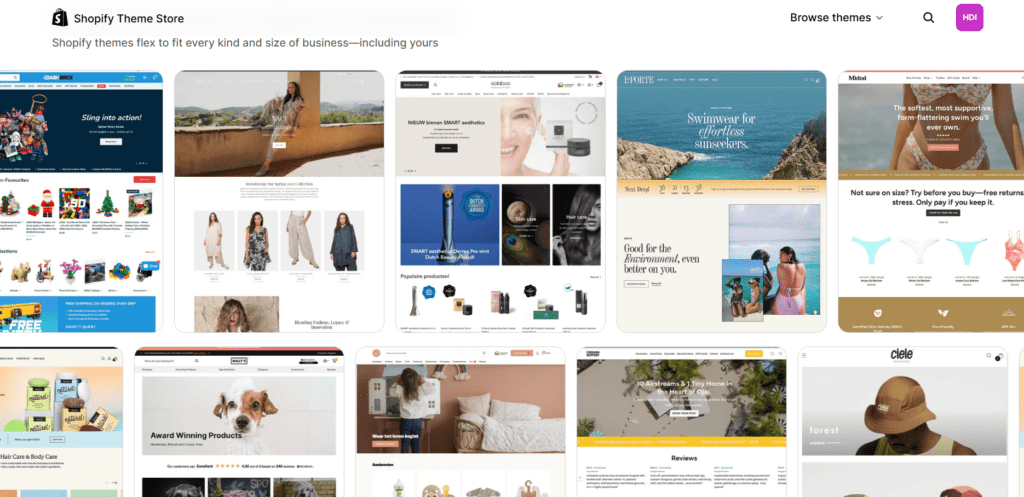
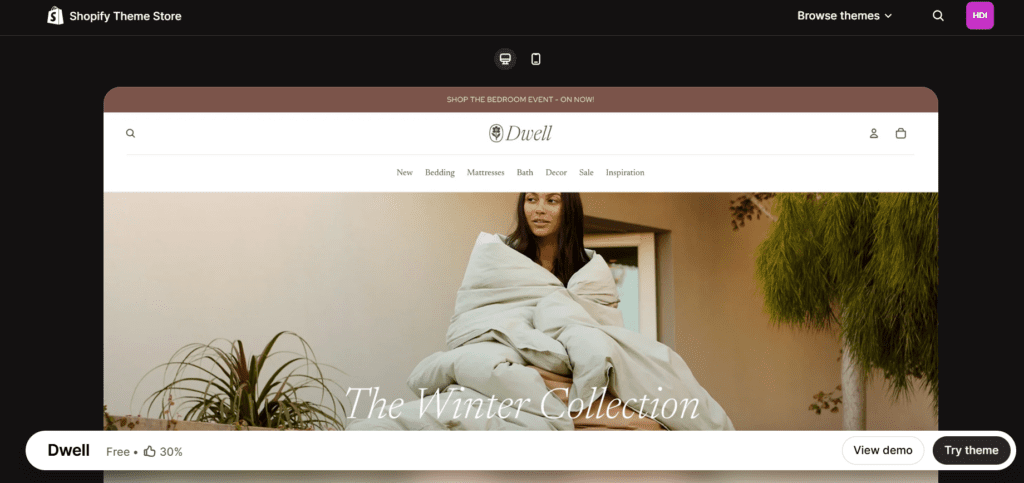
Step 3 — Select a Theme (Store Design)
Your theme controls your store’s look and feel. Shopify provides free and paid themes.
👉 Browse Shopify themes: https://themes.shopify.com/
Choose a theme based on:
- Product type
- Brand style
- Speed performance
- Mobile responsiveness
Theme Example Layout
Step 4 — Add Products to Your Store
Now comes the exciting part: adding items to sell.
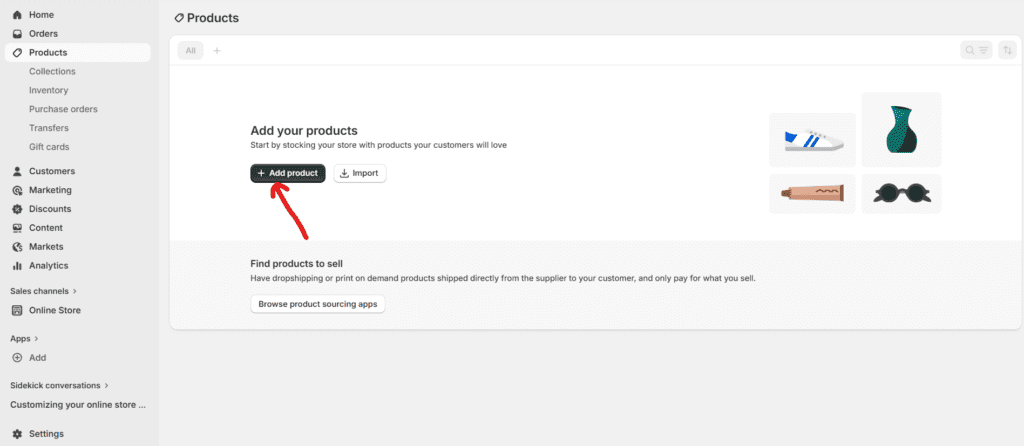
Click Products → Add Product
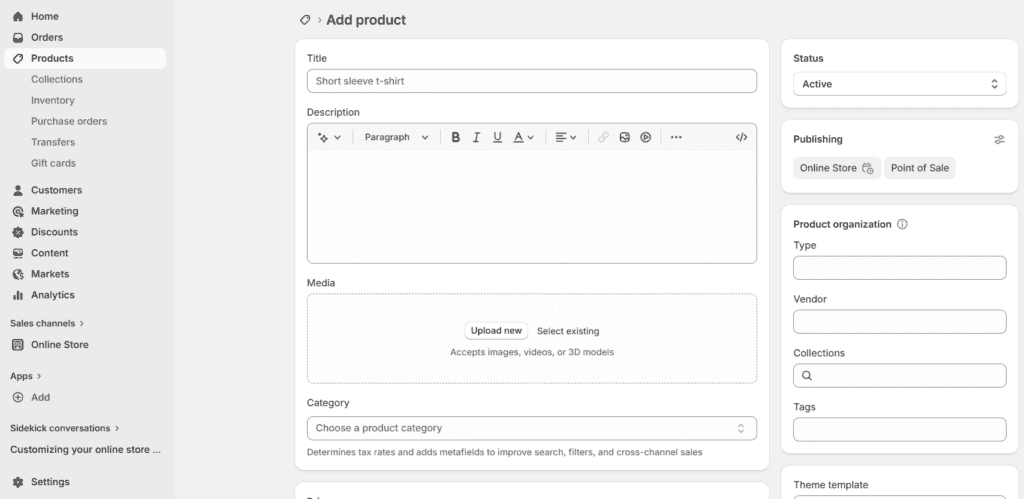
Fill in:
- Product title
- Description
- Price
- Images
- Variants (size/color)
- Inventory
📌 Tips for High-Converting Product Pages
- Use clear images
- Write benefit-focused description
- Highlight features in bullet points
- Add trust badges
Step 5 — Set Up Payments
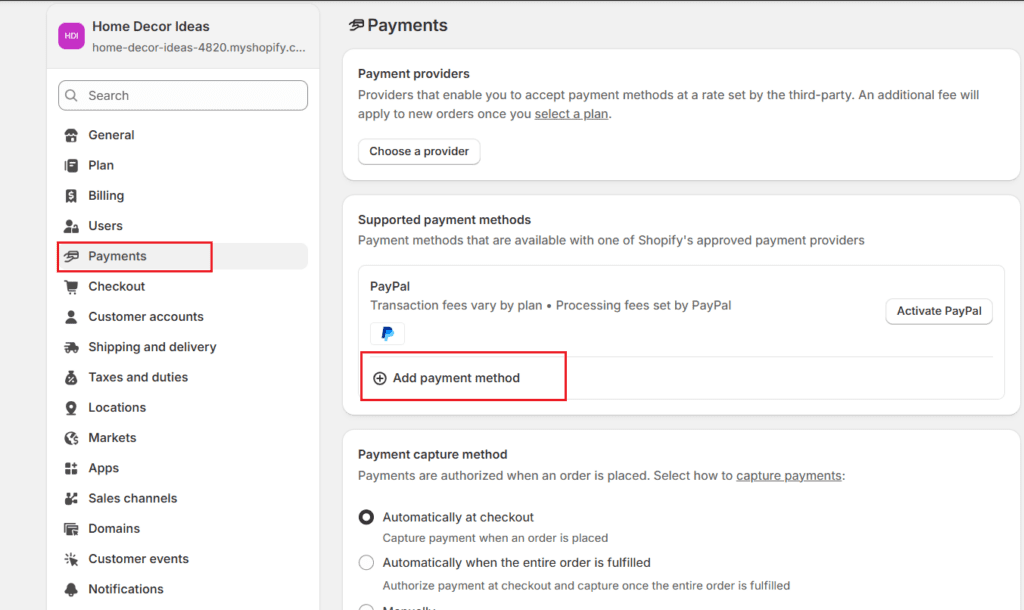
To receive money from customers, connect payment gateways.
Popular options:
- Shopify Payments
- Razorpay
- PayPal
- Stripe
Make sure you:
✔ Enable multiple payment options
✔ Test payment checkout
✔ Add refund policy
Multiple payment options increase trust and reduce cart abandonment.
Step 6 — Configure Shipping Settings
Shipping determines how customers receive their orders. Shopify lets you create different shipping rules.
You can choose:
- Free shipping
- Flat rate
- Weight-based
- Location-based
Beginner Strategy:
Offer free shipping and include shipping cost in product price. Customers love “free shipping” offers.
Step 7 — Buy a Custom Domain Name
A custom domain makes your store look professional and trustworthy.
Example:
- Professional → yourbrand.com
- Default → yourbrand.shopify.com
Benefits:
- Builds trust
- Looks professional
- Improves branding
- Helps SEO
👉 You can also buy a domain directly inside Shopify:
https://www.shopify.com/domains
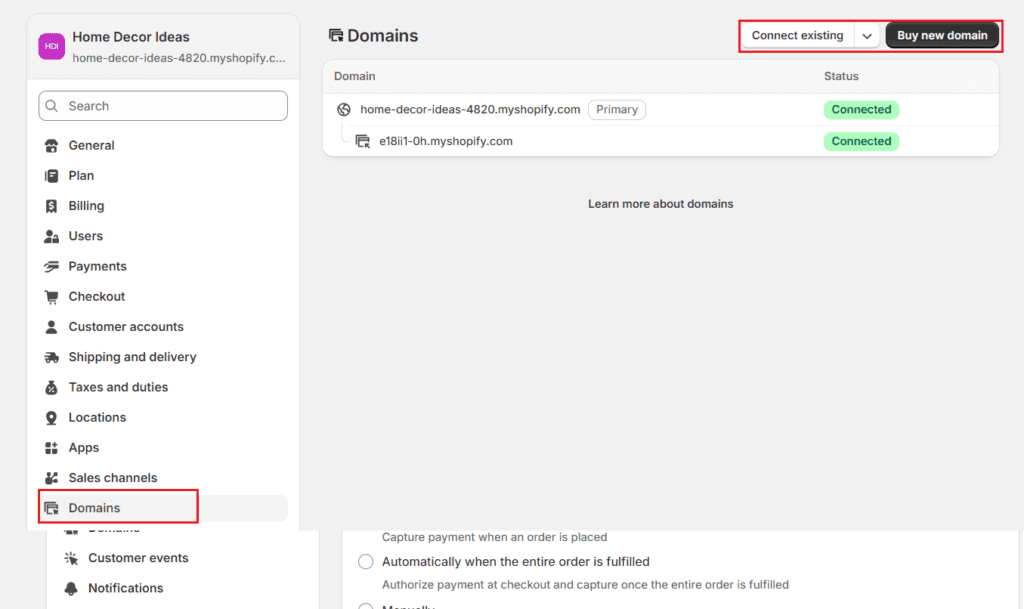
Step 8 — Launch Your Store
Before launching, test everything carefully.
✔ Product links working
✔ Checkout functioning
✔ Payment methods active
✔ Mobile responsive design
✔ Fast page loading speed
Once ready → click Remove Password → Store Live
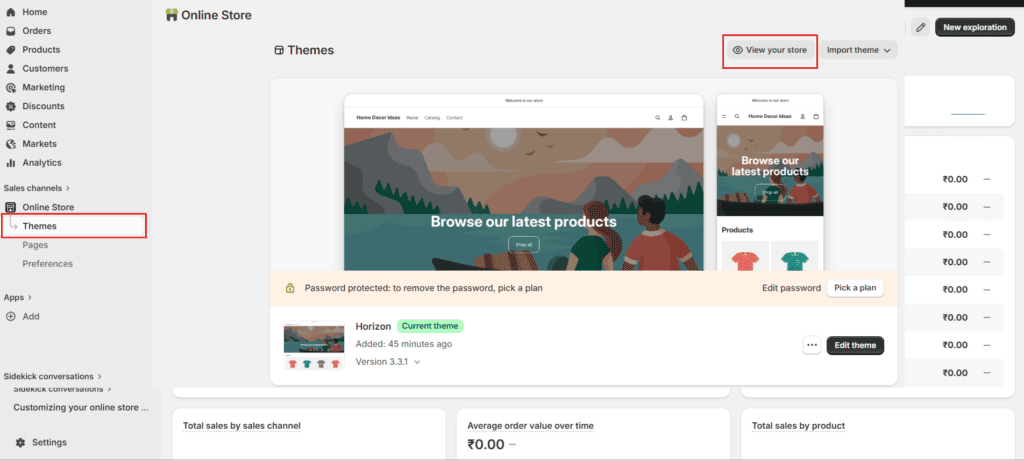
Congratulations 🎉
You’re officially an online store owner.
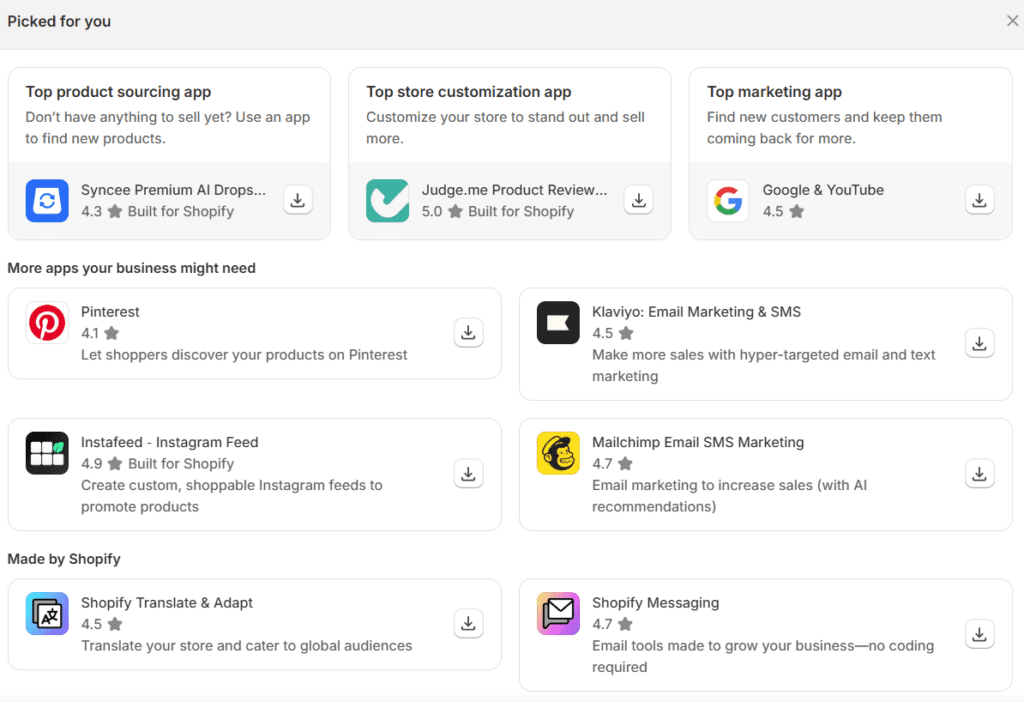
Step 9 — Install Essential Apps
Shopify App Store contains powerful apps that extend your store’s functionality.
👉 Explore Shopify App Store:
https://apps.shopify.com/
Must-Have Beginner Apps
- Email marketing app
- Review app
- Upsell app
- SEO optimizer
- Live chat
Apps automate tasks, improve conversions, and save time.
Step 10 — Optimize Store for Sales
Launching a store is easy. Making sales requires optimization.
Conversion Optimization Checklist
- Add trust badges
- Display customer reviews
- Use professional product images
- Show delivery time
- Add urgency text
- Offer limited discounts
Optimization is what turns visitors into buyers.
Step 11 — Drive Traffic to Your Store
Traffic = Customers = Sales
Best free traffic methods:
- Pinterest marketing
- Instagram reels
- Blogging
- SEO articles
- YouTube tutorials
Paid traffic methods:
- Facebook ads
- Google ads
- Influencer marketing
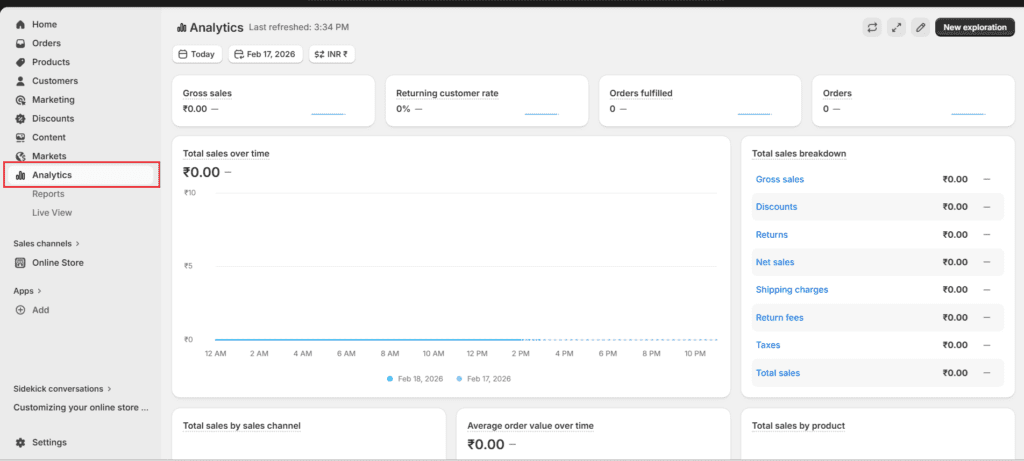
Step 12 — Understand Analytics
Shopify provides built-in analytics showing:
- Visitors
- Conversion rate
- Revenue
- Top products
- Traffic sources
Beginner Mistakes to Avoid
Most new sellers fail because of these:
❌ Choosing too many products
❌ Copying competitors blindly
❌ Ignoring branding
❌ Poor product images
❌ Not testing checkout
Avoid these and your success chances increase dramatically.
How Much Money Can Beginners Earn?
Your income depends on:
- Product quality
- Marketing strategy
- Target audience
- Pricing
- Consistency
Typical beginner timeline:
| Month | Result |
|---|---|
| 1 | Setup + learning |
| 2 | First sales |
| 3–6 | Consistent income |
| 6–12 | Scaling phase |
Some beginners earn their first sale within days if marketing is strong.
Growth Strategy for Scaling Stores
Once you start getting orders:
- Identify best-selling product
- Run ads only on winners
- Increase price slightly
- Build email list
- Launch similar products
This is how small stores turn into brands.
Frequently Asked Questions (FAQ)
1. Is Shopify good for beginners?
Yes. Shopify is designed for beginners and doesn’t require coding or technical knowledge.
2. How much does Shopify cost?
Shopify offers different plans starting from basic monthly subscriptions. Beginners can start with the lowest plan and upgrade later.
3. Can I use Shopify without inventory?
Yes. You can run dropshipping stores or sell digital products without holding inventory.
4. How long does it take to build a store?
Basic store setup can be done in 2–4 hours. Optimization may take a few days.
5. Is Shopify profitable for beginners?
Yes, if you choose the right niche, product, and marketing strategy. Many beginners start earning within months.
6. Do I need a business license?
Depends on your country’s laws. Many beginners start first and register once sales grow.
7. Can I change my theme later?
Yes. You can redesign your store anytime without losing products.
8. What can I sell on Shopify?
You can sell:
- Physical products
- Digital downloads
- Services
- Courses
- Dropshipping items
Final Conclusion
Starting an online store in 2026 is no longer complicated. With the right platform, proper guidance, and consistent effort, anyone can build a successful eCommerce business. Shopify provides all the tools needed — from store creation to scaling — making it one of the best platforms for beginners.
👉 Start exploring Shopify:
https://www.shopify.com/
👉 Follow this guide step-by-step and you can go from complete beginner → store owner → online entrepreneur.

0 Comments