







Many websites publish dozens of articles every month but still struggle to get traffic from Google. The problem usually isn’t effort — it’s lack of reliable data.
In 2026, SEO is less about publishing more content and more about making smarter decisions based on search data. Search engines are better than ever at understanding user intent, content quality, and website experience. Because of this, guessing keywords or copying competitors rarely works anymore.
This is where best SEO tools become extremely valuable.
They help you understand what people are searching for, how competitors are getting traffic, which pages on your site are underperforming, and what technical problems might be affecting rankings.
However, not every tool actually helps increase website traffic. Some tools look impressive but don’t provide practical insights.
The tools in this guide are widely used by bloggers, SEO professionals, and marketing teams because they solve real problems — from keyword research and content optimization to technical site audits.
Instead of pushing one platform, this article explains when each tool works best and when it might not be necessary.
Quick Comparison of the Best SEO Tools
| Tool | Best For | Pricing | Key Feature |
| Ahrefs | Backlink research & competitor analysis | Paid | Largest backlink database |
| Semrush | All-in-one marketing platform | Paid | Keyword + competitor research |
| Google Search Console | Website performance tracking | Free | Real search query data |
| Surfer SEO | Content optimization | Paid | On-page SEO scoring |
| Screaming Frog | Technical SEO audits | Free/Paid | Website crawling |
| Ubersuggest | Beginner keyword research | Free/Paid | Simple SEO dashboard |
| Mangools (KWFinder) | Long-tail keyword research | Paid | Accurate difficulty score |
| SE Ranking | Rank tracking | Paid | Detailed keyword tracking |
| AnswerThePublic | Content ideas | Free/Paid | Question-based keyword discovery |
| Google Trends | Trend research | Free | Search popularity insights |
1. Ahrefs
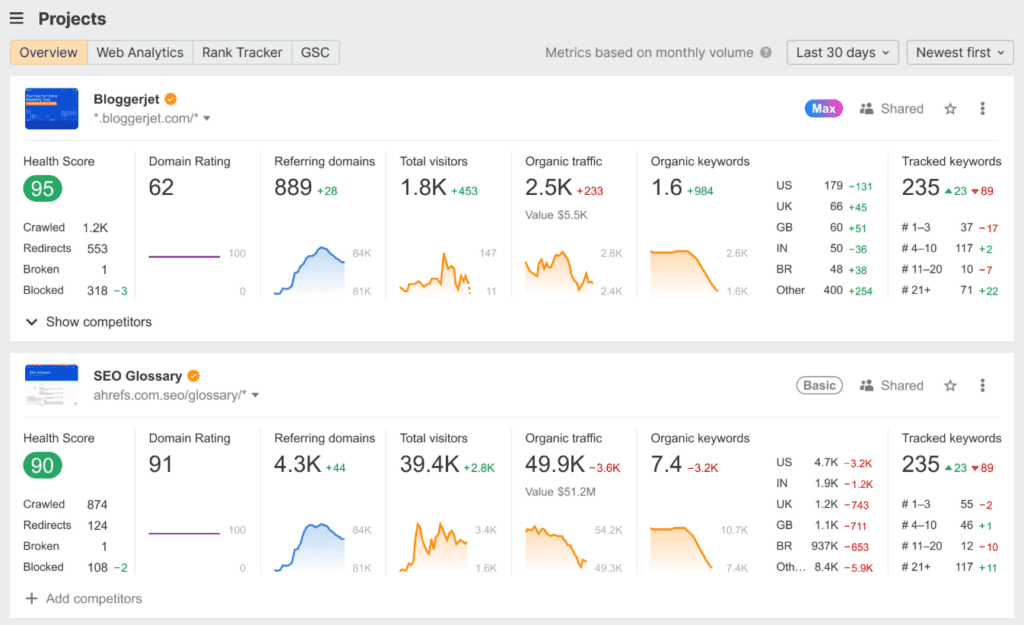
Ahrefs is one of the most widely used SEO platforms in the industry, especially for backlink research and competitor analysis. The platform’s Site Explorer feature shows which pages on a competitor’s website generate the most organic traffic. This often reveals content opportunities you might not notice otherwise.
Semrush vs Ahrefs detailed comparison
Real Use Case
A travel blog analyzed competing sites using Ahrefs and discovered that the keyword “hidden weekend destinations near Delhi” was driving significant traffic. After publishing a more detailed guide targeting the same topic, the article reached page one within three months.
Practical Tip
A common strategy many SEO professionals use in Ahrefs is analyzing the Top Pages report for competitors. This report reveals which topics bring the most organic traffic and which keywords drive those visits.
Where Ahrefs Excels — And Its Practical Limitations
| Where Ahrefs Excels | Practical Limitations |
| Massive backlink database | Expensive for beginners |
| Excellent competitor analysis | No permanent free version |
| Reliable keyword difficulty metrics | Some features limited by credits |
| Strong content research tools | Advanced plans required for heavy users |
| Useful for finding link opportunities | Overkill for small hobby sites |
Pricing: Starts around $99/month
Best for: Bloggers, agencies, advanced SEO users
2. Semrush
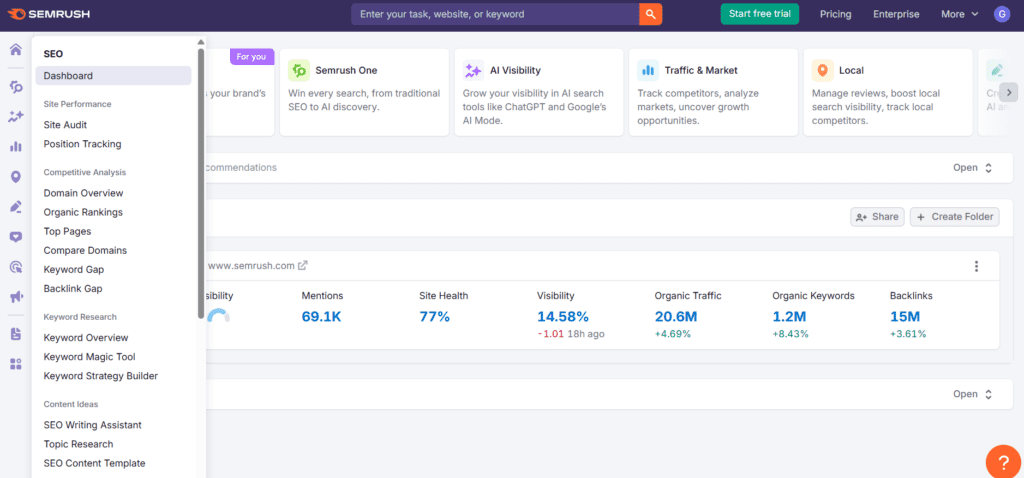
Semrush is often considered an all-in-one digital marketing platform. It combines SEO research, competitor analysis, content tools, and PPC insights into a single dashboard.
Many marketing teams prefer Semrush when they want one platform that covers multiple aspects of digital marketing.
Real Use Case
An e-commerce website used the Keyword Gap tool to compare its domain with three competitors. The analysis revealed dozens of keywords competitors ranked for but the site had never targeted.
After optimizing product pages and publishing supporting blog content, organic traffic increased by 45% in six months.
Practical Tip
The Position Tracking tool in Semrush helps monitor ranking changes daily. This is useful when testing title changes or content updates.
Where Semrush Excels — And Its Practical Limitations
| Where Semrush Excels | Practical Limitations |
| Huge keyword database | Interface can feel complex |
| Strong competitor research | Pricing increases quickly |
| Useful PPC insights | Some traffic data estimated |
| Comprehensive SEO audits | Not all features needed by bloggers |
| Built-in reporting tools | Learning curve for beginners |
Pricing: Starts around $129/month
Best for: Marketing teams, agencies
3. Google Search Console
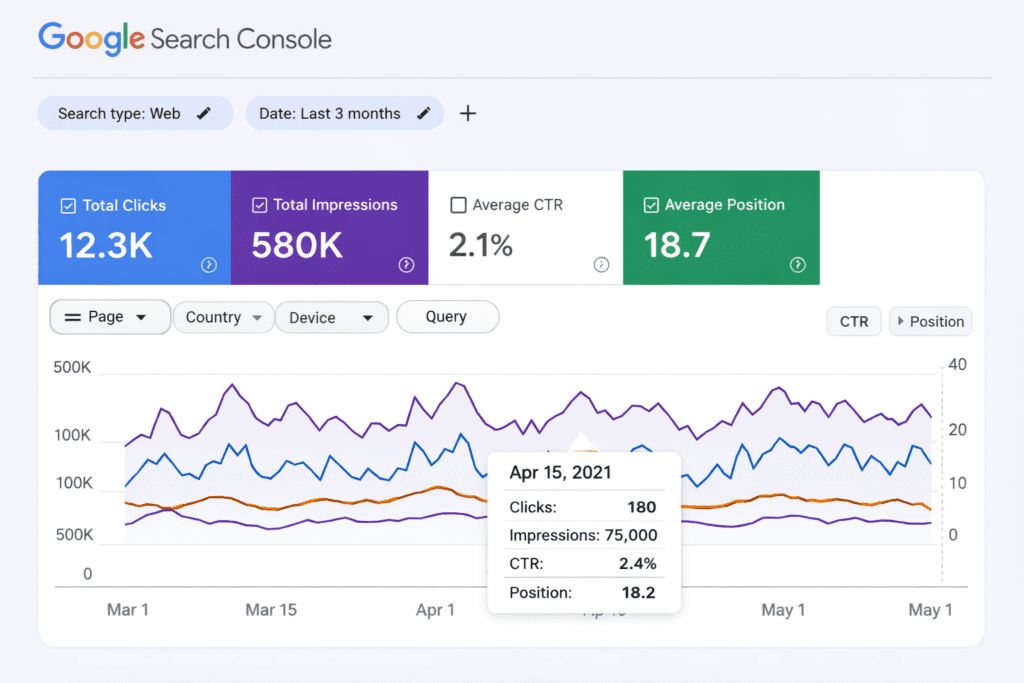
Google Search Console is one tool every website owner should use. Unlike third-party tools that estimate traffic data, Search Console shows real search queries that bring users to your site.
It also reveals indexing issues, page performance, mobile usability problems, and other technical signals that affect rankings.
Real Use Case
A niche blog discovered several keywords with high impressions but low click-through rates. By rewriting titles and meta descriptions for those pages, organic traffic increased by nearly 30% without publishing new content.
Practical Tip
Look for keywords where your page ranks between positions 8–15. Improving those pages often produces faster traffic growth than creating new content.
Where Google Search Console Excels — And Its Practical Limitations
| Where It Excels | Practical Limitations |
| Data directly from Google | No competitor keyword data |
| Shows real search queries | Limited keyword discovery |
| Identifies indexing problems | Slight reporting delay |
| Completely free | Basic backlink insights |
| Essential for SEO monitoring | Limited analytics customization |
Pricing: Free
Best for: Every website
4. Surfer SEO
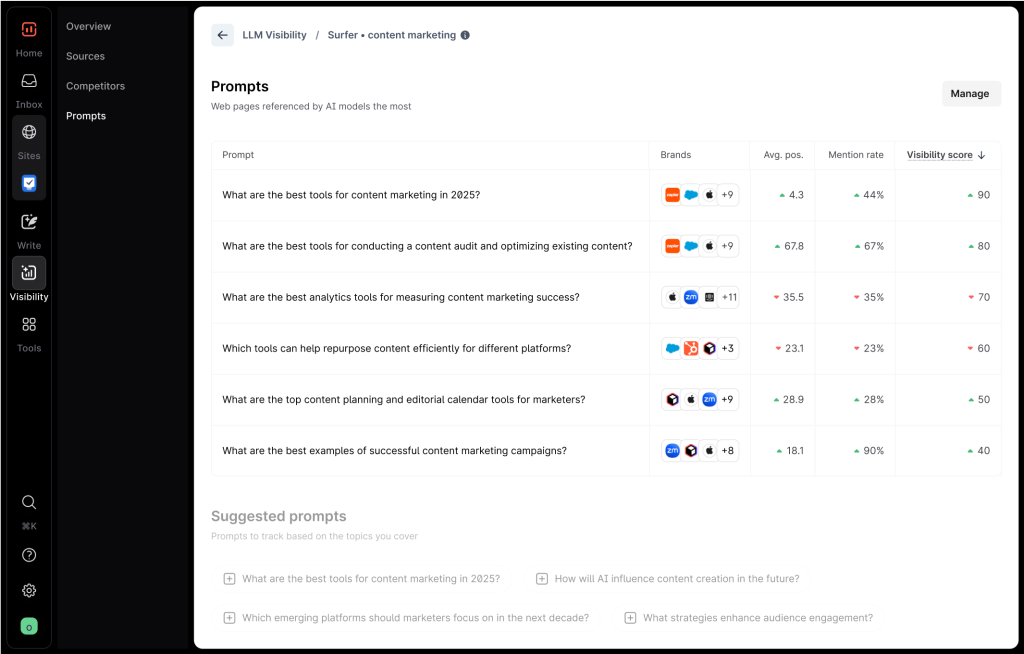
Surfer SEO focuses on content optimization. It analyzes top-ranking pages in Google and provides recommendations on headings, keyword usage, and content structure.
Instead of guessing how detailed a page should be, writers can align their content with what already performs well in search results.
Real Use Case
A software blog updated an older article using Surfer SEO’s suggestions. After improving headings, adding missing subtopics, and expanding the content, the page moved from position 18 to position 4 within two months.
Practical Tip
Surfer works especially well when updating existing articles, not just when writing new ones.
Where Surfer SEO Excels — And Its Practical Limitations
| Where It Excels | Practical Limitations |
| Data-driven content recommendations | Focused mainly on on-page SEO |
| Real-time content scoring | Requires paid plan |
| Helpful for updating existing articles | Suggestions may encourage keyword stuffing |
| Integrates with writing tools | Limited technical SEO features |
| Improves topical coverage | Needs other tools for keyword research |
Pricing: Around $89/month
Best for: Content creators
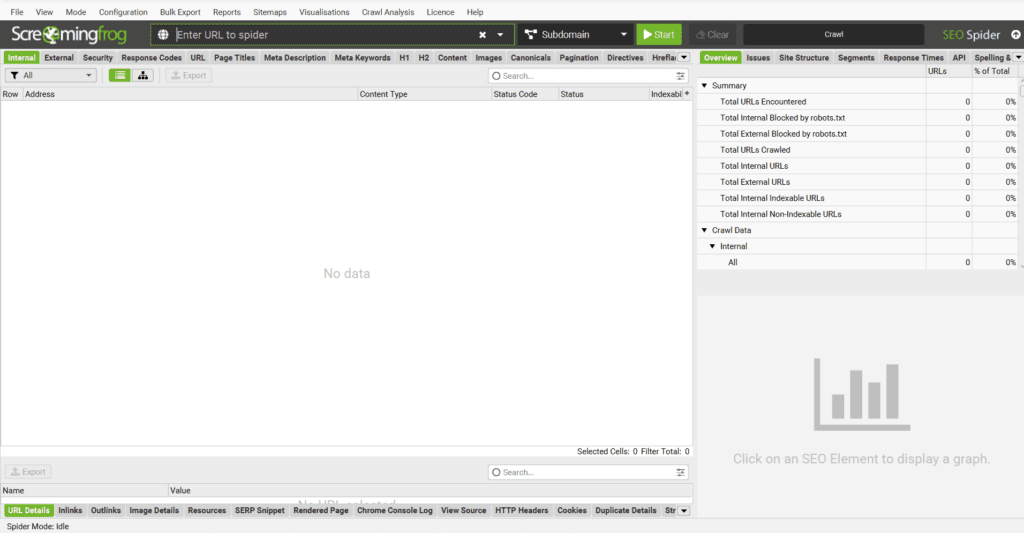
5. Screaming Frog
Screaming Frog is a technical SEO crawler that scans your entire website and identifies issues affecting rankings.
It can detect broken links, duplicate titles, missing meta tags, redirect chains, and many other technical problems.
Large websites often rely on it during technical audits.
Practical Tip
Run a crawl periodically to find orphan pages — pages that exist on your site but aren’t linked internally.
Where Screaming Frog Excels — And Its Practical Limitations
| Where It Excels | Practical Limitations |
| Extremely detailed site crawls | Interface looks technical |
| Detects broken links and redirects | Desktop software |
| Handles large websites well | Requires strong system memory |
| Custom data extraction | Learning curve |
| Useful free version | Free limit of 500 URLs |
Pricing: Free / Paid version
Best for: Technical SEO users
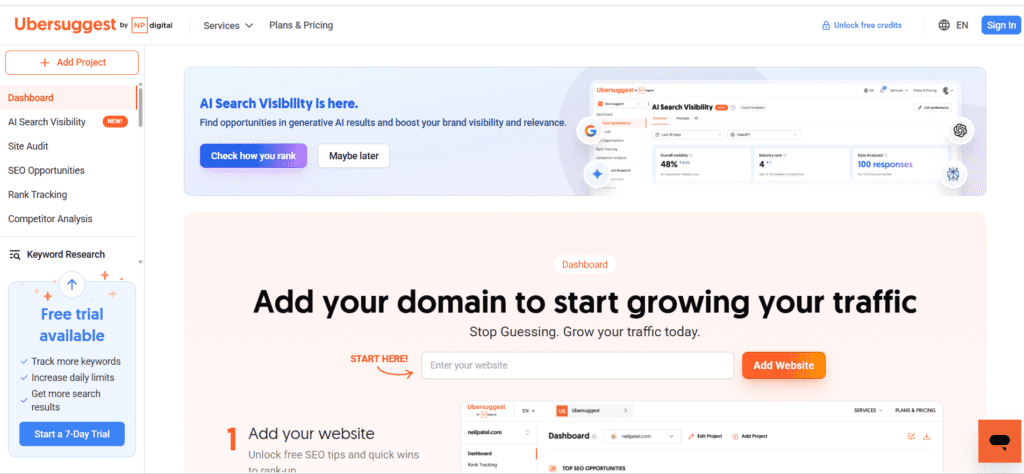
6. Ubersuggest
Ubersuggest is popular among beginners because it simplifies keyword research and provides an easy-to-understand SEO dashboard.
The platform offers keyword ideas, traffic estimates, and basic competitor insights.
Practical Tip
Use the Content Ideas section to quickly identify blog topics already performing well in search.
Where Ubersuggest Excels — And Its Practical Limitations
| Where It Excels | Practical Limitations |
| Beginner-friendly interface | Smaller keyword database |
| Affordable pricing | Less detailed competitor insights |
| Helpful blog topic ideas | Limited technical SEO features |
| Quick domain overview | Data accuracy varies occasionally |
| Good starting point | Advanced users may outgrow it |
Pricing: Free / Paid plans
Best for: Beginners and bloggers
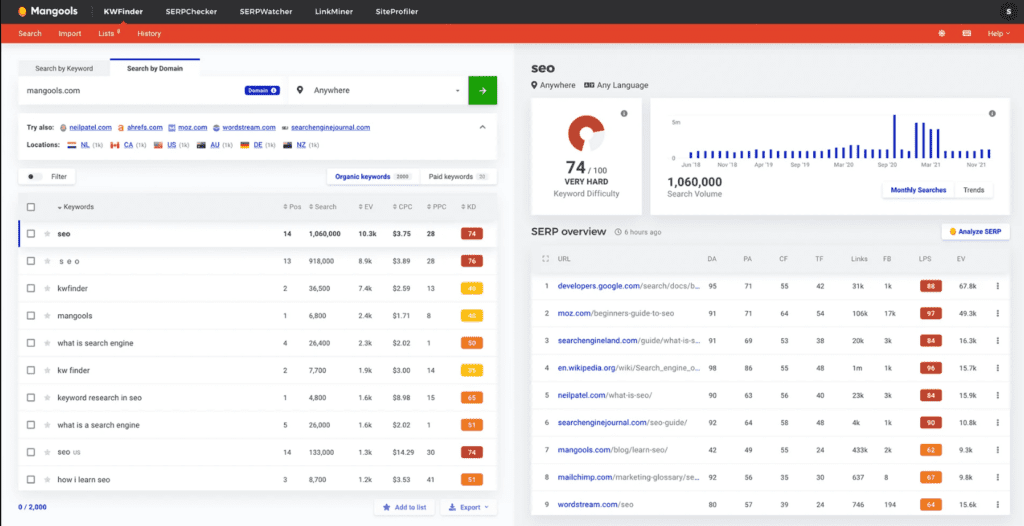
7. Mangools (KWFinder)
Mangools is known for KWFinder, a tool designed specifically for discovering long-tail keywords.
It has one of the simplest interfaces among SEO platforms, making it easy to analyze keyword difficulty and search volume.
Practical Tip
KWFinder is excellent for identifying low-competition keywords that newer websites can realistically rank for.
Where Mangools Excels — And Its Practical Limitations
| Where It Excels | Practical Limitations |
| Clean interface | Smaller backlink database |
| Accurate keyword difficulty | Limited technical tools |
| Great long-tail keyword research | Search limits on basic plans |
| Fast SERP analysis | Not ideal for enterprise SEO |
| Affordable pricing | Fewer automation features |
Pricing: Around $49/month
Best for: Bloggers
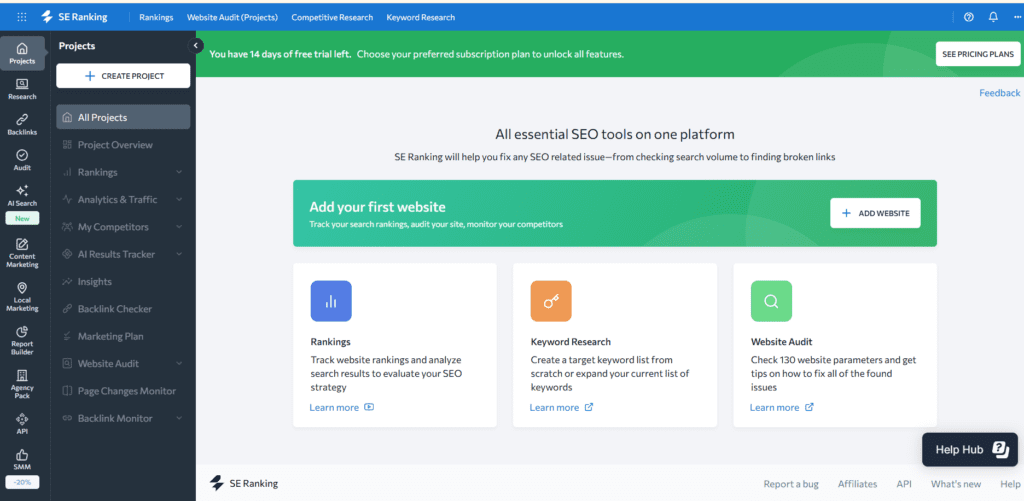
8. SE Ranking
SE Ranking combines several important SEO features including rank tracking, keyword research, and website audits.
Many agencies use it because it offers white-label reports and flexible pricing.
Practical Tip
Use the Competitor Ranking section to see which keywords competitors recently gained or lost.
Where SE Ranking Excels — And Its Practical Limitations
| Where It Excels | Practical Limitations |
| Accurate rank tracking | Smaller keyword database |
| Flexible pricing | Slightly dated interface |
| Useful SEO audits | Setup time for large sites |
| White-label reporting | Advanced tools on higher plans |
| Good value overall | Less industry recognition |
Pricing: Starts around $55/month
Best for: Agencies and growing sites
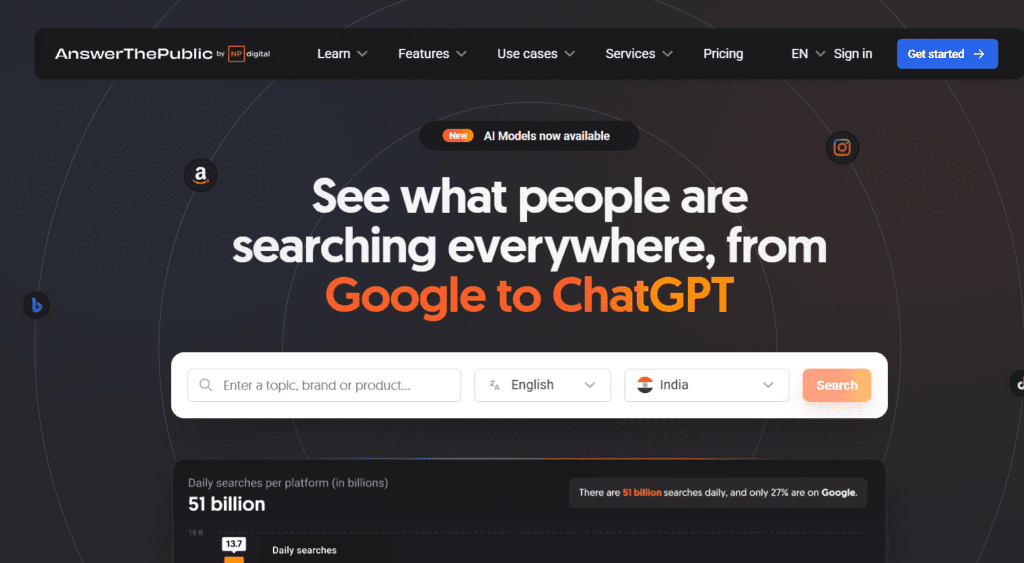
9. AnswerThePublic
AnswerThePublic focuses on question-based keyword research. Instead of listing only keywords, it reveals the questions people ask about a topic.
This makes it very useful for creating blog outlines, FAQ sections, and informational content.
Practical Tip
Combine AnswerThePublic questions with keyword research tools to build topic clusters around a subject.
Where AnswerThePublic Excels — And Its Practical Limitations
| Where It Excels | Practical Limitations |
| Excellent question discovery | Limited search volume data |
| Visual keyword maps | Free version restrictions |
| Great for content ideas | Not a full SEO platform |
| Useful for FAQ creation | Requires other tools |
| Reveals search intent | No backlink insights |
Pricing: Free / Paid
Best for: Content creators
10. Google Trends
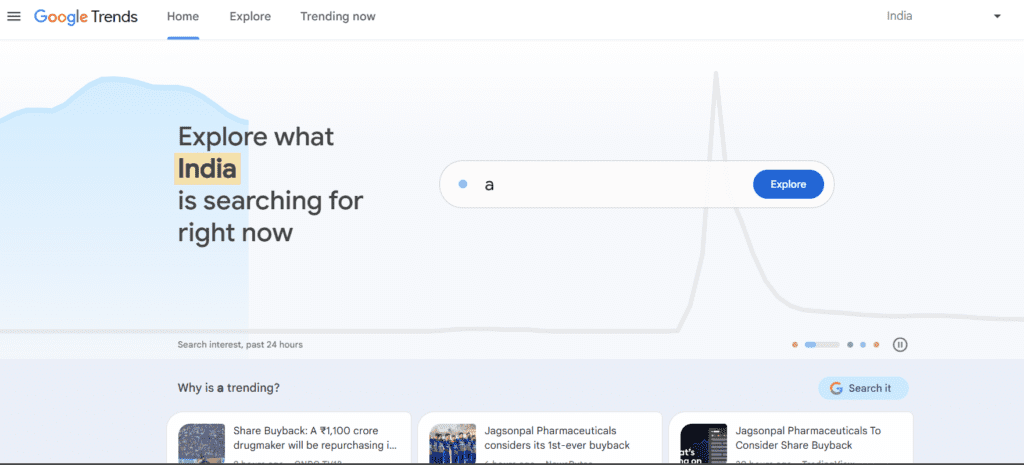
Google Trends is a simple but powerful tool that shows how interest in a topic changes over time.
It’s especially useful for identifying seasonal content opportunities and rising trends before they become competitive.
Practical Tip
Combine Google Trends with keyword research tools to validate whether a topic is growing or declining in popularity.
Where Google Trends Excels — And Its Practical Limitations
| Where It Excels | Practical Limitations |
| Identifies rising trends early | No exact search volume |
| Shows seasonal patterns | Limited keyword research |
| Completely free | Relative popularity data |
| Regional insights | Requires other tools |
| Validates topic ideas | No competitor analysis |
Pricing: Free
Best for: Content planning
Case Study 1: Ranking a Blog Post with Ahrefs + Surfer SEO
A marketing blog wanted to rank for a competitive productivity keyword.
First, Ahrefs was used to analyze competitor pages and identify content gaps. Then a more comprehensive article covering missing subtopics was created.
Surfer SEO was used to optimize headings, keyword placement, and content structure.
Within three months the article moved from page three to position five, bringing several thousand additional monthly visitors.
Case Study 2: Finding Hidden Keywords with Search Console + Google Trends
A health blog analyzed Search Console data and noticed several keywords ranking between positions 8 and 12.
Google Trends showed that one of these topics was gaining popularity.
After expanding the article and improving the title, the page reached the top three results, doubling traffic within two months.
Free vs Paid SEO Tools
Free SEO tools can be surprisingly powerful.
Google Search Console and Google Trends provide valuable insights directly from Google.
However, as a website grows, free tools start showing limitations. They rarely offer deep competitor research, backlink data, or large keyword databases.
Paid tools such as Ahrefs or Semrush become valuable when you need deeper analysis and advanced insights.
Many successful websites rely on a combination of one main paid tool plus several free tools.
Common Mistakes When Using SEO Tools
Many website owners misuse SEO tools, which leads to poor decisions.
Some common mistakes include:
- Choosing keywords only based on search volume
- Ignoring search intent behind a query
- Overusing too many SEO tools at once
- Copying competitor content instead of improving it
- Focusing only on keywords rather than content quality
SEO tools provide data, but results depend on how you interpret and apply that information.
How to Choose the Right SEO Tool
The best SEO tool depends on your experience and goals.
Beginners
Start with:
- Google Search Console
- Ubersuggest
- Google Trends
Growing Blogs
Consider adding:
- Mangools
- Surfer SEO
Agencies and large sites
Platforms like Ahrefs or Semrush provide deeper competitor insights and advanced research capabilities.
Frequently Asked Questions
What are the best SEO tools for beginners?
Google Search Console, Ubersuggest, and Mangools are beginner-friendly and provide useful insights without overwhelming complexity.
Are free SEO tools enough?
Free tools can work initially, but growing websites usually benefit from paid tools for deeper keyword and competitor research.
Which tool is best for keyword research?
Ahrefs and Semrush are widely considered among the most reliable platforms for keyword research.
Do SEO tools guarantee rankings?
No tool guarantees rankings. They only provide insights that help guide SEO decisions.
Conclusion
SEO tools help remove the guesswork from website growth. They reveal what people are searching for, how competitors attract traffic, and what improvements can increase visibility.
The most effective approach is not using dozens of tools but choosing a small set that covers essential needs.
For example:
- Google Search Console for real search data
- Ahrefs or Semrush for competitor and keyword research
- Surfer SEO for content optimization
Many websites, including BizSmartTools, follow a similar approach—combining a few reliable SEO tools to analyze search data, discover keyword opportunities, and improve content performance.
When used consistently, these tools can help identify opportunities that lead to steady traffic growth.
Instead of trying every platform available, start with a few reliable tools and gradually expand your toolkit as your website grows.
0 Comments